
Bringing the blocky, pixelated charm of Minecraft into your home is an exciting way to personalize a space. Whether you are building a dedicated gaming sanctuary or decorating a cozy bedroom for a young fan, a themed lamp serves as both a functional light source and a striking piece of decor. However, selecting the right fixture in the Philippines requires looking past the familiar green creepers and glowing redstone blocks. You must evaluate how these novelty lights perform under local electrical standards, how they handle tropical humidity, and whether their design suits the specific needs of the room’s occupant.
Essential Electrical and Safety Checks Before You Buy
Focusing on the 220V standard in the Philippines is the most critical step when purchasing imported novelty lighting. Many themed lamps sold online are designed for 110V markets. Plugging a 110V lamp directly into a local outlet without a step-down transformer can destroy the device or cause an electrical hazard. Always verify the input voltage rating on the product label or listing before making a purchase.
Examine the plug type carefully. The Philippines primarily uses flat two-pin (Type A) or three-pin (Type B) plugs. If the lamp comes with a round-pin or angled-pin plug, you might be tempted to use a cheap travel adapter. However, loose or low-quality adapters can spark, overheat, or fail under continuous use. It is safer to select a lamp with a native, compatible plug or use a high-quality, fused adapter.
Products mentioned in this guide
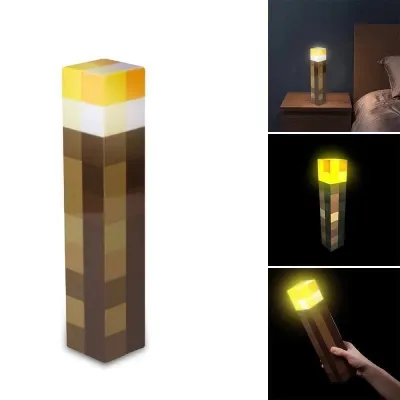

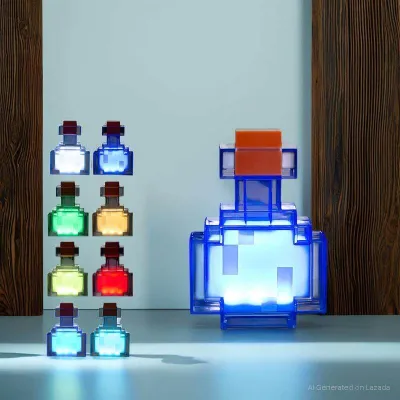
Prices are valid at publication and may change. Please refer to the product page for the latest price.
Look for safety certifications. While official merchandise often carries recognized international safety marks such as CE, FCC, or RoHS, generic or replica lamps might lack these entirely. In the local market, checking for import clearance indicators or verified manufacturer safety declarations helps ensure the internal wiring is insulated properly and won’t short-circuit.
Material safety is paramount, especially in a tropical climate where ambient temperatures and humidity are high. Ensure the lamp body is made of non-toxic, BPA-free, and shatter-resistant plastics like ABS or silicone. Cheap plastics can emit unpleasant chemical odors when warmed by the internal light source or degrade quickly under intense sunlight and humidity.
Lastly, review the wattage limits and heat dissipation. Even though most modern Minecraft-themed lamps use energy-efficient LEDs, some models still generate heat if left on for hours. Check if the manufacturer specifies a maximum continuous runtime or provides ventilation slots in the design to prevent heat buildup.
Choosing the Right Ambient Light for Your Gaming Setup
A gaming room demands a careful balance of light to prevent screen glare and eye strain. When placing a Minecraft lamp on a desk, evaluate its physical footprint. Gaming setups are often crowded with dual monitors, mechanical keyboards, large mousepads, and audio gear. A lamp with a wide, unstable base can easily be knocked over during intense gaming sessions. Look for compact designs with rubberized, anti-slip feet that sit securely on your desk surface.

Consider the color temperature and brightness. A harsh, bright white light can wash out your monitor’s display and cause headaches. Instead, opt for lamps that offer warm white or adjustable RGB colors. This allows you to match the lamp’s glow with your existing PC bias lighting or keyboard backlighting, creating a cohesive, immersive atmosphere.
If you are eyeing a projection-style lamp, such as a sunset lamp or a pixel-art projector that casts shapes onto the wall, pay attention to the projection distance and focus. In smaller rooms or tight condo spaces, you need a lamp with an adjustable lens or a tilting head. This ensures you can position the light to project a clear, sharp image onto the wall behind your monitor without the lamp itself blocking your view or shining directly into your eyes.
Cable management is another critical factor. A messy tangle of wires behind your desk not only looks unappealing but also poses a physical hazard. Choose a lamp with a detachable power cord or one that supports USB power, allowing you to plug it directly into your PC or a nearby monitor hub. Route the cable neatly along your desk’s cable trays, keeping it far away from moving chair wheels and footrests.
Picking Safe and Durable Themed Lamps for Kids' Rooms
Decorating a child’s bedroom requires a safety-first approach. Children are naturally curious and may touch, carry, or play with a glowing lamp. For this reason, prioritize cool-to-the-touch LED designs. Traditional incandescent bulbs get hot enough to cause burns, whereas LEDs remain cool even after hours of operation. Ensure the light source is fully enclosed within the lamp’s housing so inquisitive fingers cannot access the bulb or internal wiring.
Stability is crucial in an active play area. Kids’ rooms are prone to accidental bumps, flying toys, and sudden movements. Avoid top-heavy lamps that can easily tip over. Instead, look for models with heavily weighted bases or those that can be securely mounted to the wall. Wall-mounted options, like a replica Minecraft wall torch, keep the light source completely out of reach of toddlers while adding a fun, interactive element to the room.
Sleep hygiene is another vital consideration. Exposure to bright blue light before bed can disrupt a child’s natural sleep cycle. If the lamp is intended for bedside use or as a nightlight, choose a model that offers a warm, low-intensity glow. Built-in timers are incredibly useful, automatically turning the lamp off after a set period once the child has fallen asleep, saving energy and extending the lamp’s lifespan.
Power cord safety must not be overlooked. Long, dangling cords present tripping hazards or, worse, strangulation risks. Keep cords short and secure them to the back of furniture using adhesive cable clips. If possible, consider battery-operated or rechargeable silicone nightlights for younger children, as these eliminate the need for a constant wall connection during use.
How to Verify Authenticity When Shopping Online
With the rise of online shopping, the digital marketplace is flooded with both official Minecraft merchandise and cheap, unlicensed imitations. While replicas might look identical in photos, they often cut corners on build quality, material safety, and electrical components. To protect your home and your wallet, start by cross-referencing seller credentials. Look for official brand stores, authorized distributor badges, or highly rated preferred sellers on your chosen ecommerce platform.
Do not rely solely on promotional images, which are often copied directly from official websites. Instead, examine the customer review section thoroughly. Look for real-life photos and videos uploaded by previous buyers in the Philippines. Pay close attention to comments regarding the sturdiness of the plastic, the accuracy of the colors (unlicensed lamps often have distorted or washed-out hues), and whether the electrical plug matches the local standard.
Check the platform’s return and warranty policies. Buying from cross-border or overseas sellers can make returns difficult and expensive if the product arrives damaged or defective. Prioritize sellers who offer local return options, local warranties, or robust buyer protection guarantees. This ensures you can easily get a refund or replacement if the lamp fails to meet safety standards upon arrival.
Finally, compare the listing details against known official specifications. Official Minecraft lamps, manufactured by licensed partners, have specific dimensions, weight, and packaging designs. If a listing shows a lamp that is significantly smaller than the official version, uses cheap-looking packaging, or is priced suspiciously low compared to standard retail rates, it is highly likely a counterfeit. Investing a bit more in an authentic, licensed product guarantees better durability, accurate design details, and peace of mind regarding electrical safety.
Frequently Asked Questions (FAQ)
Can I plug a USB-powered Minecraft lamp directly into a wall outlet?
Yes, but you must use a properly rated, certified USB wall adapter. Do not attempt to splice or wire bare USB cables directly into your home’s mains power, as this is extremely dangerous. When choosing an adapter, check its output voltage and amperage (usually 5V and 1A or 2A) and compare it to the lamp’s requirements. Using an adapter with incorrect ratings can cause the lamp to overheat, flicker, or suffer permanent circuit damage. Always use adapters that carry local safety certifications to ensure stable power delivery.
Are sunset-style Minecraft lamps bright enough for reading or studying?
No, sunset-style projection lamps and themed pixel lights are designed strictly for ambient mood lighting and background atmosphere. They emit a soft, diffused, or colored glow that is excellent for relaxation or gaming but insufficient for focused tasks. Attempting to read or study under this type of lighting can cause severe eye strain and fatigue. For studying, writing, or reading, always use a dedicated desk lamp with a bright, neutral white light and an adjustable arm to direct the illumination exactly where you need it.
Community discussion
Share your experience or ask a question. Comments are reviewed before publication.