
When setting up a productive work-from-home (WFH) space, choosing the right task lighting is often overlooked. Many professionals spend hours adjusting their chairs and monitors, only to suffer from persistent eye strain, headaches, and physical fatigue caused by poor lighting. If you are struggling with screen reflections or a cluttered workspace, you might be wondering whether a monitor lamp bar is the right solution for your desk, or if you should stick with a traditional desk lamp.
In the Philippines, where WFH setups are frequently carved out of shared dining areas, compact condo corners, or bedrooms, maximizing space and managing ambient light is a daily challenge. Tropical sunlight can create intense glare during the day, while typical overhead home lighting often fails to illuminate a desk properly at night. Finding the right balance between screen visibility and desk illumination is essential for maintaining comfort and focus during long working hours.
Quick Answer: How to Decide Between a Light Bar and a Desk Lamp
Choosing between these two lighting solutions comes down to three main factors: your available desk real estate, the presence of screen glare, and the nature of your daily tasks.
Products mentioned in this guide
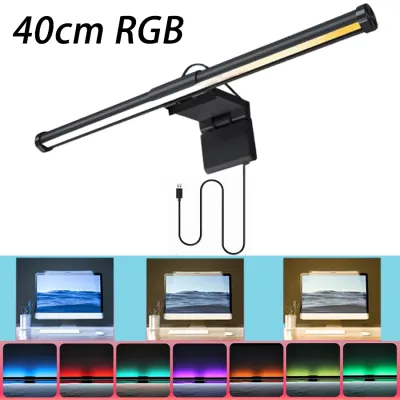
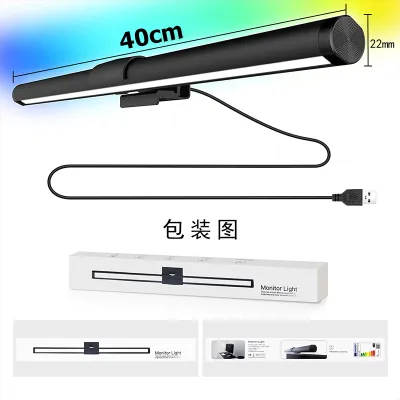
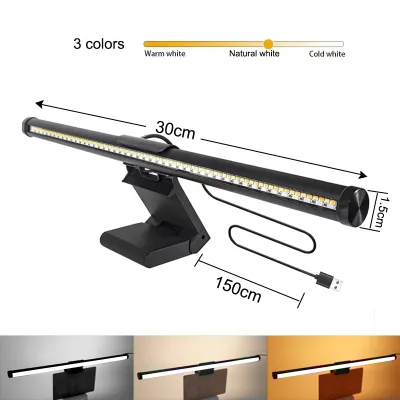
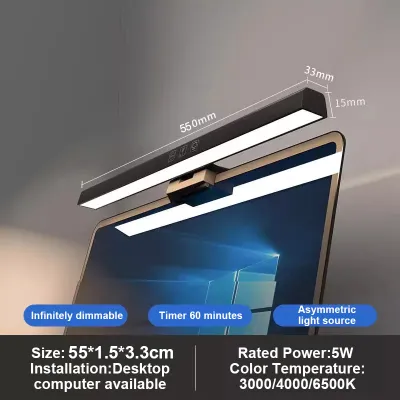
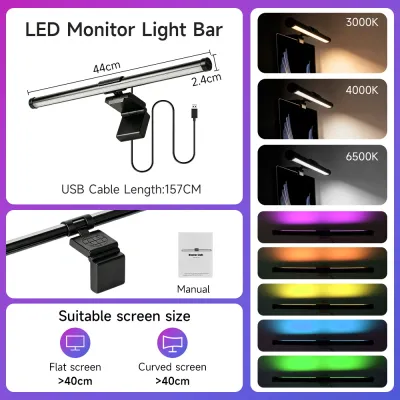
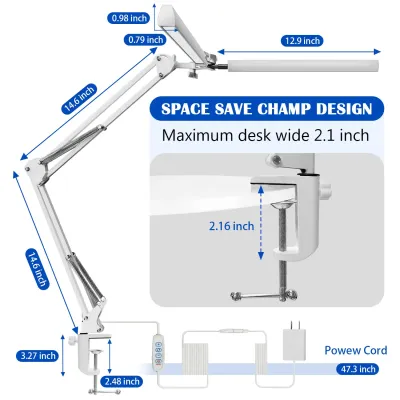
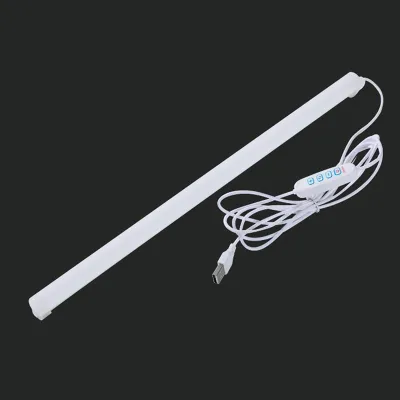
Prices are valid at publication and may change. Please refer to the product page for the latest price.
Select a monitor lamp bar if you have a compact desk with limited surface space, find yourself constantly squinting due to overhead light reflecting off your screen, and work almost exclusively on digital devices. This modern fixture mounts directly to the top of your screen, projecting light downward to illuminate your keyboard and immediate workspace without taking up any desk footprint.
Opt for a traditional desk lamp if your daily routine involves physical paperwork, sketching, or crafting. A desk lamp is also the superior choice if you use a multi-monitor setup, have a highly curved screen, or own an ultra-thin monitor with a fragile hinge that cannot safely support the weight of a clamp-on fixture. Traditional lamps offer unmatched physical flexibility, allowing you to swing, tilt, and extend the light source exactly where you need it.
Signs a Monitor Lamp Bar is Right for Your WFH Setup
If your daily professional life is centered entirely on your screen, a monitor lamp bar offers several distinct advantages tailored to digital workflows. Recognizing the physical signs of poor lighting in your current workspace can help you determine if this specialized fixture is the upgrade you need.

You Struggle with Screen Glare and Eye Strain
Traditional light sources cast light symmetrically in a wide cone. When placed near a computer screen, this light bounces off the glass panel directly into your eyes, creating a veil of glare that washes out contrast. A high-quality monitor lamp bar features an asymmetric optical design. This engineering directs light at a precise forward angle, illuminating your desk surface while keeping the screen itself in a dark shadow. By eliminating reflections, it helps reduce the ocular fatigue associated with long hours of coding, writing, or analyzing spreadsheets.
Your Desk Surface is Severely Limited
In many Philippine home offices, desks are compact—often measuring less than a meter in width to fit into tight residential layouts. A traditional lamp base can easily occupy a significant portion of this valuable surface area. Because a light bar mounts directly onto the top bezel of your monitor, it reclaims that lost desk space. This allows you to keep your keyboard, mouse, notepad, or coffee mug positioned comfortably without feeling cramped.
Overhead Lighting Creates Harsh Shadows
Many homes rely on centralized fluorescent or LED ceiling fixtures that cast light from behind or directly above your seating position. This setup often projects the shadow of your own head and shoulders onto your keyboard and desk. A screen-mounted light bar places the light source directly in front of you and pointing downward, neutralizing rear shadows and providing clean, even illumination across your immediate physical workspace.
When a Traditional Desk Lamp is the Better Investment
While screen-mounted lights are highly popular, they are not a universal cure-all. Traditional desk lamps have remained a workspace staple for decades because they offer versatility that fixed screen lights simply cannot match.
You Work with Physical Documents or Art Mediums
If your WFH tasks require high color rendering and precise light placement—such as reviewing architectural blueprints, grading physical papers, sketching, or matching color samples—a traditional desk lamp is indispensable. Many premium desk lamps feature high Color Rendering Index (CRI) ratings (often CRI 90 or above), which display colors accurately. Furthermore, you can pull a desk lamp close to your paper to inspect fine details, a task that is impossible with a fixed monitor light.
You Use Multiple Monitors or a Curved Screen
If you work with a dual- or triple-monitor setup, a single light bar will only illuminate the desk space directly beneath the monitor it is mounted on, leaving the rest of your desk unevenly lit. A traditional desk lamp with an adjustable, articulating arm can be positioned centrally or swung across a wider arc to distribute light more evenly. Additionally, heavily curved monitors (such as those with a 1000R or 1500R curvature) often conflict with standard straight light bar mounts, sometimes casting light onto the edges of the curved screen itself.
Your Monitor Has Physical Limitations
Some modern screens feature extremely thin bezels, where a mounting clip might press directly against the LCD panel, risking permanent pixel damage. Other screens have fragile tilt hinges or are mounted on lightweight, budget gas-spring monitor arms that are balanced precisely; adding a heavy light bar (which can weigh up to a kilogram with its counterweight) can cause the monitor to sag, tilt forward, or droop continuously.
Head-to-Head Comparison: Space, Glare, and Adjustability
To help you visualize how these two lighting categories perform in a daily working environment, consider this structured comparison of their core functional attributes:
| Feature | Monitor Lamp Bar | Traditional Desk Lamp |
|---|---|---|
| Mounting & Footprint | Screen-mounted; zero desk footprint | Desk-based or clamped; occupies surface space |
| Glare Control | Asymmetric optical design prevents screen reflections | Symmetric light distribution can cause screen glare |
| Adjustability | Fixed to monitor angle; limited rotation | Highly adjustable with articulating arms and swivels |
| Cable Management | Minimal; typically powers via a single USB cable | Thicker power cords running to wall outlets |
| Best For | Screen-based tasks, compact desks, single monitors | Paperwork, crafting, multi-monitor setups |
Space Footprint and Desk Integration
A monitor lamp bar is the clear winner for minimalist setups. By utilizing the top of your monitor, it leaves your desk surface completely clear. Traditional desk lamps require either a heavy weighted base that sits on your desk or a desk clamp. While a clamp-on desk lamp saves some surface space, it still requires a clear attachment point along the edge of your desk, which may not be feasible if your desk sits flush against a wall.
Glare Control and Optical Directionality
The primary technical difference lies in how light is distributed. Traditional lamps cast light in all directions (symmetric), which easily bounces off glossy monitor screens. A monitor lamp bar uses a reflective hood or custom lens to project a precise wedge of light (asymmetric) that cuts off right at the boundary of your screen. This ensures that only your keyboard and desk are lit, keeping your screen clear of distracting hotspots.
Physical Adjustability and Flexibility
Traditional desk lamps with multi-axis articulating arms offer superior physical adjustability. You can raise, lower, tilt, and rotate the lamp head to direct light exactly where you need it. In contrast, a monitor lamp bar is locked to your monitor’s position. While you can slightly rotate the bar within its mount to adjust the angle of the beam, its lateral position remains fixed.
Cable Management and Power Source
Monitor light bars are highly efficient, typically drawing power via a simple USB cable connected directly to your monitor’s USB downstream port or a nearby USB hub. This keeps cable runs short and easily hidden behind the screen. Traditional desk lamps usually feature thicker power cables that must route down to a floor-level extension strip or wall outlet, requiring more effort to keep your workspace looking tidy.
Crucial Compatibility and Safety Checks Before Buying
Before purchasing any lighting equipment, performing a few physical and electrical checks will save you from compatibility issues or potential damage to your existing WFH gear.
Check Your Monitor's Physical Attributes
Measure your monitor’s top bezel thickness. Some light bar clamps require a minimum bezel width to grip safely without touching the active display panel. If you have an ultra-thin bezel, look for a light bar that utilizes a gravity-pivot mount rather than a spring-loaded clamp, as gravity mounts rest gently on the bezel without applying pinching force. If you have a curved monitor, verify if the manufacturer explicitly states compatibility or offers a specialized curved-screen mounting bracket.
Assess Your Webcam Placement
If you regularly attend video meetings, check where your webcam sits. A monitor lamp bar occupies the exact center of your monitor’s top edge—the prime spot for an external webcam. Some light bars feature a flat top surface designed to accommodate a webcam, while others might force you to mount your camera off-center or purchase a separate mounting arm.
Verify Electrical Specifications and Voltage
Most modern monitor light bars operate on 5V USB power, drawing 1A to 2A. If you plan to plug the light bar directly into your monitor’s USB port, ensure the port delivers sufficient wattage (check your monitor’s manual). If the light bar comes with a dedicated wall adapter, verify that it supports the local voltage standard in the Philippines, which is 220V at 60Hz. Standardizing your power connections prevents overheating and extends the lifespan of your device’s internal LEDs.
Evaluate Monitor Arm Weight Capacities
If your monitor is mounted on an adjustable gas-spring arm, check its weight limit. Adding a heavy light bar to the top of the screen shifts the center of gravity forward. You may need to tighten the tension screw on your monitor arm’s tilt hinge to prevent the screen from slowly tilting downward over time.
Your Action Plan: Upgrading, Adjusting, or Keeping Your Current Lamp
To optimize your workspace lighting without spending unnecessary money, follow this simple decision path to find your ideal setup:
Path 1: Keep and Adjust Your Current Desk Lamp
If you already own a functional desk lamp but are experiencing glare, you may not need to buy new hardware. Try repositioning your lamp to the side of your non-dominant hand to prevent shadows while writing. Angle the lamp head downward so the light source is completely hidden from your direct line of sight, and ensure the beam does not strike your monitor screen. If the light feels too harsh, swap the bulb for one with a warmer color temperature (around 3000K to 4000K) and a lower wattage to soften the illumination.
Path 2: Buy a Monitor Lamp Bar
If your desk is cluttered, you work primarily on your computer, and your monitor passes all physical compatibility checks, a monitor lamp bar is an excellent investment. When shopping on online marketplaces, look for models that offer adjustable color temperatures (allowing you to switch from cool white for daytime focus to warm white for evening relaxation) and stepless dimming controls. Always check the seller’s return policy in case the mounting bracket does not sit securely on your specific monitor’s rear casing profile.
Path 3: Upgrade to a High-Quality Articulating Desk Lamp
If you regularly handle physical documents, use multiple screens, or have a monitor that cannot support extra weight, invest in a premium desk lamp with an adjustable swing arm. Look for a model with a high CRI rating (90+) to ensure accurate color representation, and choose a clamp-on base to keep your desk surface as clear as possible.
Frequently Asked Questions (FAQ)
Will a monitor light bar block my webcam?
Whether a light bar blocks your webcam depends on the design of both devices. Because both accessories compete for the top-center edge of your screen, standard clip-on webcams often cannot sit securely on top of a monitor that already has a light bar installed. To resolve this, some light bars are designed with a flat top surface or include a dedicated magnetic mount for webcams. Alternatively, you can position your webcam slightly off-center or mount it on a small desktop tripod behind your monitor.
Is a monitor light bar bright enough for reading paper documents?
While a monitor light bar easily illuminates your keyboard and the immediate desk area directly in front of your screen, its asymmetric beam is designed to cut off sharply to avoid hitting your monitor. This means the light intensity drops off quickly the further you move away from the screen. If you need to read large physical documents, write extensively by hand, or review physical spreadsheets spread across your desk, a traditional desk lamp with a wider, adjustable beam will provide more consistent and comfortable coverage.
Do I need a voltage converter for a monitor light bar in the Philippines?
Most monitor light bars are powered via a standard 5V USB cable, which can be plugged directly into your computer, monitor, or a standard USB phone charger brick. Since USB power is globally standardized, these models do not require a voltage converter. If your light bar comes with a dedicated wall plug adapter, it is highly likely to be a wide-voltage adapter (100V–240V, 50/60Hz) that is fully compatible with the standard 220V/60Hz electrical outlets used in the Philippines. However, you should always inspect the input specifications printed on the power adapter before plugging it in.

Community discussion
Share your experience or ask a question. Comments are reviewed before publication.