
To reduce eye strain during long work sessions, the most effective monitor light bar is one that features a true asymmetric optical design, stepless brightness and color temperature adjustability, and a secure mounting mechanism that does not obstruct your webcam. These technical features address the primary causes of digital eye strain: screen glare and poor desk illuminance. By illuminating your workspace without reflecting off your display, a high-quality light bar allows your eyes to focus naturally, minimizing fatigue during late-night projects or long office hours.
In the Philippines, where natural light can shift dramatically from intense tropical afternoon sun to sudden overcast rainy-day darkness, having an adaptable lighting setup is crucial. A monitor light bar acts as a dedicated task light, bridging the gap between your bright display and your physical desk surface. However, not all models are engineered equally, and choosing the wrong specifications can sometimes worsen visual fatigue. Understanding how these features interact with your eyes and your workspace is the key to making an informed investment.
The Core Anti-Glare Feature: Asymmetric Light Distribution
Standard desk lamps cast light in a wide, symmetrical cone, which inevitably bounces off your monitor glass and reflects directly into your eyes. This constant screen glare forces your ciliary muscles to work harder to resolve text on screen, leading to headaches and dry eyes. An asymmetric light bar solves this issue by using specialized internal reflectors or precision lenses to project light at an angle—usually around 45 degrees. This directs the illumination downward and forward onto your keyboard and documents, keeping the screen itself in a shadow zone.
Products mentioned in this guide

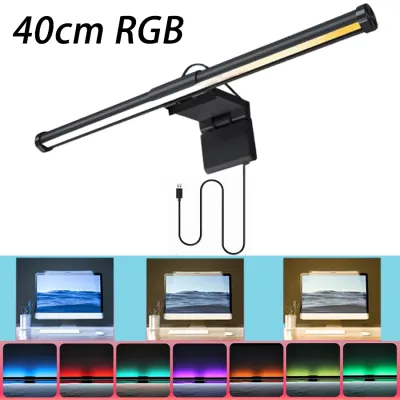
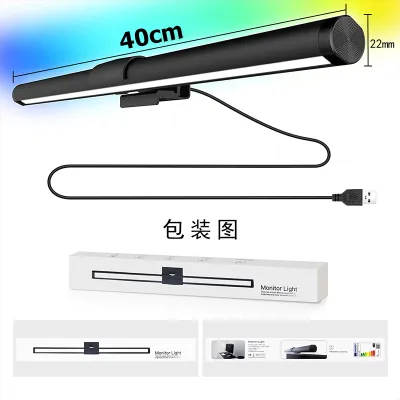
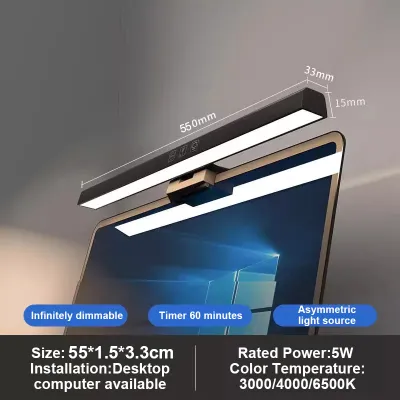
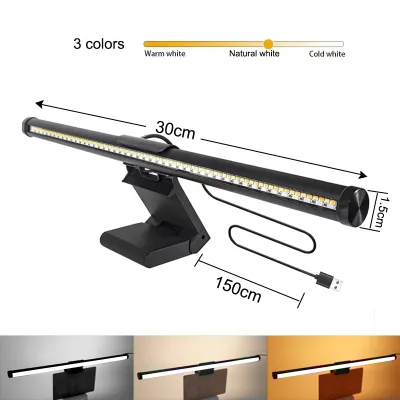
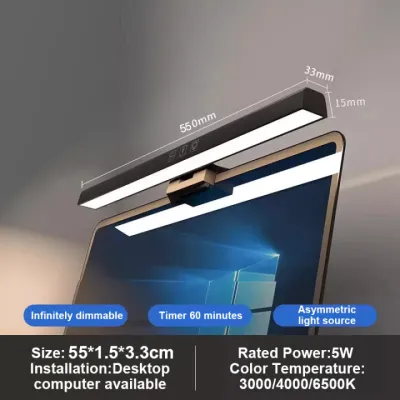
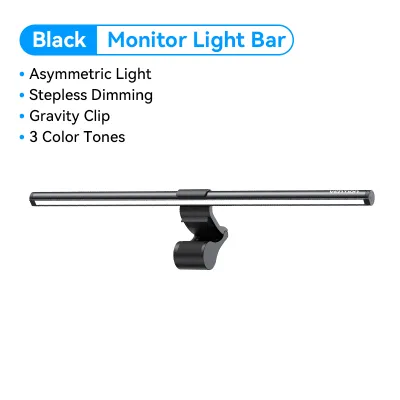
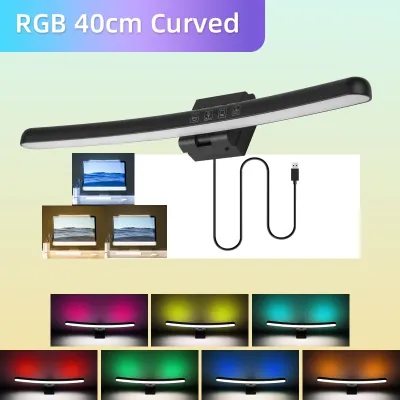
Prices are valid at publication and may change. Please refer to the product page for the latest price.
When shopping, look for explicit optical engineering claims rather than relying on generic “anti-glare” marketing buzzwords. High-quality manufacturers provide detailed optical diagrams showing a clean cutoff line where the light path terminates right before hitting the screen surface. You can verify this by checking user reviews or product diagrams for a clear depiction of the asymmetric beam. If a product lacks these diagrams, there is a high risk that it is simply a standard linear light that will cause distracting reflections on your display.
Tuning the Light: Brightness and Color Temperature Adjustability
To optimize your workspace for eye comfort, you must understand the difference between lumens and lux. Lumens measure the total light output emitted by the LEDs, while lux measures the actual intensity of light hitting your desk surface. For comfortable reading and writing, you want adjustable lux that can adapt to your ambient surroundings. A fixed-brightness light bar can easily over-illuminate a dim room, causing high-contrast glare, or fail to provide enough light during a bright afternoon.

Stepless dimming is highly recommended because it allows you to fine-tune the brightness smoothly to match the changing ambient light of your room. Color temperature, measured in Kelvin (K), is equally vital for managing circadian rhythms and visual comfort. Look for a light bar that offers an adjustable range from warm white (around 2700K) to cool white (around 6500K). Cooler white light supports alertness and focus during daytime hours, while warm white light is much gentler on the eyes in the evening, helping to minimize blue light exposure before you sleep.
Physical Fit: Mounting Mechanisms and Screen Compatibility
A light bar must physically fit your monitor setup without causing mechanical stress or ergonomic issues. The two primary mounting designs are gravity-pivot clamps and spring-loaded clips. Gravity-pivot designs use a heavy counterweight to rest the light bar securely on top of the monitor bezel. This method is highly preferred because it applies minimal physical pressure to delicate LCD or OLED panels, reducing the risk of screen damage or backlight bleeding.
Before purchasing, always verify the manufacturer’s specified monitor thickness limits on the product packaging or spec sheet. If you use a curved monitor, standard straight light bars can sometimes cast light onto the edges of the screen, creating distracting reflections. In this scenario, look for specialized curved light bars or models that include adjustable mounting depths to ensure the light path remains clear of the display. Additionally, check that the mount provides enough clearance if you use a top-mounted webcam or an external monitor arm.
Power Delivery and Control Interfaces
Most monitor light bars are powered via a USB connection, which is highly convenient for keeping your desk free of extra cables. However, you must verify the voltage and wattage requirements on the product label. A standard USB 2.0 port on an older computer might only output 2.5 watts (5V, 0.5A), which can cause some high-power light bars to flicker or limit their maximum brightness. Using a dedicated USB wall adapter or a high-output USB 3.0 or USB-C port ensures stable and consistent power delivery.
The control interface also plays a significant role in daily usability and focus. Wireless desktop dials or remote control pucks are generally superior to touch controls built directly into the light bar chassis. Tapping a touch sensor on top of the bar can cause your monitor to wobble, which is highly distracting during deep work and can gradually loosen the mounting clamp. A wireless dial sits comfortably on your desk, allowing you to adjust brightness and color temperature without touching the screen.
Specs to Deprioritize for Basic Eye Comfort
While shopping, you will encounter premium features that drive up the price but contribute very little to reducing eye strain. For example, an ultra-high Color Rendering Index (CRI) of 95 or above is essential for professional photo editors, graphic designers, or color-graders who need perfect color accuracy. However, for standard office tasks like reading, coding, or managing spreadsheets, a standard CRI of 80 to 90 is perfectly adequate and much more budget-friendly. Broad price bands for these products range from basic entry-level models under ₱1,500 to premium options exceeding ₱5,000.
Similarly, RGB back-bias lighting and smart home app integration are often marketed as essential wellness features. While rear-facing RGB lights can add an appealing aesthetic to a gaming setup, they do not replace the need for proper front-facing task illumination. Smart app controls can also be tedious to use daily compared to a simple physical dial. If your primary goal is purely visual comfort and glare reduction, focus your budget on optical quality and solid physical construction rather than paying a premium for smart connectivity.
Frequently Asked Questions (FAQ)
Can a monitor light bar completely replace my main desk lamp?
Monitor light bars are specialized task lights designed to illuminate your immediate working area—such as your keyboard, mouse, and physical documents—without casting glare on your screen. They are not intended to serve as ambient room lighting. Working in a completely dark room with only a monitor light bar active can actually increase eye strain due to the high contrast between the bright desk area and the dark surroundings. To maintain visual comfort, it is best to use your light bar in conjunction with a soft, ambient room light or a secondary lamp that fills the rest of the space with gentle, indirect illumination.
Does bias lighting behind the monitor actually reduce eye strain?
Yes, bias lighting can be highly effective at reducing eye strain, but it serves a different purpose than a monitor light bar. Bias lighting consists of LED strips or lights placed behind your monitor to project a soft glow onto the wall behind your desk. This reduces the harsh contrast between your bright screen and a dark background, which prevents your pupils from constantly dilating and contracting as your eyes move. While a monitor light bar focuses on illuminating your physical desktop, bias lighting focuses on balancing the room’s background contrast. Using both systems together creates an exceptionally comfortable environment for extended screen time.
Community discussion
Share your experience or ask a question. Comments are reviewed before publication.