
Deciding between a monitor light bar and a traditional desk lamp comes down to your physical workspace layout, the tasks you perform, and how you manage screen glare. If your desk is shallow, your workspace feels cluttered, or you constantly struggle with reflections on your screen, a monitor light bar is generally the better choice. Conversely, if you regularly read physical books, sketch, or work on hands-on projects that require adjustable, multi-directional illumination, a traditional desk lamp remains the more versatile option.
In many modern home offices, especially in compact urban apartments where space is at a premium, lighting is often an afterthought. However, improper illumination can quickly lead to discomfort and decreased productivity. By understanding how these two lighting solutions distribute light and interact with your existing equipment, you can make an informed decision that protects your eyes and optimizes your daily workflow.
Signs Your Current Desk Lighting Is Falling Short
Your body often signals when your workspace lighting is inadequate long before you consciously realize the source of the problem. One of the most common indicators is screen glare, which occurs when overhead room lights or poorly positioned side lamps reflect directly off your monitor’s glass. This reflection forces your eyes to constantly adjust between the depth of the screen’s digital content and the surface reflection, leading to rapid visual fatigue.
Products mentioned in this guide
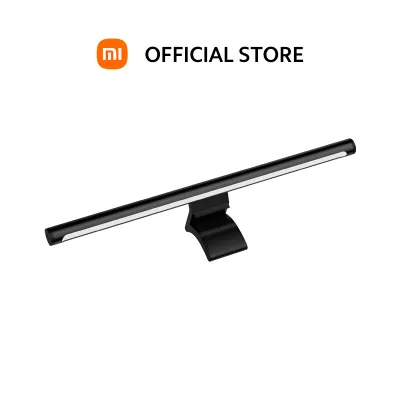
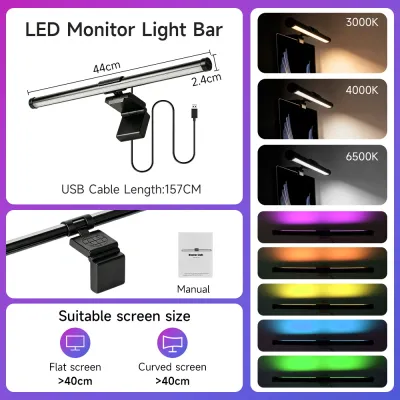
![Xiaomi Monitor Computer Light Bar USB Type-C port LED Screen Hanging Lamp [Six Months Warranty]](https://img.lazcdn.com/g/p/b77feba3468080e3f312e98806da8d12.png_400x400q80.png_.webp)
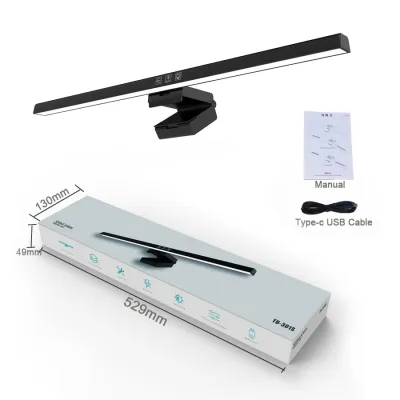
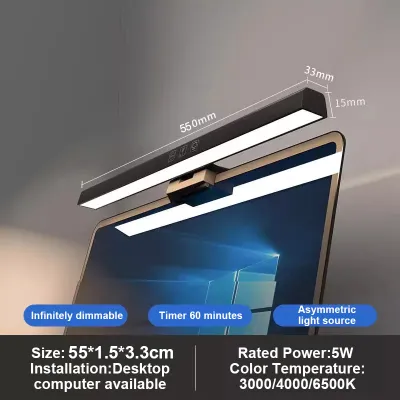
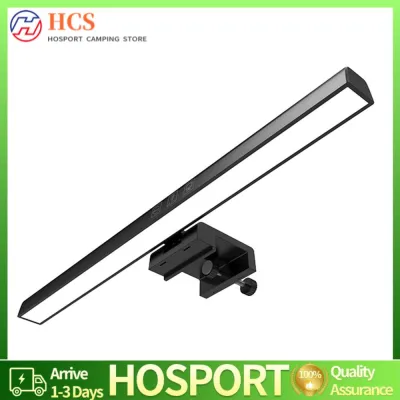
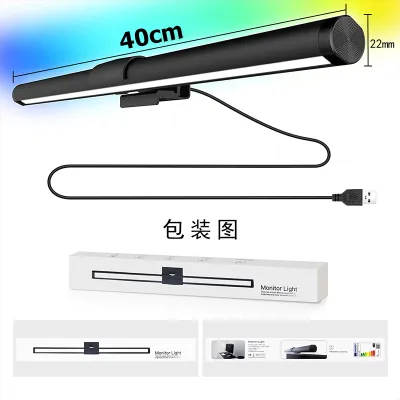
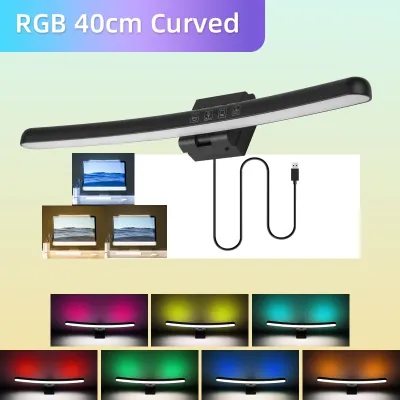
Prices are valid at publication and may change. Please refer to the product page for the latest price.
Another clear sign of poor lighting is the presence of harsh, distracting shadows across your keyboard, notepad, or desk surface. Traditional overhead lighting often casts your own head and shoulders over your primary working area, forcing you to lean forward or strain your eyes to see what you are typing or writing. This awkward posture can contribute to neck and shoulder tension over time.
You might also notice a stark contrast between a highly illuminated monitor screen and a completely dark surrounding room. Working in a “cave-like” environment where the only light source is the monitor screen forces your pupils to constrict and dilate repeatedly as your gaze shifts from the bright display to the dark desk. This extreme contrast is a primary driver of eye strain and dry eyes, particularly during late-night work or study sessions.
Ultimately, physical symptoms like persistent eye fatigue, dry or watery eyes, blurred vision, and tension headaches during or after long desk sessions are strong indicators that your current setup is falling short. If you find yourself squinting, rubbing your eyes, or turning down your monitor’s brightness to uncomfortable levels just to cope with the ambient light, it is time to re-evaluate your desk lighting strategy.
How Monitor Light Bars and Desk Lamps Deliver Light Differently
The fundamental difference between these two fixtures lies in their optical design and how they direct light across your workspace. Monitor light bars utilize an asymmetric optical design, which projects light downward and forward at a precise angle. This engineered beam path ensures that the light illuminates your keyboard and desk area while completely avoiding the monitor screen itself, preventing reflections and screen washout.

In contrast, traditional desk lamps typically offer either omnidirectional light distribution or a highly focused spot beam. While adjustable gooseneck or swing-arm lamps allow you to position the light source precisely, their symmetrical light output can easily spill onto your screen if not angled perfectly. This spillover often dilutes screen contrast, making text harder to read and colors appear faded.
The physical footprint of each option also dictates how they interact with your desk. A monitor light bar mounts directly to the top of your display, utilizing a counterweight or clip system that occupies absolutely zero desk surface area. A traditional desk lamp, however, requires a stable base or a clamp that attaches to the edge of your desk, which can take up valuable real estate, especially on smaller work surfaces.
Power delivery and control mechanisms also differ significantly between the two types of fixtures. Most monitor light bars are powered via a standard USB port, allowing you to plug them directly into your computer, monitor, or a nearby USB hub for streamlined cable management. Traditional desk lamps usually require a standard wall outlet, which can limit placement options depending on the proximity of your power strips and may add to the clutter of cables behind your desk.
Evaluating Your Desk Space and Monitor Setup
Before purchasing either lighting solution, it is essential to conduct a thorough physical audit of your workspace to ensure compatibility. Start by measuring your desk depth and the actual surface area available. If your desk is shallow—less than 60 centimeters deep—a traditional lamp base can severely restrict your keyboard and mouse movement, making a monitor-mounted light bar a much more practical choice.
Next, examine your monitor’s physical characteristics, including bezel thickness, curvature, and the presence of any top-mounted accessories like webcams. Standard light bar mounting clips are designed for flat screens with moderate bezels; if you have an extremely thin bezel, a heavy clip could potentially press against the LCD panel and cause damage. Additionally, if you rely on a webcam for daily video conferences, you must verify whether the light bar’s mounting bracket will block the camera or if the light bar itself features an integrated webcam mount.
Weight limits and mounting mechanisms are also critical safety considerations. Ensure your monitor stand or monitor arm is sturdy enough to support the additional weight of a light bar, which typically ranges from 300 to 800 grams. A flimsy monitor stand might wobble or tilt forward under the extra weight, especially if the light bar uses a heavy counterweight design to stay secure.
Finally, check your proximity to power sources and verify electrical compatibility. If you choose a USB-powered light bar, ensure your monitor or computer has an available USB port that delivers the required voltage and amperage—usually 5V and at least 1A—to prevent flickering or dimming. For traditional desk lamps, verify that the cord length is sufficient to reach your power strip safely without creating a hazard or putting tension on the cable.
When a Regular Desk Lamp Is Enough
A traditional desk lamp remains an excellent and often superior choice under several common workspace conditions. If you have a spacious desk with plenty of surface area, the physical footprint of a lamp base is rarely an issue. This extra space allows you to position a stylish, high-quality lamp that complements your room’s overall decor while providing ample illumination.
For those who engage in diverse offline tasks such as sketching, drafting, reading physical textbooks, or performing detailed handiwork, the flexibility of an adjustable desk lamp is unmatched. You can easily bend, rotate, and pull the lamp head close to your work surface to eliminate shadows and highlight fine details—adjustments that a fixed monitor light bar simply cannot accommodate.
Budget is another area where traditional desk lamps offer a clear advantage. Simple, reliable desk lamps are widely available starting at around ₱300 to ₱800 on any major online marketplace, making them highly accessible for students or anyone setting up a home office on a tight budget. While premium smart lamps exist, a basic desk lamp paired with a suitable LED bulb can provide excellent task lighting at a fraction of the cost of a specialized light bar.
Additionally, if your setup features multiple monitors arranged side-by-side or stacked vertically, a single central light bar will not provide uniform coverage across the entire span. In these multi-screen configurations, a tall, adjustable swing-arm desk lamp can be positioned to cast light evenly across your entire workspace, preventing dark spots and maintaining a balanced visual environment.
When a Monitor Light Bar Is the Right Upgrade
A monitor light bar is the ideal upgrade when you need to maximize efficiency in a constrained or highly digital workspace. If you work on a compact or shallow desk, clearing the clutter of a traditional lamp base instantly frees up valuable space for your keyboard, mouse, notepad, or a cup of coffee. This clean, minimalist aesthetic can also help reduce mental clutter and improve focus.
If you constantly battle screen glare from overhead room lights or nearby windows, a light bar’s asymmetric optical design solves this problem directly. By projecting light downward in a precise wedge shape, it illuminates your physical workspace while keeping the screen completely dark and glare-free. This precise control over the light path is virtually impossible to replicate with a standard desk lamp.
For professionals and students who spend long hours typing, coding, or editing, a light bar provides focused, even illumination directly over the keyboard and desk pad. This targeted light helps you see your keys and physical notes clearly without washing out the colors or contrast of your monitor, creating a highly comfortable environment for extended screen sessions.
Finally, for those who appreciate a clean, modern aesthetic, a monitor light bar offers a sleek, integrated look with minimal visible cabling. Because it draws power directly from your monitor or computer’s USB port, you can easily route the cable along your monitor arm, keeping your desk surface completely free of tangled cords and bulky power adapters.
Frequently Asked Questions (FAQ)
Can I use both a monitor light bar and a desk lamp together?
Yes, you can successfully combine both fixtures to create a layered lighting setup that minimizes eye strain. The monitor light bar can serve as your primary task light, keeping your keyboard and immediate desk area illuminated without screen glare, while a desk lamp can be positioned to provide ambient background light or targeted illumination for reading physical documents. To prevent visual fatigue, adjust both light sources to match in color temperature—ideally a warm or neutral white—and ensure the combined brightness does not create harsh, competing shadows across your workspace.
Do monitor light bars work with curved or ultrawide monitors?
Many modern monitor light bars are compatible with curved or ultrawide screens, but you must carefully verify the manufacturer’s specifications before purchasing. Curved monitors require a light bar with a matching curvature or a specialized mounting clip that extends far enough forward to prevent the light beam from clipping the top edges of the screen. For ultrawide monitors, look for a longer light bar to ensure even light distribution across the wider desk surface, and check that your monitor’s stand or arm can handle the weight distribution without slipping or tilting.
Community discussion
Share your experience or ask a question. Comments are reviewed before publication.