
Finding the right rechargeable LED table lamp in the Philippines requires balancing eye comfort, battery reliability, and space efficiency. With the tropical climate bringing both high humidity and occasional power interruptions, a cordless lighting solution is more than just a convenience—it is a productivity safeguard. Whether you are setting up a dedicated home office or carving out a study corner on a shared dining table, understanding what to look for ensures your investment protects your eyes and keeps you working through any situation.
Many users underestimate how much a poor light source contributes to daily fatigue. Squinting under a dim light or enduring the harsh glare of an improperly positioned bulb can lead to headaches, dry eyes, and a noticeable drop in concentration. By selecting a lamp designed specifically for task work, you can create a focused environment that adapts to your schedule, whether you are working during a daytime brownout or studying late into the humid evening.
This guide breaks down the essential technical specifications, battery performance metrics, and ergonomic designs you should evaluate. By focusing on verifiable product details rather than marketing buzzwords, you can confidently choose a lamp that fits your workspace, budget, and daily routine.
Products mentioned in this guide
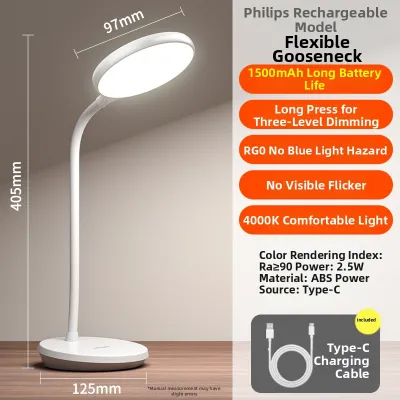
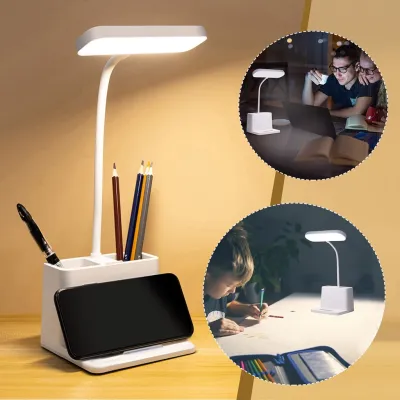
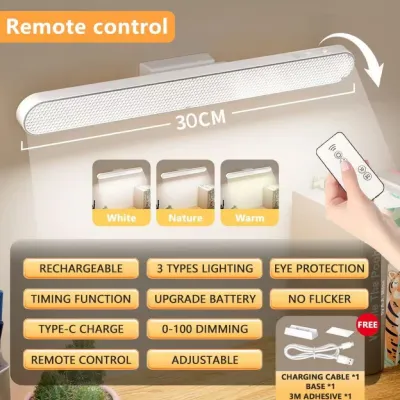
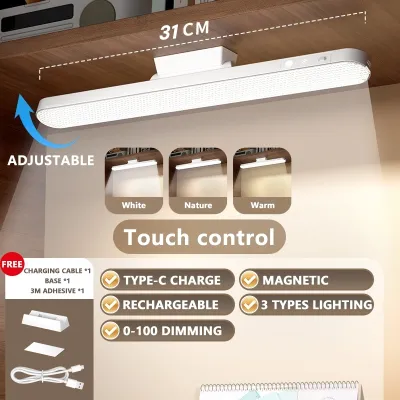
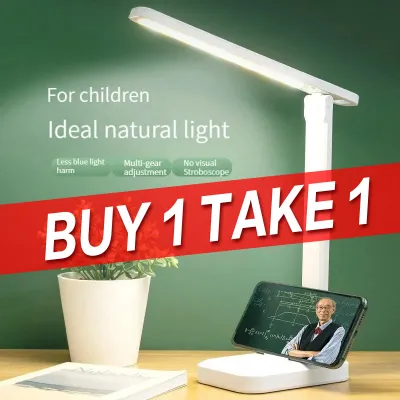
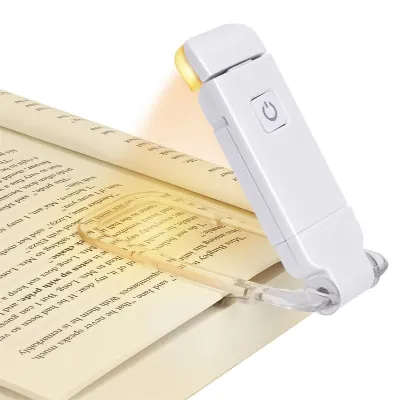
Prices are valid at publication and may change. Please refer to the product page for the latest price.
Core Lighting Specs for Eye Comfort and Focus
When shopping for a task light, the brightness level—measured in lumens—is your first point of comparison. For reading physical books or writing, a lamp should deliver between 300 and 500 lumens of localized light to ensure clear visibility without straining your eyes. If your work is primarily screen-based, you require less intense illumination; a lower setting of 150 to 200 lumens is often sufficient to balance the ambient light of your monitor and reduce high-contrast glare. Look for lamps that offer step-less dimming or multiple brightness presets so you can adjust the output as natural daylight changes throughout the day.
Color temperature, measured in Kelvin (K), directly influences your focus and circadian rhythm. Most modern LED lamps feature adjustable color modes, typically categorized into three settings. Cool white light (5000K to 6500K) mimics bright daylight and is highly effective for morning focus, detailed drafting, or analytical tasks because it helps suppress melatonin production. Neutral white light (around 4000K) provides a balanced, natural tone that is highly comfortable for reading printed documents over extended periods. Warm white light (2700K to 3000K) emits a soft, amber glow that minimizes blue light exposure, making it the ideal choice for late-night studying or winding down before sleep.
The Color Rendering Index (CRI) is a critical specification that indicates how accurately a light source reveals the true colors of objects compared to natural sunlight. Measured on a scale up to 100, a higher CRI rating means colors appear more vibrant and true-to-life. For general reading and typing, a CRI of 80 or above is perfectly adequate. However, if your work involves graphic design, architectural drafting, painting, or any creative task where color accuracy is paramount, prioritize lamps that explicitly specify a CRI of 90 or higher on their packaging.
Invisible high-frequency flickering is a common culprit behind unexplained eye strain, headaches, and mental fatigue during long study sessions. While many budget-friendly lamps claim to be “flicker-free” in their promotional titles, you should verify these claims by looking for technical details in the user manual or product specifications. High-quality lamps utilize constant current drivers or DC dimming technology to maintain a steady, non-oscillating light output. To perform a basic check at home, point your smartphone camera at the illuminated lamp; if you see dark, moving bands across your screen, the lamp is utilizing low-frequency pulse-width modulation (PWM) which can contribute to eye strain over time.
Decoding Battery Capacity and Real-World Runtime
Understanding battery capacity is essential for managing expectations, especially in areas prone to sudden power outages. Battery capacity is measured in milliampere-hours (mAh), with common desk lamps ranging from 1,200mAh to over 4,000mAh. However, a high mAh rating does not automatically guarantee days of continuous high-intensity light. Manufacturers often advertise maximum runtimes—such as “up to 40 hours of light”—based solely on the lamp’s lowest, dimmest setting. When operated at maximum brightness for intense studying, that same battery may drain completely within 2 to 4 hours. Always look for specifications that detail runtime ranges across different brightness levels.

The charging interface of your lamp determines its convenience and integration into your existing tech setup. Modern USB-C ports are highly preferred over older Micro-USB or proprietary round barrel pins. USB-C cables allow you to charge your lamp using the same power brick as your smartphone, laptop, or a portable power bank during a brownout. Additionally, check if the lamp supports true pass-through charging, which allows you to use the light at full brightness while it is plugged into a power source without degrading the battery or causing excessive heat buildup.
Safety should always be a priority when dealing with rechargeable lithium-ion batteries, which can be sensitive to high ambient temperatures and humidity. Look for products that list built-in safety certifications, such as CE, FCC, or RoHS, which indicate the device has undergone standardized testing. Reliable lamps feature integrated protection circuits that prevent overcharging, over-discharging, and short circuits. Thermal management is also crucial; a well-designed lamp will not feel hot to the touch near the battery compartment during charging or extended cordless use.
Over years of regular use, all rechargeable batteries experience natural capacity degradation. To ensure your lamp does not become electronic waste when the battery eventually loses its charge, check if the manufacturer offers replaceable battery options. Some sustainable designs feature an accessible battery compartment that uses standard, widely available lithium-ion cells (such as 18650 batteries). If the battery is completely sealed inside the plastic housing, you must accept that the lamp’s cordless lifespan will be limited to the natural cycle life of the internal cell, which typically ranges from 300 to 500 charge cycles.
Ergonomics and Desk Setup Integration
An ergonomically sound desk lamp allows you to direct light exactly where you need it, keeping your workspace comfortable and clutter-free. Look for lamps with highly adjustable necks or multi-jointed arms. Gooseneck designs offer 360-degree flexibility, allowing you to twist and bend the light source easily, though cheaper models may droop over time. Multi-jointed folding arms provide precise height and angle adjustments, allowing you to position the light panel parallel to your desk surface. This parallel positioning is crucial for directing light downward onto your documents while keeping the light source completely out of your direct line of sight, preventing glare on your computer monitor.
The physical stability of the lamp is determined by its base weight and footprint. A lamp with a heavy, weighted base is less likely to tip over if you accidentally bump your desk or if pets and children run nearby. Look for bases equipped with non-slip rubber or silicone pads on the bottom; these pads prevent the lamp from sliding on smooth wooden or glass desks and protect your furniture from scratches. If your desk is particularly small or cluttered, a large base can consume valuable real estate, making alternative form factors worth considering.
For compact workspaces, dorm rooms, or shared dining tables, space-saving designs like foldable or clip-on lamps are highly practical. Foldable lamps can be collapsed flat, making them easy to slip into a laptop bag for travel or to store in a drawer when the dining table needs to be cleared for meals. Clip-on lamps feature a heavy-duty spring clamp that attaches securely to the edge of your desk, a shelf, or even the headboard of a bed. When choosing a clip-on model, measure the maximum clamp opening to ensure it can accommodate the thickness of your desk surface, and verify that the clamp jaws are padded to prevent leaving marks on your furniture.
Before making a purchase, pay close attention to the build quality of the hinges and adjustment points. High-quality hinges should feel firm and hold their position securely without slipping or requiring constant tightening. While ABS plastic is lightweight and budget-friendly, aluminum alloy components offer superior durability and better heat dissipation for the LED panel. If you plan to adjust the angle of your lamp multiple times a day, investing in a model with metal joints will prevent the wear and tear that quickly ruins cheaper, all-plastic alternatives.
Matching Lamp Profiles to Your Specific Workflow
To find the ideal lamp, you must align its features with your daily habits, workspace limitations, and environmental challenges. No single lamp is perfect for every situation, but identifying your primary workflow scenario will help you prioritize the right specifications.
Scenario 1: Frequent Power Interruptions or Off-Grid Studying
If you live in an area prone to seasonal brownouts, typhoons, or unstable power grids, your primary focus should be battery resilience. Prioritize a lamp with a large battery capacity (at least 2,000mAh to 4,000mAh) and a dedicated low-power “eco” mode that can provide dim, readable light for 12 to 24 hours. A clear, multi-stage LED battery level indicator is essential so you can monitor remaining power and budget your usage. Additionally, ensure the lamp can be charged efficiently via a standard portable power bank, allowing you to keep your study space illuminated even during multi-day power outages.
Scenario 2: Shared, Compact, or Multi-Use Desks
If your study or work area is a shared dining table, a kitchen counter, or a small bedroom corner, portability and a minimal footprint are your top priorities. Look for a highly compact, foldable LED lamp that can be set up in seconds and packed away just as quickly. Alternatively, a clip-on lamp can be attached to a nearby shelf or wall organizer, keeping your actual desk surface completely clear for your laptop, notebook, and mouse. Choose a model that charges via USB-C so you do not have to manage multiple bulky power adapters in shared living spaces.
Scenario 3: Detailed Drafting, Crafting, or Extensive Reading
For those who spend hours reading physical textbooks, sketching, or working with intricate crafts, lighting quality is non-negotiable. You require a lamp with a high CRI (90 or above) to ensure accurate color representation and reduce eye strain. Look for a wide, elongated light bar rather than a single spot source; a wider panel distributes light more evenly across your entire workspace, eliminating harsh shadows. A sturdy, multi-jointed metal arm is also crucial here, as it allows you to lower the light source close to your work for high-intensity tasks and raise it back up for general ambient light.
Scenario 4: Late-Night Shared Rooms
If you share a bedroom or dorm room and study late into the night, you must control your light output carefully to avoid disturbing others. Look for a lamp with a highly directional beam angle that focuses light strictly downward onto your desk surface rather than scattering it across the room. Stepless dimming is incredibly valuable in this scenario, allowing you to lower the brightness to the absolute minimum required for reading. Ensure the lamp has a dedicated warm white mode (2700K to 3000K), which is softer on the eyes in a dark room and less likely to wake up a sleeping roommate.
Pre-Purchase Checklist and Safe Usage Boundaries
Before you add a rechargeable lamp to your cart on any online marketplace, take a moment to run through a practical safety and compatibility checklist. While USB-powered devices are generally low-voltage, the wall adapter you use to charge them must be safe. If the lamp includes a dedicated wall plug, verify that it is rated for the standard voltage in the Philippines (220V at 60Hz). If you are purchasing from a cross-border seller, the plug shape may require an adapter, or the voltage rating may be designed solely for 110V markets; using an incompatible adapter can damage the battery or pose a fire hazard.
Because rechargeable electronics can occasionally suffer from manufacturing defects, always review the seller’s return policies and warranty terms. Look for local warranties that offer at least 3 to 12 months of coverage, and check customer reviews specifically for mentions of battery failures or charging port issues. A seller with responsive customer support and a clear return process provides peace of mind, especially when purchasing budget-friendly electronics online.
To maximize the lifespan of your lamp’s lithium-ion battery and ensure safe operation, establish healthy charging habits from day one. Avoid leaving the lamp plugged into a charger continuously in hot, unventilated corners of your room. High ambient temperatures combined with the heat generated during charging can accelerate battery degradation. If your lamp does not explicitly support pass-through charging, make it a habit to turn the light off while it is plugged in to charge, allowing the battery to replenish without unnecessary thermal stress.
Finally, learn to recognize the physical warning signs of a failing lithium-ion battery. If you notice the lamp’s housing is swelling, warping, or feels excessively hot to the touch during charging, stop using it immediately. Other warning signs include a sudden, drastic reduction in battery runtime (e.g., dropping from 3 hours to 10 minutes of light) or a strange chemical odor. If any of these signs occur, unplug the device safely, do not attempt to open or repair the battery yourself, and consult the manufacturer or dispose of the device at a designated electronic waste collection point.
Frequently Asked Questions (FAQ)
Can I leave my rechargeable LED lamp plugged in all the time?
Whether you can leave your lamp plugged in depends entirely on the manufacturer’s design and built-in battery management features. High-quality lamps feature overcharge protection circuits that automatically stop drawing power once the battery reaches 100%, making them safe to leave plugged in. However, keeping a lithium-ion battery constantly at maximum charge in a warm, humid tropical climate can accelerate its natural degradation over time. To prolong your battery’s lifespan, it is best practice to unplug the lamp once it is fully charged, or periodically discharge it down to 20% before plugging it back in. Always consult your product’s user manual to confirm if continuous corded use is officially supported.
Are rechargeable lamps bright enough for primary desk lighting?
Rechargeable LED lamps are highly effective task lights, but they are generally designed to supplement, rather than replace, your room’s primary ambient lighting. Because they rely on battery power, their total lumen output is typically lower than that of heavy-duty, corded desk lamps. Working in a pitch-black room with only a bright desk lamp illuminated creates a high-contrast environment that can cause severe eye strain and fatigue. To protect your eyes, maintain moderate ambient lighting in your room and position your rechargeable lamp close to your work surface, adjusting its angle to illuminate your documents or keyboard without shining directly into your eyes.

Community discussion
Share your experience or ask a question. Comments are reviewed before publication.