
Working from home in the Philippines presents a unique set of daily challenges, from setting up a functional workspace in shared family areas to maintaining productivity through sudden power interruptions during the rainy season. Amid these variables, a reliable rechargeable study table lamp has evolved from a simple convenience into an essential tool for remote professionals and students alike. To sustain focus during eight-to-ten-hour shifts, a desk light must do far more than simply illuminate a surface. The specific features you prioritize—such as battery capacity, dimming flexibility, color temperature transitions, and physical ergonomics—directly impact your comfort and productivity. Selecting a lamp with the right technical specifications ensures that your workspace remains comfortable, highly functional, and resilient against local power fluctuations.
Why Standard Desk Lamps Fall Short for Long WFH Sessions
Standard ambient lighting in many Philippine households often relies on a single, centrally located ceiling fluorescent bulb. While this setup distributes light across the room, it fails to provide the focused intensity required for close-up tasks like reading documents or typing. Relying solely on ambient light forces your eyes to work harder to distinguish text against the glare of a backlit monitor, which rapidly leads to eye strain, dry eyes, and physical fatigue.
Traditional plug-in desk lamps address the need for focused task lighting but introduce rigid limitations that can disrupt a remote workflow. These lamps depend entirely on a continuous connection to a wall outlet, leaving you vulnerable to sudden brownouts or electrical fluctuations that can cut off your light source mid-task. Furthermore, their reliance on power cords limits where you can set up your workspace, which is a major drawback if you frequently need to move to quieter areas of the house.
Products mentioned in this guide
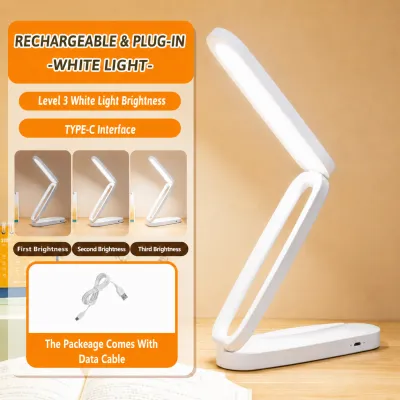
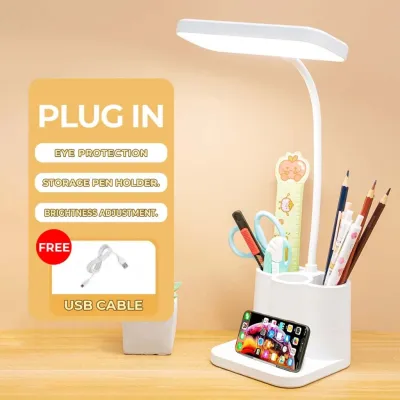
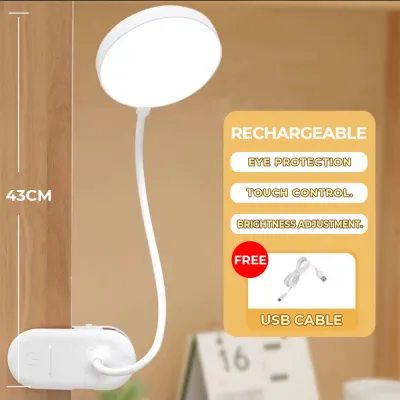
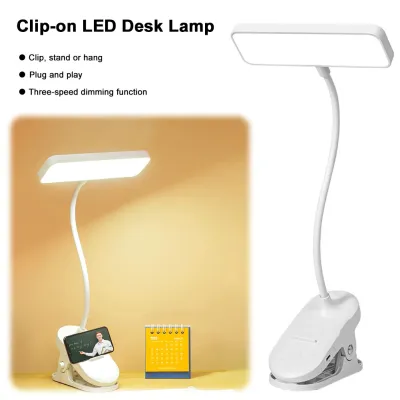
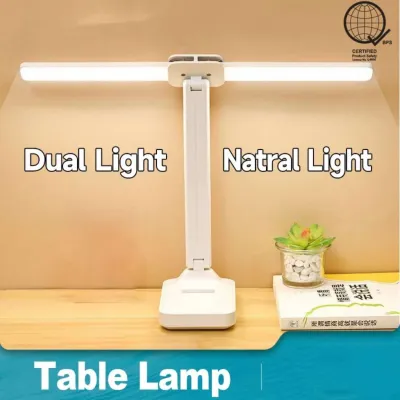
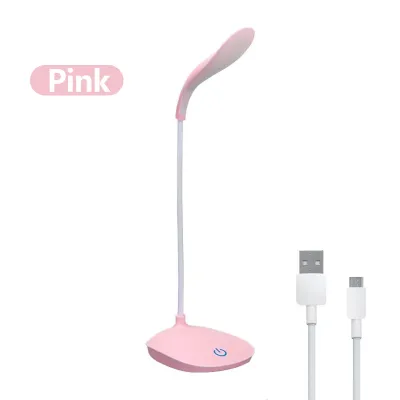
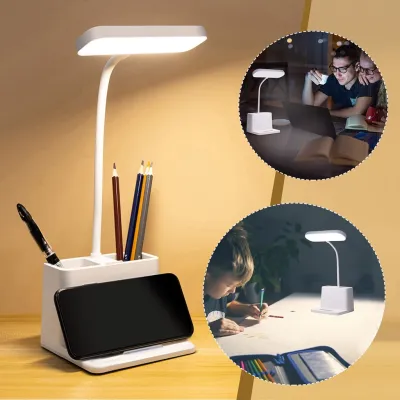
Prices are valid at publication and may change. Please refer to the product page for the latest price.
Transitioning to a high-quality rechargeable study table lamp resolves these issues by combining localized, glare-free illumination with complete portability. By operating independently of the electrical grid during active use, a rechargeable model ensures that your work can continue uninterrupted during power outages. This flexibility allows you to adapt your workspace to changing household dynamics, keeping your productivity high without sacrificing visual comfort.
Battery Runtime and Charging Habits for Uninterrupted Work
Evaluating battery capacity is crucial when choosing a lamp that can reliably support a full workday. Most rechargeable task lights utilize built-in lithium-ion batteries, with capacities typically ranging from 1200mAh to 4000mAh. It is important to understand that the real-world runtime of these batteries varies dramatically depending on your chosen brightness setting. While a lamp might operate for up to 40 hours on its lowest, warmest setting, running it at maximum brightness for detailed reading can deplete the battery in as little as 2 to 4 hours.

To maintain an uninterrupted workflow throughout a long shift, look for a lamp that supports safe pass-through charging. This feature allows you to use the lamp while it is plugged into a power source, ensuring continuous operation without risking damage to the battery’s health. When charging, utilizing universal standards like USB-C is highly advantageous. A USB-C interface allows you to power the lamp using your existing laptop ports, phone chargers, or external power banks, significantly reducing the number of cables cluttering your desk.
Before making a purchase, always check the product packaging or manufacturer specifications for the rated battery capacity and estimated charging times rather than relying on vague marketing claims. High-quality models will clearly state their performance metrics under different brightness levels. Additionally, ensure that any USB wall adapter you use to charge the lamp matches the manufacturer’s recommended voltage and current limits (typically 5V/1A or 5V/2A) to prevent overheating and ensure safe electrical operation.
Brightness Control and Glare Reduction for Screen-Heavy Days
The optimal light level for your workspace changes constantly depending on the task at hand and the time of day. Reading printed documents or drafting physical sketches requires high-intensity brightness, often between 300 and 500 lumens, to maintain high contrast and prevent squinting. Conversely, working on a bright, backlit computer screen requires a much softer, diffused ambient light to minimize screen glare and reflections that can cause severe eye fatigue over time.
To accommodate these contrasting needs, a lamp with stepless dimming or multiple brightness presets is highly beneficial. Stepless dimming allows you to adjust the light output smoothly, matching the natural light filtering through your windows as it changes from morning to afternoon. This gradual adjustment helps maintain a consistent level of illumination on your desk, reducing the contrast between your screen and the surrounding environment.
When reviewing specifications, look for lamps that explicitly claim to feature flicker-free technology and integrated light diffusers. Cheap LED lamps often exhibit high-frequency flickering that, while invisible to the naked eye, causes the muscles in your irises to expand and contract continuously, leading to rapid eye strain and headaches. A built-in diffuser panel is equally important, as it softens the light output and eliminates harsh, hard-edged shadows that can distract you during detailed work.
Color Temperature Adjustability for Day-to-Night Transitions
Color temperature, measured on the Kelvin (K) scale, plays a significant role in managing your energy levels and focus throughout the day. Cool white light, typically ranging from 5000K to 6500K, mimics natural daylight and is highly effective for maintaining alertness, enhancing concentration, and reading high-contrast text during morning and afternoon work sessions. However, relying on this cool, blue-toned light late into the evening can disrupt your body’s natural circadian rhythm.
Switching to warm light, which ranges from 2700K to 3000K, is ideal for evening work sessions. This warmer spectrum minimizes blue light exposure, helping your mind wind down and preparing your body for a healthy sleep cycle after your shift ends. For general computer use during transitional hours, a neutral white light of around 4000K provides a balanced middle ground that is easy on the eyes without causing drowsiness.
Because color temperature preferences are highly subjective and depend on your specific schedule, look for a lamp that features independent color temperature toggles or combined touch sliders. These controls allow you to adjust the warmth of the light without altering your preferred brightness level. Always verify the specific Kelvin range listed in the product specifications to ensure the lamp can deliver the precise tones required for both high-focus daytime tasks and low-strain evening study.
Ergonomic Adjustability for Shared or Compact Home Desks
Home workspaces in the Philippines are often set up in compact rooms or on shared surfaces like dining tables. In these environments, the physical design and footprint of your lamp are critical factors. A highly adjustable lamp allows you to direct light precisely where it is needed, keeping the light source completely out of your direct line of sight while preventing distracting glare on your computer screen.
Compare different structural designs to find the best fit for your desk layout. Flexible silicone goosenecks offer silent, infinite adjustments in any direction, making them excellent for tight spaces. Multi-jointed hinged arms provide more precise control over both height and angle, allowing you to suspend the light head directly over your work area. Foldable designs are particularly useful if you must pack away your workspace at the end of every day, as they lie flat and can be easily stored in a drawer or backpack.
Base stability is another vital consideration, especially on shared tables where the lamp might be bumped. A weighted base prevents the lamp from tipping over when the arm is fully extended or adjusted. Before ordering from online marketplaces, measure your available desk surface and verify the lamp’s base dimensions. In the Philippine market, rechargeable study table lamps generally span three broad price tiers: budget models under ₱500, mid-range options between ₱500 and ₱1,500, and premium models above ₱1,500. Choosing a model with a compact footprint ensures you retain maximum usable space for your laptop, notebook, and other essential WFH tools.
Positioning and Battery Care in Tropical Climates
Proper physical placement of your lamp is just as important as its built-in features. To prevent distracting hand shadows while writing or typing, position the lamp on the side opposite your dominant hand. Angle the lamp head slightly away from your computer screen to eliminate direct reflections and screen glare.
In the warm, humid climate of the Philippines, maintaining the health of your lamp’s rechargeable lithium-ion battery requires specific care. Avoid letting the battery drain completely to 0% before recharging, as deep discharges place significant stress on the battery cells and can permanently reduce their overall capacity. Instead, try to plug the lamp in when it indicates a low battery, and charge it to around 80% to 90% for optimal longevity.
Furthermore, keep the lamp away from direct sunlight streaming through windows and away from heat-generating office equipment, such as desktop computer towers, uninterruptible power supplies (UPS), or laptop exhaust vents. High ambient temperatures accelerate battery degradation and increase the risk of overheating. Operating and charging your lamp in a cool, well-ventilated area of your room will protect the internal electronics and ensure a much longer operational lifespan.
Frequently Asked Questions (FAQ)
Can I leave my rechargeable study lamp plugged in all the time?
Most modern rechargeable lamps feature battery management systems (BMS) that automatically stop charging once the battery reaches 100% capacity. However, keeping a lithium-ion battery constantly plugged in and fully charged, especially in warm tropical environments, can accelerate battery wear over time. If the manufacturer’s manual explicitly supports continuous pass-through use, it is generally safe to leave it plugged in during your shift. To maximize the battery’s lifespan, it is still a good practice to unplug the lamp once it is fully charged and run it on battery power periodically. Always consult the specific product manual for your model’s electrical safety guidelines.
Is a rechargeable lamp bright enough for detailed reading or drafting?
Yes, but its adequacy depends entirely on the specific lumen output and LED quality of the model you select. For detailed drafting, drawing, or reading fine print, look for a lamp that specifies a high brightness level, ideally between 400 and 500 lumens, and a high Color Rendering Index (CRI of 90 or above) to ensure accurate color representation. Check the product’s packaging for certified lighting specifications and read verified user reviews on online marketplaces to confirm real-world performance before making a purchase.
Community discussion
Share your experience or ask a question. Comments are reviewed before publication.