
When setting up a work-from-home workspace, many professionals prioritize ergonomic chairs or high-resolution monitors, often overlooking the quality of their lighting. A generic desk light might illuminate your keyboard, but inadequate or poorly configured lighting is a leading cause of digital eye strain, headaches, and physical fatigue. Relying on vague marketing terms like “eye-safe” or “vision-friendly” is rarely enough to guarantee comfort during long working hours.
To find a table lamp that truly protects your eyes, you must look past the promotional labels and evaluate verifiable technical specifications. The most critical optical metrics that impact visual comfort are illuminance (measured in lux), color temperature (measured in Kelvin), color rendering index (CRI), and flicker mitigation. Understanding these specifications allows you to select a task light that supports sustained focus and minimizes neurological fatigue.
Brightness and Illuminance: Lumens vs. Lux on Your Desk
When shopping for a table lamp, you will frequently see brightness advertised in lumens. Lumens measure the total amount of visible light emitted by a source in all directions, but this number does not tell you how much of that light actually reaches your workspace. For task lighting, the more important metric is lux, which measures illuminance, or the intensity of light falling on a specific surface area. A lamp with high lumens can still provide poor workspace lighting if its optical design scatters the light away from your desk.
Products mentioned in this guide
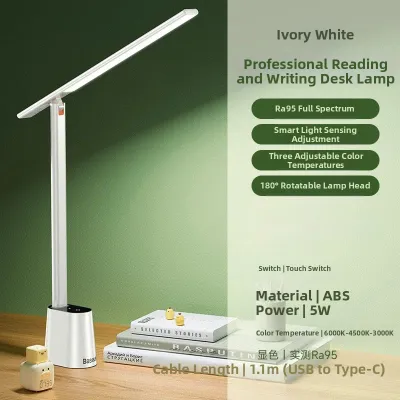
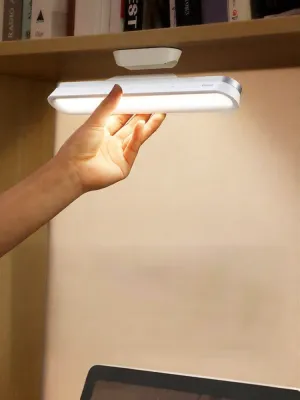
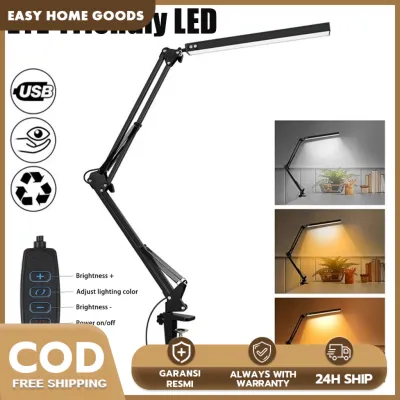
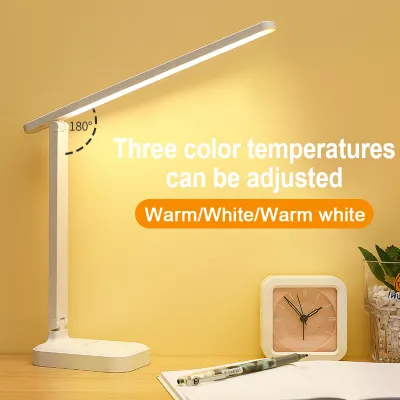
Prices are valid at publication and may change. Please refer to the product page for the latest price.
For standard office work and reading, the general recommendation is to maintain an illuminance level of 300 to 500 lux on your desk surface. To achieve this, look for a table lamp that provides clear lux specifications at a defined distance, such as 400 lux at 40 centimeters. This ensures the light is concentrated where you need it most without requiring excessive power consumption.
Adjustable brightness is a non-negotiable feature for a dedicated work-from-home lamp. Your workspace is subject to changing ambient light throughout the day, especially in tropical regions where bright afternoon sun can quickly give way to overcast rainy skies. A lamp with step-free or multi-level dimming allows you to balance your desk illumination with the surrounding room light, preventing the high-contrast glare that forces your eyes to work harder.
When evaluating dimming capabilities, pay attention to the lamp’s electrical specifications. If you choose a lamp with a replaceable bulb, verify the base interface (such as E27) and ensure the bulb’s wattage does not exceed the fixture’s maximum wattage limit. Additionally, confirm that the lamp’s power supply matches local electrical standards; in the Philippines, the standard residential grid operates at 220V and 60Hz. Using an incompatible voltage adapter or an uncertified fixture can lead to unstable power delivery, causing premature component failure or safety hazards.
Color Temperature: Matching Kelvin to Your WFH Tasks
Color temperature, measured in Kelvin (K), describes the warmth or coolness of the light emitted by a lamp. This specification directly influences your focus, alertness, and eye comfort. Light sources with lower Kelvin ratings (2700K to 3000K) produce a warm, yellowish glow, while higher Kelvin ratings (5000K to 6500K) produce a cool, bluish-white light similar to daylight.

For intensive screen work, overly cool or blue-heavy light can be highly counterproductive. Cool light increases screen glare and intensifies high-frequency blue light exposure, which can accelerate visual fatigue and disrupt your circadian rhythm during evening work sessions. Conversely, warm light is highly comfortable for reading physical books or relaxing, but it may feel too dim or cozy for high-focus tasks, potentially causing sleepiness.
For a balanced work-from-home setup, neutral white light around 4000K is generally considered the optimal compromise. This temperature provides a clean, crisp light that enhances contrast and readability without the harshness of cool blue light. It helps you stay alert during long hours of data entry, writing, or design work.
To maximize the utility of your workspace, look for a table lamp that offers adjustable color temperature modes. A hybrid lamp allows you to switch between warm light for evening reading, neutral white for daytime screen work, and cool white for tasks requiring intense focus. This adaptability ensures your eyes are supported regardless of the time of day or the nature of your work.
CRI and Flicker: The Hidden Drivers of Visual Fatigue
While brightness and color temperature are easily noticed, two hidden specifications—Color Rendering Index (CRI) and flicker rate—have a profound impact on long-term visual comfort. The Color Rendering Index measures how accurately a light source reveals the true colors of objects compared to natural daylight, which has a CRI of 100. Cheap or low-quality LED lamps often have a low CRI, resulting in dull, distorted colors.
For general office work, a CRI of 80 or above is recommended. If your daily tasks involve color-critical work such as graphic design, photo editing, or physical crafting, you should prioritize a lamp with a CRI of 90 or higher. A high CRI reduces the subconscious mental effort your brain and eyes must exert to distinguish colors and text, leading to a more relaxed viewing experience.
Light flicker is another major contributor to headaches, eye strain, and general fatigue. Many inexpensive LED lamps use low-frequency Pulse Width Modulation (PWM) to dim the light, turning the LED on and off at a rate that is invisible to the naked eye but still registered by your brain. This rapid, invisible pulsing forces your eye muscles to adjust constantly, leading to rapid exhaustion.
To prevent this, look for lamps that explicitly state they are “flicker-free” or utilize constant-current DC dimming rather than PWM. High-quality fixtures use advanced internal drivers to deliver a continuous, stable current to the LED elements. Always check for reputable electrical safety and performance certifications on the product label to ensure the internal circuitry meets rigorous standards for stability and power quality.
Overhyped Features: What You Can Safely Ignore
When browsing the market, you will encounter table lamps packed with secondary features designed to attract buyers. While additions like built-in Bluetooth speakers, wireless charging pads, smart app controls, and RGB ambient backlighting offer convenience, they do not contribute to optical safety or reduce eye strain.
These auxiliary features can significantly increase the retail price of a lamp, often drawing your budget away from what truly matters. A premium smart lamp with poor color rendering and high flicker rates will still cause eye strain, regardless of how easily it integrates with your home automation system.
When shopping with eye health as your primary goal, prioritize the core optical assembly. Invest your budget in high-quality LEDs, robust flicker-free drivers, and a solid mechanical arm that allows for precise physical adjustment. A mechanically simple lamp with excellent light quality is far superior to a feature-rich smart device with substandard illumination.
Setup and Glare Control: Making the Specs Work in Practice
Even a high-specification table lamp can cause eye strain if it is positioned incorrectly. Proper placement is essential to eliminate direct glare and minimize reflective glare from your computer screen.
To prevent shadows, place the lamp on the opposite side of your dominant hand; if you are right-handed, the light should come from your left. Position the lamp head so that the light source itself is completely shielded from your direct line of sight. The lamp head should sit slightly below eye level or be angled away so you do not look directly into the bare LEDs while working.
Reflective glare occurs when light from your lamp bounces off your monitor screen and into your eyes. To avoid this, choose a lamp with an asymmetric light distribution pattern. These specialized lamps project light forward and downward at an angle, illuminating your desk surface while keeping the light completely off your screen. If using a traditional lamp, ensure the light beam is directed at your keyboard or documents rather than the monitor.
Additionally, look for lamps equipped with high-quality diffusers or frosted lenses. A good diffuser softens the light, eliminating harsh hotspots and reducing the intensity of shadows on your desk. Finally, remember to maintain moderate ambient lighting in your room. Working with a bright desk lamp in an otherwise dark room creates high contrast, forcing your pupils to dilate and constrict repeatedly as your eyes move around the space, which rapidly accelerates visual fatigue.
Community discussion
Share your experience or ask a question. Comments are reviewed before publication.