
Quick Answer: The Ideal Specs for a Study Table Lamp
Finding the right lighting for your workspace is essential for maintaining focus and protecting your eyes during long reading or writing sessions. The ideal specifications for a study table lamp are a brightness level of 400 to 800 lumens, a color temperature of 4000K to 5000K (cool white), and a Color Rendering Index (CRI) of 80 or higher. These baselines ensure that your workspace is sufficiently illuminated, text remains sharp, and colors are rendered accurately enough to prevent visual fatigue.
However, the optimal setup depends on your specific tasks and age. Highly detailed work like technical drafting requires brighter light, while older eyes generally need higher lumen levels to read comfortably. Additionally, safety and compatibility should be your starting point. In the Philippines, always verify that the lamp or its power adapter is rated for the local electrical standard of 220V at 60Hz. Many imported lamps on online marketplaces are designed for different electrical grids, and using an incompatible driver can lead to dangerous overheating, flickering, or premature device failure.
Brightness and Lumens: How Much Light Do You Actually Need?
When shopping for a table lamp study table setup, many people mistakenly look at wattage to determine brightness. In modern LED technology, wattage only measures energy consumption, not light output. Instead, you must look at lumens, which measure the actual volume of visible light emitted. Relying on wattage can lead to purchasing a lamp that is either too dim or unnecessarily power-hungry.
Products mentioned in this guide
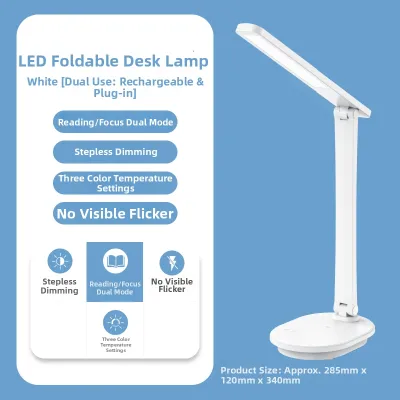
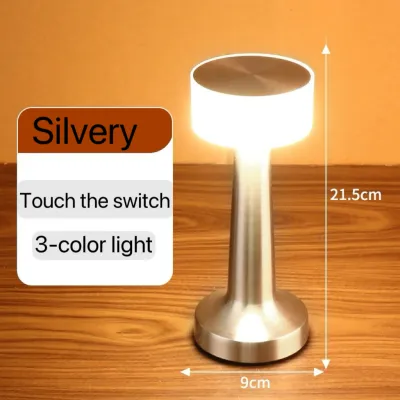
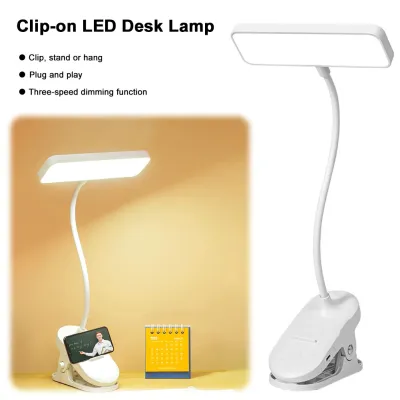
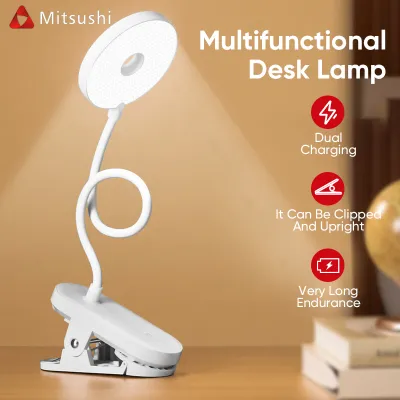
Prices are valid at publication and may change. Please refer to the product page for the latest price.

For casual reading, studying on a laptop, or general desk tasks, a brightness range of 400 to 500 lumens is generally sufficient. If your study routine involves handwriting, technical drawing, reading small print, or analyzing complex diagrams, you should aim for 600 to 800+ lumens. This ensures that fine lines and small characters are clearly visible without forcing you to squint.
Dimmability is another critical feature to consider. A study lamp with adjustable brightness levels allows you to adapt the light output to changing ambient conditions. If you study in a room with shifting daylight or use the lamp late at night, being able to lower the brightness prevents harsh contrast. A single, bright light source in an otherwise dark room creates severe contrast glare, which forces your pupils to adjust constantly and leads to rapid eye fatigue.
Furthermore, age plays a significant role in your lighting requirements. As the human eye ages, the lens naturally thickens and transmits less light. A student in their teens may find 400 lumens perfectly bright, whereas an adult learner working at the same desk might require 700 lumens or more to achieve the same level of visual clarity and comfort.
Color Temperature: Choosing the Right Light Tone for Focus
Color temperature, measured on the Kelvin (K) scale, describes the warmth or coolness of the light. It has a profound psychological and physiological impact on your study sessions, influencing both your alertness and your sleep quality.
For study environments, the light spectrum is generally divided into three main categories:
- Warm White (2700K to 3000K): This range produces a soft, yellowish glow. While it is highly relaxing and excellent for winding down with a novel before bed, it is not ideal for active, focused studying as it can induce drowsiness.
- Cool White or Daylight (4000K to 5000K): This is the optimal range for active studying and concentration. This crisp, neutral-to-cool light mimics natural morning daylight, which naturally suppresses the production of melatonin—the hormone responsible for sleep. It keeps your mind alert and helps you maintain focus during demanding study sessions.
While cool white light is excellent for productivity, you must avoid excessively high color temperatures above 5000K to 6000K during evening study sessions. Extremely cool, blue-toned light at night mimics the midday sun and can severely disrupt your circadian rhythm. This makes it difficult to fall asleep even hours after you have turned off the lamp, leading to poor sleep quality and daytime fatigue.
If your study table serves multiple purposes, look for a lamp that features adjustable color temperature settings. This versatility allows you to use a bright 4500K setting for daytime focus and switch to a gentle 3000K setting for relaxed reading in the evening, ensuring your lighting matches your body’s natural daily cycle.
Color Rendering Index (CRI): Why True Color Matters for Reading
The Color Rendering Index, or CRI, is a quantitative measure of a light source’s ability to reveal the colors of various objects faithfully in comparison with a natural light source. Rated on a scale from 0 to 100, a higher CRI means colors appear more vibrant, accurate, and true to life.
For general reading, writing, and text-based studying, a CRI rating of 80 or above is the recommended baseline. At this level, the contrast between black text and white paper is sharp and clear, making words easy to read without visual distortion.
However, certain academic and professional disciplines demand exceptional color accuracy. If you are studying art, graphic design, architecture, fashion, or photography, you should select a lamp with a CRI of 90 or higher. This high level of fidelity ensures that the subtle differences between shades of paint, fabric, or digital print proofs are rendered accurately, preventing costly mistakes in your projects.
Using a lamp with a poor CRI (below 80) can make your study materials look dull, grey, or unnaturally tinted. When colors are washed out, your brain and visual system must work harder to interpret and process the visual information on the page. Over several hours, this subtle, unconscious effort can manifest as physical eye strain, dry eyes, and a loss of concentration.
Eye Comfort: Managing Flicker, Glare, and Light Distribution
Beyond brightness and color, several secondary technical specifications directly influence physical comfort during extended study sessions. Ignoring these factors can lead to headaches, neck pain, and chronic eye fatigue.
First, check for flicker-free technology. Cheap LED drivers often produce high-frequency flickering. Although this flicker is usually invisible to the naked eye, it forces the muscles in your eyes to adjust constantly to the rapid changes in light intensity. This continuous micro-adjustment is a primary cause of unexplained headaches and eye strain during long study blocks. To protect your vision, look for lamps that explicitly state “flicker-free” operation or reference IEEE compliance on their technical specifications.
Second, prioritize glare reduction. Direct exposure to bright, unshielded LED chips can cause temporary blinding and discomfort. High-quality study lamps utilize frosted diffusers, honeycomb grids, or deeply recessed light sources to soften and scatter the light. These design elements ensure that the light illuminating your desk is soft and even, rather than harsh and direct.
Finally, consider the beam angle and light uniformity. A good study lamp should cast a wide, uniform pool of light across your entire desk surface rather than focusing a single, intense hotspot in one small area. When a lamp creates a sharp contrast between a bright center and dark surrounding areas, your eyes are forced to adapt every time you look away from your book to grab a pen or check a reference. A wide, balanced light distribution minimizes these harsh transitions and keeps your eyes relaxed.
Specs You Can Safely Ignore or Deprioritize
When searching for a table lamp study table setup, it is easy to get overwhelmed by marketing buzzwords and premium features that add little value to your actual study experience.
Smart home integrations, such as Wi-Fi connectivity, app-based controls, and voice assistant compatibility, are highly promoted but rarely necessary for a dedicated study space. Unless you require automated scheduling, these features primarily inflate the retail price without improving the quality of the light itself.
Similarly, while a high CRI is important, chasing extreme ratings of 95 to 98 is generally overkill for standard reading and writing. These ultra-high CRI lamps are designed for specialized color-grading studios and medical environments; for a student, the visual difference between a CRI of 88 and 98 is virtually imperceptible but comes at a significant price premium.
Lastly, ignore high physical wattage ratings as a sign of quality. Modern, high-efficiency LEDs can produce exceptional brightness while consuming very little power. Focus your evaluation entirely on the lumen output and the reliability of the internal driver.
Frequently Asked Questions (FAQ)
Is an LED desk lamp better than an incandescent or halogen bulb for studying?
Yes, LED lamps are significantly better for studying than older incandescent or halogen alternatives. LEDs are highly energy-efficient, have an exceptionally long lifespan, and emit virtually no heat. In the tropical climate of the Philippines, where ambient temperatures and humidity are already high, using an incandescent or halogen bulb close to your face can make your study desk uncomfortably warm and sweaty. Furthermore, LEDs allow for advanced features like adjustable color temperatures, precise dimming, and flicker-free performance, which are impossible to achieve with traditional bulb technologies.
What is the best lamp position on a study table to avoid shadows and glare?
To prevent distracting shadows while writing or typing, place your study lamp on the side opposite your dominant hand. For example, if you are right-handed, the lamp should sit on the left side of your desk so that your writing hand does not cast a shadow over your notebook. Additionally, adjust the height of the lamp head so that the light source is positioned slightly above your eye level. This ensures a wide pool of light covers your work area, but keep the lamp head angled slightly away from your face so that the bright LED chips are shielded from your direct line of sight, eliminating glare.
Community discussion
Share your experience or ask a question. Comments are reviewed before publication.