
When setting up a productive home office in the Philippines, balancing limited desk space with comfortable illumination is a constant challenge. A high-quality monitor light bar is the ultimate solution, offering a space-saving, glare-free alternative to traditional desk lamps. For most professionals, the best monitor light is one that features an asymmetric optical design to prevent screen reflections, fits securely on your specific screen bezel, and matches your budget—ranging from basic entry-level USB-powered bars to premium models with wireless control dials. By mounting directly onto your display, these devices illuminate your active workspace without taking up a single square inch of your desk surface, making them an indispensable upgrade for modern work-from-home (WFH) setups.
Why a Monitor Light is Essential for Compact WFH Desks
Many home offices in the Philippines, especially those in urban condominiums or shared family spaces, rely on compact desks where every square inch is premium real estate. A traditional desk lamp requires a heavy base or a clamp that occupies valuable corner space, often interfering with keyboards, mousepads, or notebooks. A monitor light bar completely bypasses this issue by utilizing the unused space on top of your display. By clipping securely to the upper bezel, it projects light downward and outward, leaving your entire desk surface completely free for your physical work essentials.
Working long hours in front of a computer screen under standard overhead room lighting often leads to severe eye fatigue and headaches. Overhead lights frequently reflect off the glass panel of your monitor, creating a harsh, washing glare that forces your eyes to constantly adjust. A dedicated monitor light bar is engineered to cast light at a precise downward angle, illuminating your physical documents and keyboard while remaining entirely out of your direct line of sight and off the screen surface itself. This targeted illumination balances the ambient contrast between your bright display and the dark desk environment, significantly reducing optical fatigue during late-night coding, writing, or design sessions.
Products mentioned in this guide
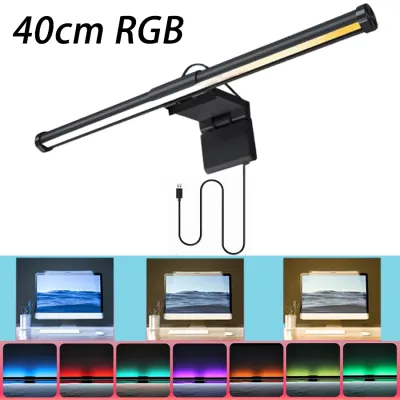
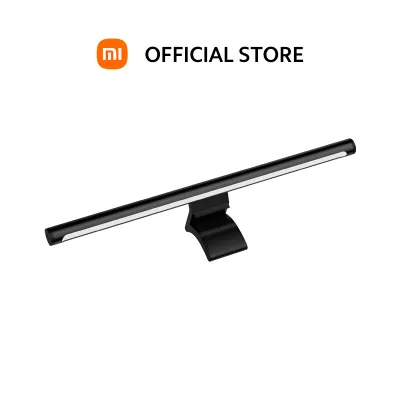
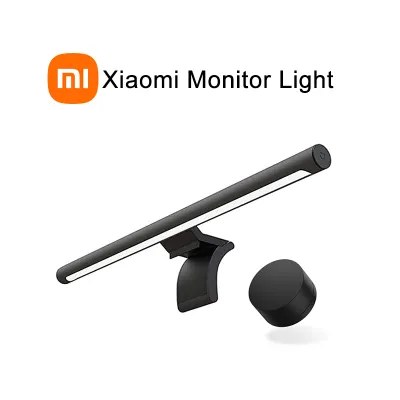
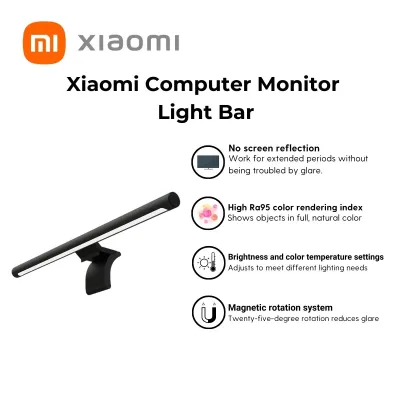
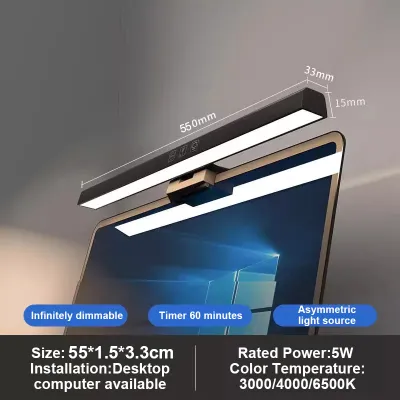
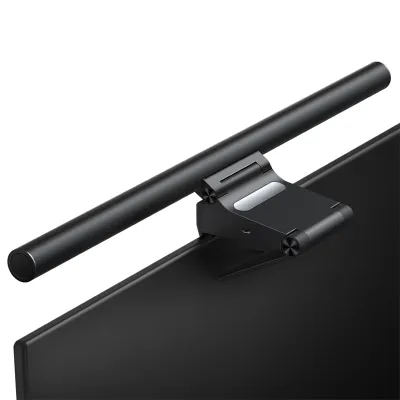
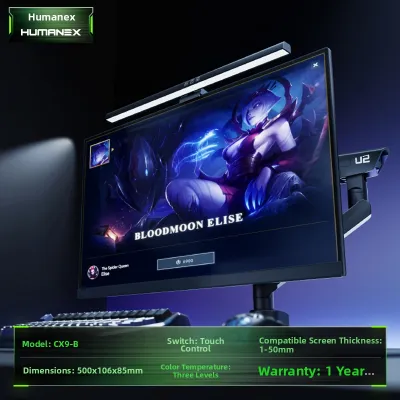
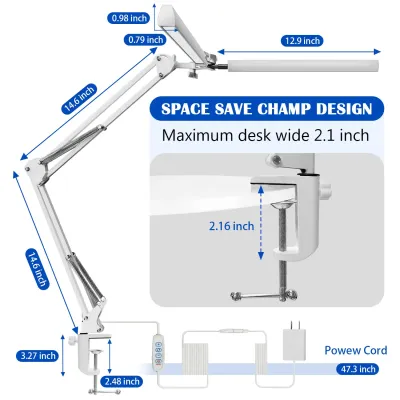
Prices are valid at publication and may change. Please refer to the product page for the latest price.
Unlike traditional desk lamps that cast wide, omnidirectional light, monitor light bars are highly directional. Standard lamps often cast the shadow of your hands or your monitor itself across your workspace, creating uneven lighting zones that strain your vision. Additionally, traditional lamps tend to spill light directly onto the screen, causing distracting reflections and washing out colors. By focusing a clean, uniform sheet of light solely onto your desk surface, a monitor light bar eliminates these awkward shadows and ensures your screen remains perfectly clear and legible.
Key Features to Evaluate for Your Desk Space and Budget
Optical Design: Asymmetric vs. Symmetric Light Paths
To understand why some light bars cost significantly more than others, you must look at their optical engineering. The gold standard for screen-mounted lighting is an asymmetric light path. This design uses a custom-shaped reflector or lens to direct the light beam forward and downward at a precise angle, completely avoiding the monitor screen. Consequently, the light only hits your desk and keyboard, ensuring zero reflections on your display. This clean cutoff line is crucial for maintaining excellent screen contrast and color accuracy while preventing glare from reaching your eyes.

Conversely, lower-tier or budget-oriented models often utilize a symmetric light path. These simpler designs distribute light in a uniform, cone-like pattern directly beneath the fixture. While they are cheaper to manufacture, symmetric light bars inevitably spill a portion of their light onto the monitor screen itself, leading to noticeable reflections, reduced contrast, and potential eye strain. If your daily work involves reading fine text or editing visual media, investing in a model with a verified asymmetric optical design is highly recommended to protect your eyesight and maintain screen clarity.
Mounting Mechanism and Monitor Compatibility
Before purchasing any light bar, you must verify that its mounting mechanism is compatible with your physical monitor. Most light bars utilize a counterweight gravity clip system that rests on the top bezel and hangs down the back of the monitor housing. To ensure a secure fit, measure the thickness of your monitor’s top bezel and compare it with the manufacturer’s specified clamp range. If your monitor has an ultra-thin bezel or a frameless design, a clamp that grips too tightly or extends too far forward can put dangerous pressure on the delicate LCD panel, potentially causing permanent screen damage.
Curved monitors present a unique challenge that standard straight light bars cannot easily accommodate. Because a curved screen wraps around your field of view, a straight light bar will often cast light onto the outer edges of the screen, creating distracting glare. For curved displays, you should look for specialized light bars that feature a matching curved chassis or include dedicated curved monitor adapters. These adapters extend the light bar slightly forward, adjusting the angle of the light beam to clear the curved surface of the display safely. Always check the weight limits of your monitor stand as well, as adding a heavy, premium light bar to a lightweight or mechanical monitor arm can cause the display to tilt downward unexpectedly.
Power Supply and Control Interfaces
Power delivery is another critical factor that influences both your desk’s cable management and the light bar’s maximum performance. Most standard monitor light bars are USB-powered, allowing you to plug them directly into a spare USB port on your computer, monitor, or a USB hub. While highly convenient, USB ports on older computers or monitors may have limited power output (often restricted to 5V/1A), which can cap the maximum brightness of your light bar. If you require intense, high-output illumination for detailed manual work, look for models that support higher-wattage USB inputs or those that come with dedicated wall adapters, keeping in mind that wall adapters will require an additional physical outlet in your power strip.
Control interfaces vary widely across different price points, directly impacting your daily user experience. Entry-level models typically feature inline physical switches on the power cable or touch-sensitive buttons on the light bar itself, which can sometimes cause the light bar to shift or wobble when pressed. Premium models elevate the experience by offering external wireless dial controllers that sit flat on your desk. These wireless controllers allow you to adjust brightness and color temperature smoothly with a simple turn of a dial, keeping your hands away from the monitor and maintaining a clean, minimalist aesthetic across your workspace.
Top Monitor Light Bar Recommendations by Budget and Need
Best Budget-Friendly Picks for Compact Desks
If you are a student, a casual user, or a professional operating on a strict budget, entry-level monitor light bars offer an accessible entry point into improved workspace ergonomics. These budget-friendly options typically focus on delivering core functionality, such as basic three-step color temperature adjustment (usually ranging from warm yellow to cool white) and simple USB-powered operation. They are highly compact and lightweight, making them easy to install on standard flat-screen monitors without putting excessive stress on the display mount.
However, operating in this entry-level price bracket requires an understanding of common trade-offs. Budget models often feature simpler, symmetric light paths that can cause minor screen glare, and they generally utilize plastic housings rather than premium metals. Furthermore, their Color Rendering Index (CRI) is typically lower—often around Ra80—which is acceptable for general reading and typing but less suitable for tasks requiring precise color accuracy. When browsing popular online marketplaces or official brand stores in the Philippines, look closely at user reviews to verify the build quality and aim for models that explicitly state a CRI of at least Ra80 to ensure decent color representation.
Best Mid-Range Options for Balanced Performance
For the vast majority of WFH professionals in the Philippines, mid-range monitor light bars represent the absolute sweet spot in terms of value, build quality, and optical performance. Moving into this tier introduces true asymmetric light paths, ensuring that your screen remains entirely free from distracting reflections and glare. These models are typically constructed from durable aluminum alloy rather than plastic, providing a sleek, modern look that complements premium office setups while offering better heat dissipation to prolong the lifespan of the internal LEDs.
In addition to superior optical engineering, mid-range options frequently incorporate advanced convenience features such as touch-sensitive controls integrated directly into the metal chassis and built-in ambient light sensors. These sensors enable auto-dimming capabilities, automatically adjusting the light bar’s brightness throughout the day as the natural light in your room shifts. This is particularly beneficial for Filipino home offices, where bright tropical daylight can quickly transition into dark rainy afternoons, requiring constant adjustments to maintain optimal eye comfort. These models provide ample, uniform brightness that is perfectly suited for standard flat monitors and general desk tasks.
Best Premium Choices for Professional and Curved Setups
Creative professionals, software developers, and users with ultra-wide or curved monitor setups will find that premium monitor light bars offer the engineering precision required for demanding daily use. These high-end fixtures are specifically designed to address the challenges of expansive workspaces, utilizing wider light bars or specialized optical lenses to distribute light evenly across large desks without any dark spots. They feature robust, highly adjustable mounting brackets that accommodate complex monitor shapes, including extreme screen curvatures, without interfering with built-in webcams or thin bezels.
The defining characteristic of a premium monitor light bar is its exceptional light quality, often boasting a Color Rendering Index (CRI) of Ra95 or higher. This level of color accuracy is critical for graphic designers, video editors, and photographers who require lifelike color reproduction under artificial light. Additionally, premium models frequently feature wireless desktop controller dials that allow for seamless, step-less adjustments of both brightness and color temperature. Some even offer smart home integration, allowing you to control your workspace lighting via mobile apps or voice assistants, justifying the higher initial investment through unmatched convenience, durability, and visual comfort.
Quick Comparison of Monitor Light Bar Categories
To help you quickly identify which tier of monitor light bar aligns with your specific workspace requirements and budget, we have summarized the key differences below. This matrix compares the essential design elements, control mechanisms, and primary limitations of each category, allowing you to make an informed decision at a glance.
| Category Tier | Light Path Design | Control Type | Best For | Key Limitation |
|---|---|---|---|---|
| Budget-Friendly | Symmetric or basic asymmetric | Inline cable switch or basic touch | Students and casual typing | Minor screen glare, plastic build, lower CRI |
| Mid-Range | True asymmetric | Integrated chassis touch controls | Standard WFH office work | Fixed control location, wired power limits |
| Premium | Advanced asymmetric / wide-angle | Wireless desktop dial or smart app | Creative professionals and curved screens | Higher initial cost, requires desk space for dial |
Setup and Maintenance Tips for Philippine Homes
When setting up your new monitor light bar in the Philippines, electrical safety and compatibility should be your primary considerations. While most light bars run on 5V USB power, some high-performance models require a dedicated wall adapter. If your chosen model utilizes a wall plug, always verify that the adapter is compatible with the standard Philippine voltage of 220V at 60Hz. Using an under-rated or incompatible adapter can cause the light bar to flicker, overheat, or suffer permanent electrical damage. If you are powering the device via a USB hub, ensure the hub has a dedicated power supply to prevent overloading your computer’s motherboard ports.
Maintaining a clean and organized workspace is essential for both aesthetics and safety, especially when managing multiple cables behind your desk. Use cable management accessories like velcro ties, adhesive clips, or cable sleeves to route the light bar’s power cable neatly down the back of your monitor stand. This prevents the cable from pulling on the light bar when you adjust your monitor’s height or tilt, reducing the risk of the fixture accidentally falling off. Keeping cables secured also eliminates tripping hazards, which is particularly important in busy household environments or compact study corners.
The warm, humid tropical climate of the Philippines can accelerate dust accumulation and affect the materials of your office equipment over time. To keep your monitor light bar performing at its best, dust the chassis and the optical lens regularly using a clean, dry microfiber cloth. Never use harsh chemical cleaners, alcohol-based wipes, or wet cloths on the light bar, as moisture can seep into the sensitive LED circuitry, and chemicals can strip away the specialized anti-glare coatings on the optical lens.
Finally, prioritize physical safety whenever you need to adjust your monitor or the light bar itself. Always turn off and unplug the light bar from its power source before adjusting the angle, cleaning the lens, or moving the mounting bracket. This simple step prevents accidental short circuits, protects your eyes from sudden bright light exposure, and ensures that you do not accidentally drop the weighted gravity clamp onto your desk or display panel during adjustment.
Frequently Asked Questions (FAQ)
Will a monitor light bar damage my screen?
No, a properly designed monitor light bar will not damage your screen when installed correctly. Reputable manufacturers design their light bars with weighted gravity counterweights and soft silicone or rubber padding on all contact points. This design ensures that the physical weight of the fixture rests securely on the top and back of the monitor’s outer frame rather than pressing directly against the delicate glass or LCD panel. To prevent any risk of damage, avoid forcing or over-tightening the clamp onto extremely thin bezels, and ensure the light bar is balanced naturally according to the manufacturer’s instructions.
Can I use a monitor light bar on a laptop?
Standard monitor light bars are generally not recommended for direct use on laptops. Because standard light bars are relatively heavy and rely on substantial counterweights, mounting them on a thin laptop lid can strain or damage the delicate screen hinges, causing the screen to wobble or fall backward. Additionally, the thick mounting clamps can obstruct built-in laptop webcams and put excessive pressure on the thin display panel. If you primarily work on a laptop without an external monitor, you should look for lightweight light bars specifically labeled for laptop use, or opt for a compact, adjustable desk lamp with a small footprint.

Community discussion
Share your experience or ask a question. Comments are reviewed before publication.