
A dimmable ceiling fan light allows you to adjust the brightness of the integrated light fixture independently of the fan’s rotation speed. In tropical environments like the Philippines, where high humidity and warm temperatures require constant air circulation, having separate control over your breeze and your lighting is a key home comfort feature.
Understanding this functionality requires separating the fan motor’s speed control from the light’s brightness adjustment. While both components share a single housing and often a single power source, they operate on distinct electrical pathways. The fan motor relies on voltage regulation or frequency adjustments to change speeds, whereas the light kit uses a dedicated driver or dimmable bulb to alter light output.
The internal driver or the specific dimmable bulb installed in the fixture regulates the electrical current to change the light’s intensity. Without a compatible driver or bulb, attempting to lower the light level will result in poor performance or component failure.
Products mentioned in this guide
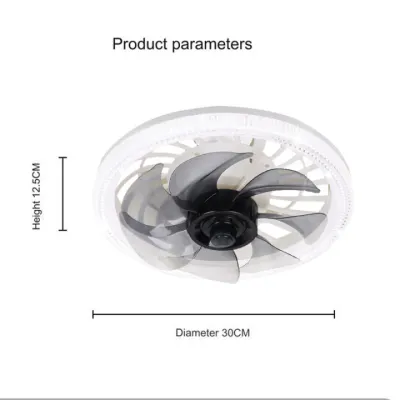
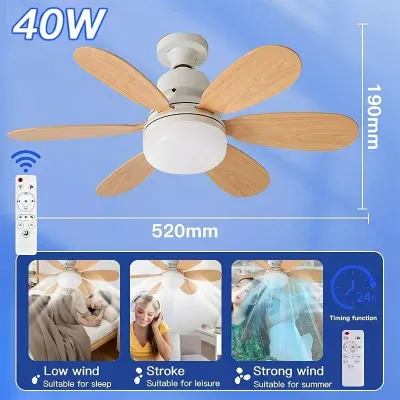
Prices are valid at publication and may change. Please refer to the product page for the latest price.
It is important to note that a “dimmable” label on a ceiling fan package does not automatically guarantee compatibility with your existing wall switches. Many standard wall dimmers are designed solely for standalone light fixtures and can cause severe electrical conflicts when wired to a combined fan and light unit.
How Dimming Technology Works in Ceiling Fans
Ceiling fan lights generally utilize one of two configurations: integrated LED modules or replaceable bulb sockets. Integrated LED panels feature built-in dimmable drivers engineered specifically for that fixture’s thermal and electrical limits. Replaceable setups, on the other hand, rely on you purchasing separate dimmable bulbs that match the fixture’s socket base and wattage limits.
To adjust the brightness, the system typically uses either analog current reduction or pulse-width modulation (PWM). Pulse-width modulation works by rapidly turning the LED on and off at a frequency imperceptible to the human eye, effectively reducing the total light output. Because this process occurs entirely within the light’s driver circuit, it does not alter the voltage supplied to the fan motor, allowing the fan to spin at your desired speed while the lights dim.
However, the dimming range is strictly limited by the manufacturer’s specific design and specifications. Some fixtures can dim down to a very low percentage of their maximum brightness, while others may only drop slightly before shutting off entirely or beginning to flicker. Always verify these specifications on the product packaging before finalizing your purchase.
Comparing Dimming Control Methods
The control interface you choose dictates both the physical wiring installation and your daily user experience. Selecting the right control method ensures that you can adjust your lighting levels without compromising the performance of the fan motor.

Remote Controls and Standard Wall Switches
Most modern dimmable ceiling fans rely on handheld remote controls or dedicated wall panels that communicate directly with an internal receiver. This receiver is installed inside the fan’s canopy, where it intercepts the incoming electrical current and distributes it correctly to the motor and the light kit based on wireless signals.
Using a standard leading-edge (triac) wall dimmer switch on a fan light circuit that is not explicitly designed for it poses a significant safety and performance risk. These traditional dimmers chop the electrical waveform, which can starve the fan motor of necessary voltage, leading to loud humming, overheating, and premature motor failure.
For a safe installation, dedicated wall controllers require specific wiring configurations, often needing a three-wire setup (plus ground) to separate the fan and light power feeds. Standard toggle switches, by contrast, simply turn the main power to the receiver on or off, leaving all dimming and speed adjustments to the handheld remote.
Smart Apps and Home Automation
Smart ceiling fans allow you to control dimming levels and fan speeds through mobile applications or integrated smart home ecosystems. This setup requires a stable Wi-Fi or Bluetooth connection within your room to ensure commands from your phone or voice assistant register without delay.
These smart modules either integrate directly into the fan’s pre-installed receiver or require the installation of compatible smart bulbs in a standard socket fixture. If you choose to use smart bulbs, the physical wall switch must remain in the “on” position at all times to maintain the wireless connection.
Before attempting to integrate a new fixture into your home network, check the manufacturer’s guidelines for third-party smart switch or hub compatibility. Not all smart platforms communicate seamlessly with every fan receiver, and verifying compatibility beforehand prevents setup frustration.
Compatibility, Safety, and Troubleshooting Checks
To ensure a reliable and safe setup, always verify the electrical specifications of your ceiling fan light. Check the product label or manual for specific dimmer compatibility lists, driver requirements, and electrical certifications to confirm the unit is rated for your local voltage.
If you observe issues such as persistent flickering, audible buzzing, or a severely limited dimming range, these are clear signs of electrical incompatibility. Stop using the dimming function immediately to prevent permanent damage to the LED driver or the fan motor.
Working with ceiling fixtures involves specific safety boundaries that must be respected. Always isolate the power at your home’s main circuit breaker before inspecting any wiring or removing the fixture canopy. Because ceiling fans are heavy, suspended loads often installed at a height, you must follow the manufacturer’s installation instructions carefully. For any fixed wiring changes, installation in damp areas like humid kitchens or covered verandas, or work on high ceilings, always hire a licensed electrician to ensure a safe and compliant installation.
Frequently Asked Questions (FAQ)
Can I use a standard dimmer switch with any dimmable ceiling fan light?
No, you cannot use a standard wall dimmer switch with most dimmable ceiling fans. Standard dimmers alter the voltage of the entire circuit, which can cause the fan motor to hum loudly, overheat, or fail, while causing the lights to flicker violently. Always check the manufacturer’s wiring diagram and use only the approved remote, smart app, or dedicated fan-rated wall controller.
Why does my dimmable fan light flicker at low brightness levels?
Flickering at low brightness levels usually indicates an incompatible dimmer switch, a low-quality LED driver, or a failure to meet the minimum wattage load required by the control system. Loose wiring connections inside the canopy can also cause intermittent power drops. Consult your product manual to verify compatibility, and contact a licensed electrician to inspect the physical connections if the issue persists.
Community discussion
Share your experience or ask a question. Comments are reviewed before publication.