
To prevent eye strain when switching between screen-heavy work from home (WFH) and paper-heavy studying, you must look for a table lamp with highly adjustable brightness and color temperature, a diffused beam angle, and a flexible arm. While digital screens emit their own light and require balanced ambient contrast, physical paper reflects light and demands focused, uniform illumination. Selecting the right lamp table companion requires understanding these distinct visual mechanics to avoid glare, harsh shadows, and physical fatigue.
Understanding Your Primary Task: Screen-Heavy WFH vs. Paper-Heavy Studying
When you work on a computer, your eyes stare directly into a light source—the monitor. This digital display has its own luminance, which must compete with or balance against the surrounding room light. If your desk lamp is too bright, it creates distracting reflections on the screen or overpowers your display, forcing your pupils to constantly constrict and dilate as you glance between your keyboard and monitor. Conversely, a room that is too dark causes a high-contrast “theater effect” that fatigues the eyes over long hours.
Studying, on the other hand, is primarily a paper-heavy, light-reflecting task. Physical books, printed documents, and handwritten notebooks do not emit light; they only reflect what is cast upon them. To read clearly without squinting, you need sufficient luminous flux directed onto the page. However, if the light source is poorly positioned or lacks a proper diffuser, it can produce harsh specular reflections (veiling glare) off glossy paper or cast deep, dark shadows from your hand and pen as you write.
Products mentioned in this guide
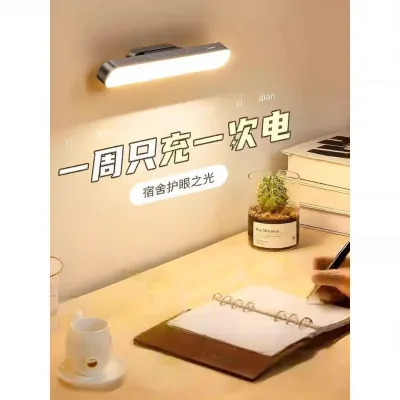
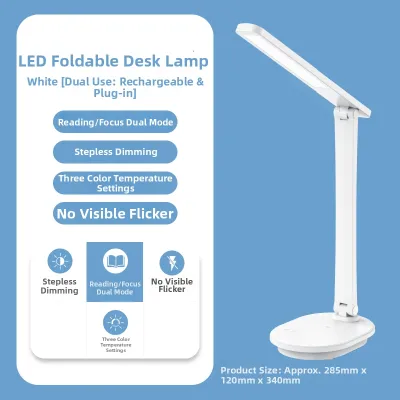
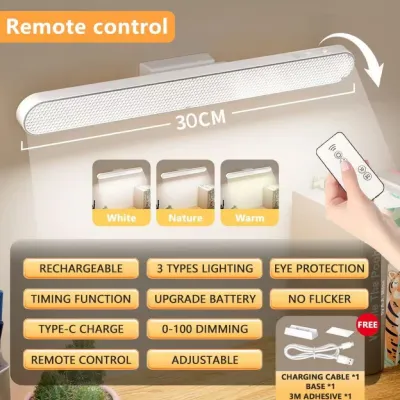
Prices are valid at publication and may change. Please refer to the product page for the latest price.
This fundamental difference means that a single, non-adjustable lighting level cannot serve both tasks perfectly. The ideal solution is not simply to find the brightest bulb available. Instead, you must seek a balanced system where light output, direction, and color quality can be customized to match whether you are analyzing spreadsheets on a screen or highlighting text on a physical page.
Essential Features for a Screen-Heavy WFH Lamp Table Setup
Digital screens are highly sensitive to surrounding light levels. A dedicated desk lamp should offer step-less dimming or multiple brightness presets. During the daytime, you may need moderate brightness to complement natural light filtering through windows. At night, you must be able to lower the lamp’s output to prevent it from washing out your monitor’s contrast. Color temperature adjustability is equally vital; shifting from a cool daylight tone (around 5000 Kelvin) during active working hours to a neutral or warm white tone (3000 to 4000 Kelvin) in the evening helps balance the screen’s blue light emissions and creates a more comfortable visual environment.

To keep light from reflecting off your computer screen, look for fixtures with frosted covers, built-in baffles, or optical lenses that direct light downward and away from your eyes. A highly concentrated beam can cause severe screen glare, making text illegible and forcing you to lean into awkward postures. Frosted diffusers scatter light evenly, softening the output so that it illuminates your keyboard and desk surface without bouncing harsh hot spots off your monitor’s glass panel.
Easing pupil strain requires minimizing the extreme contrast between a bright monitor and a pitch-black background. You can achieve this by using your lamp to create bias lighting. Position the fixture behind or to the side of your monitor, angling the light head toward the back wall. This washes the wall in soft, indirect light, raising the ambient light level around your screen. This simple adjustment prevents your eyes from constantly adapting to extreme contrast boundaries, significantly reducing headaches and eye fatigue during late-night work sessions.
Key Features for Paper-Heavy Study Sessions
Reading small print and writing notes requires a higher concentration of light than navigating a digital interface. Look for a lamp that delivers uniform illumination across your entire workspace. Patchy lighting—where one side of your book is brightly lit while the other falls into shadow—forces your eyes to constantly readjust as your gaze sweeps across the page. Check the manufacturer’s specifications for lumen output or lux levels at a standard desk distance to ensure the lamp can provide clear, even coverage.
When studying diagrams, colored charts, or color-coded highlights, the quality of light matters as much as the quantity. The Color Rendering Index (CRI) measures how accurately a light source reveals the true colors of objects compared to natural daylight. Standard light sources often wash out colors, making red and orange highlights look muddy or indistinguishable. For study sessions, prioritize lamps with a high CRI rating—ideally CRI 90 or above. This ensures that text stands out sharply against the paper and color-coded materials remain vivid and easy to read.
To prevent your hand or head from casting distracting shadows over your work, you must be able to control exactly where the light falls. Look for lamps equipped with multi-jointed tension arms, flexible goosenecks, or swiveling heads. If you are right-handed, position the lamp on the left side of your desk (and vice versa for left-handed writers) to cast shadows away from your writing path. Being able to adjust the physical height and angle of the lamp head also lets you direct light flatly across the page, avoiding the direct bounce-back of light into your eyes.
Can One Table Lamp Handle Both WFH and Studying?
If your daily routine transitions frequently between typing on a computer and writing in a notebook, a hybrid lamp is highly practical. Modern multi-mode lamps feature integrated digital controls with memory functions. These allow you to save specific presets—such as a low-intensity, warm setting for computer work and a high-intensity, neutral-white setting for reading. With a single tap, you can transition your workspace lighting without manually readjusting the physical fixture every time.
For desks where space is limited, specialized designs like monitor light bars or asymmetric desk lamps offer an elegant solution. These fixtures use advanced optical designs to project light in a precise, forward-throwing path. This ensures that the light illuminates the desk surface directly in front of your keyboard or notebook, while completely cutting off light from hitting the monitor screen itself. This eliminates screen glare entirely while providing the high-intensity, uniform light needed for paper-based tasks.
Deciding whether to buy a single versatile lamp or separate dedicated fixtures depends on your physical desk layout. If you use a single, compact desk for both laptop work and reading, a highly adjustable hybrid lamp or a monitor light bar is usually sufficient. However, if you have a complex setup—such as dual large monitors, a separate drafting table, or a deep desk where your writing space is physically separated from your computer—you will benefit more from dedicated task lights. In this scenario, using a flexible gooseneck lamp for your paper documents alongside a low-intensity ambient light for your screens provides the most comfortable, strain-free environment.
Setup, Safety, and Placement Tips for Any Desk
A common mistake is using a desk lamp as the sole light source in an otherwise dark room. While task lighting is essential for focusing on your work, relying on it exclusively creates high-contrast zones that rapidly exhaust your eyes. Always supplement your desk lamp with general room lighting, such as a soft ceiling light or a nearby floor lamp. This establishes a baseline of ambient light, ensuring that your eyes do not experience sharp transitions when you look away from your desk.
Before settling into a long session, perform a quick physical check of your lamp’s position. Sit in your normal working posture and look straight ahead. The actual light bulb or the brightest point of the diffuser should remain completely outside your direct line of sight and peripheral vision. If you can see the bare light source, it will cause constant, subtle glare that strains your eyes. Lower the lamp head or tilt it slightly away from your face until the light source is hidden, while keeping the light pool focused on your desk.
In the Philippines, household electrical systems operate at a standard voltage of 220V with a frequency of 60Hz. Before purchasing any lamp, verify that its rated voltage, base interface, and wattage limits match these standards to prevent overheating, flickering, or premature component failure. Check the plug type—typically Type A or Type B—and ensure the power cord is long enough to reach your outlet without stretching tightly across walkways. For safety, look for recognized electrical certifications, such as the Philippine Standard (PS) mark or Import Commodity Clearance (ICC) sticker. Because the local tropical climate carries high relative humidity, low-quality metal components can corrode over time, potentially leading to short circuits. Always inspect the cord for wear, avoid overloading extension cords, and consult a qualified electrician if you plan to install any fixed wiring or complex smart-home lighting integrations.
Frequently Asked Questions (FAQ)
Is a warmer or cooler light better for studying at night?
For nighttime study sessions, a warmer color temperature (around 3000 Kelvin) is generally better. While cool, blue-toned light (5000 Kelvin or higher) promotes alertness and focus by mimicking daylight, it also suppresses the body’s production of melatonin. Using cool light late in the evening can disrupt your circadian rhythm and make it difficult to fall asleep after you finish studying. To balance focus with healthy sleep hygiene, use an adjustable lamp to start your evening with neutral light, then gradually transition to warmer, dimmer tones as your bedtime approaches.
Do I need a different table lamp if I use a laptop instead of a desktop monitor?
Yes, laptop users often require a different lighting strategy due to physical screen positioning. Laptop screens are physically lower, closer to your face, and typically tilted upward, making them highly susceptible to catching glare from standard overhead desk lamps. A tall, rigid lamp will often bounce light directly off the tilted screen into your eyes. For a laptop setup, choose a lower-profile lamp with a highly flexible arm or a lateral gooseneck. This allows you to position the light source to the side and angle it downward, keeping the light pool strictly on your keyboard and papers while avoiding the screen entirely.

Community discussion
Share your experience or ask a question. Comments are reviewed before publication.