
Adding a clamp desk lamp is an efficient way to reclaim valuable surface area on your WFH (work-from-home) or study desk. However, before purchasing one, you must verify that your desk can physically support the clamp mechanism. To ensure a secure fit, you need to check your desk’s thickness, edge profile, under-desk clearance, and structural material. Taking these measurements beforehand prevents clamp slippage, structural damage, and unstable lighting angles. In tropical environments like the Philippines, factors such as high humidity can also affect wood expansion and the grip of adhesive clamp pads, making physical compatibility checks even more critical.
Quick Desk Compatibility Checklist
Before committing to a specific desk lamp clamp, use this rapid diagnostic checklist to determine if your workspace is ready for installation:
- Measure Desktop Thickness: Compare your desk edge height against the clamp's maximum opening.
- Inspect the Edge Profile: Ensure the edge is flat and square, not heavily beveled or rounded.
- Check Under-Desk Clearance: Look for metal support bars, drawers, or cable trays that block the clamp.
- Assess Material Strength: Confirm your desk is solid wood, plywood, or metal, not hollow-core board.
- Verify Electrical Access: Ensure the power cord is long enough to allow full arm movement.
Checking Desk Thickness and Edge Shape
Accurate measurement is the foundation of a secure clamp lamp installation. Use a standard ruler or tape measure to find the exact vertical thickness of your desktop. Most standard clamp lamps accommodate thicknesses ranging from 0.5 inches to 2.5 inches. Always cross-reference your measurement with the manufacturer’s specified clamp capacity before buying. If your desk is exceptionally thin, such as a sheet of metal or thin plywood, the clamp may not tighten fully without an additional wooden spacer block to fill the gap.
Products mentioned in this guide
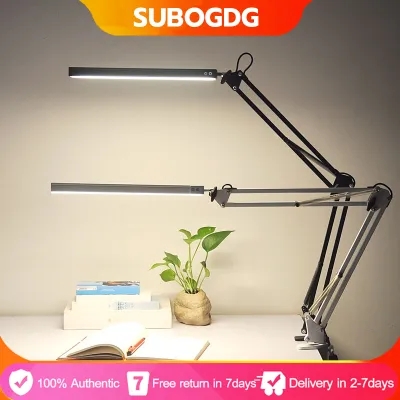
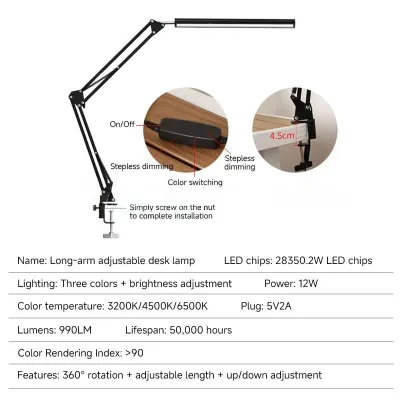
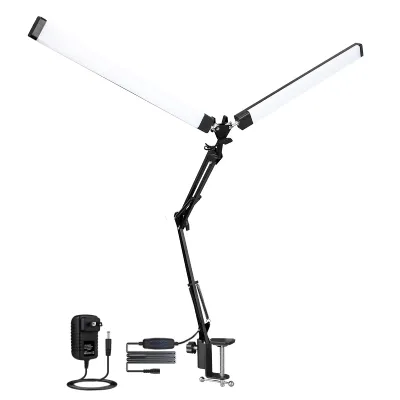
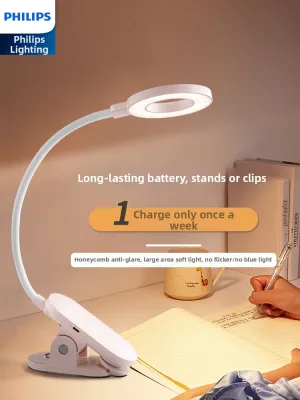
Prices are valid at publication and may change. Please refer to the product page for the latest price.

The shape of your desk’s edge plays a critical role in stability. A flat, rectangular edge provides the maximum contact area for the clamp’s upper and lower plates. If your desk features a heavily beveled, rounded, or chamfered edge, the clamp may slip outward under the weight of the lamp. This is particularly true when the lamp arm is fully extended. Inspect the edge profile closely; if the flat surface is less than the depth of the clamp’s upper pad, the mount will be unstable.
Look beneath the desktop before making a decision. Many modern WFH desks, especially height-adjustable standing desks, feature metal support frames or structural steel tubes running close to the edge. Cable management trays, modesty panels, and drawer slide mechanisms can also block the lower clamp plate from making flat contact with the underside of the desk. Ensure there is a clear, unobstructed zone of at least 2 to 3 inches deep beneath the desk edge where the clamp will sit.
Protecting your desk’s finish is another key consideration. High clamping pressure can easily dent softwoods like pine, crack delicate wood veneers, or leave unsightly marks on high-gloss lacquer finishes. In humid tropical environments, wood can expand and contract slightly, and adhesive backings on cheap clamp pads can degrade over time. Evaluating the need for protective padding—such as a thin piece of silicone, rubber, or felt—helps distribute the clamping force evenly and preserves your furniture.
Matching Weight Capacity and Clamp Stability
A clamp lamp is a system of leverage. When you extend the articulated arm of a lamp forward, the physical weight of the lamp head acts as a lever, multiplying the force applied to the clamp base. A heavy lamp head on a long arm requires a highly robust clamp and a sturdy mounting surface. If the clamp lacks sufficient grip or the desk material is too weak, the entire assembly can tilt, slide, or pull free from the edge.
The structural integrity of your desk material determines how much clamping force it can safely withstand. Solid wood, thick plywood, and heavy metal desks are highly resilient and can handle tight clamps without issue. However, many budget-friendly WFH desks are constructed from hollow-core particleboard or paper-honeycomb interiors. Clamping a heavy lamp tightly onto a hollow-core desk can crush the internal structure, causing the surface to cave in and the lamp to lose its grip.
When evaluating a potential purchase, inspect the clamp’s tightening mechanism. Look for high-quality metal threads, a robust turning handle or knob, and pre-installed non-slip padding on both the upper and lower contact plates. Cheap plastic clamps or thin metal screws with small plastic knobs are prone to stripping and may not provide the necessary tension to keep a heavy arm stable.
Pay attention to signs of inadequate grip during setup. If you notice the clamp base shifting, creaking, or tilting when you adjust the lamp arm, the mounting surface is likely unsuitable. If the desk material is too soft or the edge shape prevents a secure hold, it is best to abandon the clamp mount. In such cases, look for models that offer an alternative freestanding weighted base or a grommet mount option.
Planning Workspace Clearance and Lamp Reach
A desk lamp clamp must not only fit your desk but also provide functional illumination. Calculate the required vertical and horizontal reach by considering your desk depth and monitor setup. If you use a large external monitor or a dual-monitor arm, the lamp must be tall enough to clear the top of the screens. This prevents the lamp head from casting shadows across your workspace or blocking your view of the display.
Overhead obstructions can severely limit the utility of an articulated clamp lamp. Check for wall-mounted shelves, overhead cabinets, or low ceilings directly above your desk. A long-reach architect-style lamp requires ample clearance to fold, extend, and rotate. Measure the vertical space above your desk to ensure the lamp’s joints can move freely without striking overhead furniture.
The flexibility of the lamp head itself is crucial for comfortable working conditions. Look for a lamp that offers independent tilt, swivel, and rotation at the head. This allows you to direct the light precisely onto your paperwork or keyboard while angling it away from your monitor screen. Proper adjustment helps eliminate distracting screen glare and reduces eye strain during long WFH sessions.
Routing Cables and Ensuring Electrical Safety
Cable management is essential for maintaining a clean and safe workspace. Before mounting your lamp, measure the distance from the clamp location to the nearest wall outlet or surge protector. Ensure the power cord is long enough to accommodate the lamp’s full range of motion. If the cord is pulled taut when the lamp arm is fully extended, it can strain the electrical connections or pull the clamp out of alignment.
Keep your power cables organized to prevent accidents. Many high-quality clamp lamps feature built-in cable routing channels, clips, or hook-and-loop ties along the articulated arms. Utilizing these features keeps the cord flush against the metal frame, preventing it from tangling with monitor arms, snagging on desk accessories, or getting pinched in the lamp’s mechanical joints.
Electrical safety is a paramount consideration for any home office setup. In the Philippines, the standard electrical supply is 220V at 60Hz. When purchasing a clamp lamp online or from international retailers, verify that the power adapter or integrated bulb socket is fully compatible with 220V. Using a 110V-only lamp without a proper step-down transformer can lead to electrical failure, short circuits, or fire hazards. Look for products that carry recognized electrical safety certifications to ensure safe operation.
Finally, ensure that the power cord has sufficient slack at the base of the clamp. The cord should drape naturally without creating a tripping hazard behind or beneath your desk. A cord that is stretched across a walkway or pulled tightly around sharp desk corners can wear down the insulation over time, exposing live wires and creating a serious safety risk.
Frequently Asked Questions (FAQ)
Can I use a clamp lamp on a glass desk?
Mounting a clamp lamp on a glass desk carries inherent risks. Glass is highly susceptible to cracking or shattering under concentrated point-load stress. Before attempting installation, verify the glass thickness, tempering status, and the desk manufacturer’s explicit weight limits. If you proceed, always use wide, soft rubber or silicone pads on both sides of the glass to distribute the clamping pressure evenly. If the glass specifications are unknown, stop the installation and choose a freestanding lamp instead.
What if my desk is too thick for standard clamps?
If your desktop exceeds the capacity of standard clamps, look for specialty lamp models that offer adjustable, extra-wide, or deep-throat clamp bases. Alternatively, consider using a grommet mount if your desk features a pre-drilled cable routing hole. This mounting style secures the lamp through the hole using a heavy-duty bolt and plate. Avoid making unsafe modifications, such as shaving down the desk edge or altering the clamp mechanism, as this can compromise structural integrity.
How do I prevent the clamp from damaging my desk finish?
To protect your desk’s finish from scratches, dents, or peeling, ensure the clamp’s contact points have intact, non-marking rubber or silicone pads before installation. If the original pads are worn, hard, or missing, place a thin piece of felt, leather, or a dedicated protective coaster between the clamp and the desk. When installing, tighten the screw mechanism only until the lamp is stable and secure. Avoid using excessive force, which can crush wood fibers and leave permanent indentations.
Community discussion
Share your experience or ask a question. Comments are reviewed before publication.