
Selecting a clip spot light for your study desk or work-from-home (WFH) setup requires looking past basic aesthetics. To protect your eyes and maintain productivity, you must evaluate three core technical specifications: light output (measured in lumens), color temperature (measured in Kelvin), and the Color Rendering Index (CRI). For a workspace that serves multiple purposes, prioritizing adjustability—specifically a lamp with dimmable brightness and tunable color temperatures—is far more practical than buying a fixture with a single, high-end fixed specification.
Lumens and Brightness: Finding the Right Balance
When shopping for a clip spot light, look for adjustable brightness options rather than a single fixed output. Reading a physical textbook typically requires a brighter light source (around 300 to 500 lux on the page) to prevent eye strain. Conversely, working on a backlit computer monitor requires much less ambient light; a light that is too bright will bounce off your screen, causing distracting glare and visual fatigue. Choosing a lamp with stepless dimming or multiple pre-set brightness levels allows you to transition seamlessly between these tasks.
Raw lumens indicate the total light emitted by the source, but usable desk illumination depends on how that light is directed. Rather than simply chasing the highest lumen number on the packaging, look for manufacturer details regarding the light’s effective coverage area or lux levels at a typical desk distance (usually 30 to 50 centimeters). A well-designed lamp with moderate lumens and a focused reflector can illuminate your work surface more effectively than a high-lumen bulb that scatters light inefficiently.
Products mentioned in this guide
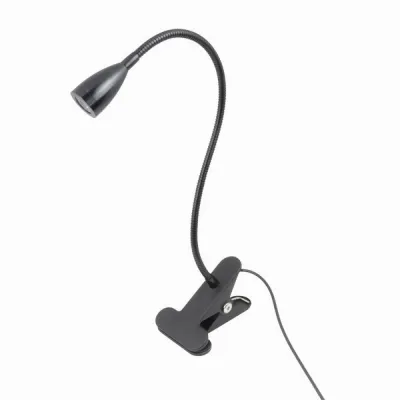
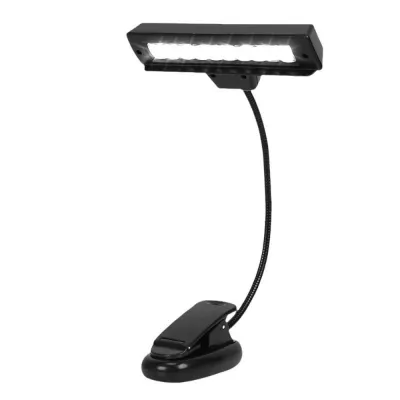
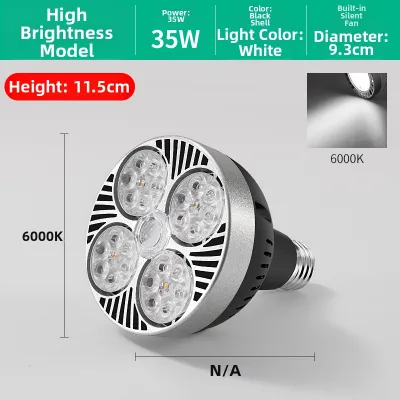
Prices are valid at publication and may change. Please refer to the product page for the latest price.
Color Temperature: Matching the Light to Your Task
Color temperature, measured in Kelvin (K), dictates the appearance of the light and can influence your focus and comfort. Cool white light, typically ranging from 4000K to 5000K, is generally preferred for active studying, reading, and detailed tasks. This cooler spectrum mimics daylight, which helps promote alertness and reduces eye strain during daytime work sessions.

On the other hand, warm white light (around 2700K to 3000K) is a conditional preference best suited for evening tasks or winding down. This softer, yellow-toned light is gentler on the eyes in dark rooms and helps signal to your body that it is time to relax. Because your WFH desk likely serves both daytime focus and late-night browsing, a clip spot light with a tunable white feature—allowing you to switch between warm and cool modes—offers the best of both worlds.
CRI (Color Rendering Index): When High Accuracy Matters
The Color Rendering Index (CRI) measures how accurately a light source reveals the true colors of objects compared to natural sunlight, scored on a scale up to 100. For standard academic reading, coding, or general administrative WFH tasks, a standard CRI of 80 or higher is perfectly sufficient. This level provides clear contrast for text and standard screen work without inflating the product’s price tag.
However, if your WFH tasks involve color-critical work, a high-CRI fixture (90 or above) becomes a necessary specification. Graphic designers, photo editors, architects, and artists who review physical prints or color-grade on-screen under localized light need this level of accuracy to avoid costly color mistakes. If your daily routine does not require precise color matching, you can safely stick to standard CRI ratings and save your budget.
Beam Angle and Glare Control: Directing the Light
Because spotlights naturally concentrate light in a specific direction, understanding beam angles is crucial for desk comfort. A narrow beam angle (under 30 degrees) creates a highly focused, intense pool of light, which is excellent for highlighting a small notepad but can create harsh contrast shadows across the rest of your desk. A wider beam angle (40 to 60 degrees) distributes light more evenly across your keyboard, mouse, and documents, offering a more balanced workspace.
To keep this directed light from causing glare, look for built-in optical control features. Frosted diffusers, recessed lenses, or anti-glare louvers help soften the light output, preventing harsh reflections on your laptop screen. Additionally, ensure the spotlight head features a flexible gooseneck or a multi-axis tilt-and-swivel joint. This adjustability allows you to physically direct the beam away from your direct line of sight while still illuminating your workspace.
Power, Mounting, and Safety Checks for Clip Lamps
A clip-on lamp must be physically compatible with your desk and electrically safe for your home. Before buying, verify the maximum jaw width of the clamp against the thickness of your desk or shelf. Ensure the clamp features protective rubber or silicone padding; unpadded metal or hard plastic clamps can easily scratch wooden finishes or slip off smooth glass surfaces.
Electrical safety is paramount, especially when dealing with localized task lighting. In the Philippines, standard household electricity operates at 220V and 60Hz. Always verify that the lamp’s voltage rating matches this standard and that the plug type (typically flat two-pin Type A or B) is compatible with your wall outlets or extension cords. Look for recognized electrical safety certifications, such as the Philippine Standard (PS) mark or Import Commodity Clearance (ICC) sticker, to ensure the internal wiring meets safety guidelines.
Cable management also plays a vital role in preventing accidents. Check the length of the power cord to ensure it reaches your outlet easily without being stretched taut, which could pull the lamp down or create a tripping hazard. For safety, always isolate the power by unplugging the cord from the wall before adjusting the clamp, cleaning the fixture, or replacing a bulb.
Specs You Can Safely Deprioritize
To simplify your purchase, you can safely ignore several high-end specifications. For instance, high Ingress Protection (IP) water-resistance ratings are unnecessary for indoor, dry desk environments. An IP20-rated lamp is perfectly safe for a bedroom or study, meaning you do not need to pay extra for outdoor-grade waterproofing.
Similarly, smart home connectivity (such as Wi-Fi or app control) is a convenience rather than a necessity. While adjusting your light from a smartphone sounds appealing, a simple physical inline switch or a touch-sensitive button on the lamp base is often faster and more reliable when you are actively working. Finally, avoid focusing on high wattage; modern LED technology is highly efficient, meaning a low-wattage LED (typically 5W to 8W) can easily deliver the same brightness as an old 40W incandescent bulb without generating excessive heat in your workspace.
Community discussion
Share your experience or ask a question. Comments are reviewed before publication.