
Selecting the right desk lamp is one of the most direct ways to protect your eyes during grueling study sessions. Many students and remote professionals assume that any bright light will do, only to end up with dry eyes, persistent headaches, and mental fatigue after a few hours of reading. The truth is that visual comfort depends on a delicate balance of specific technical capabilities rather than raw brightness.
To find a lamp that genuinely reduces eye strain, you must look past generic marketing claims and focus on measurable metrics. Understanding how specifications like illuminance, color temperature, and color rendering index interact with your environment will help you create a highly functional, fatigue-free workspace.
Core Specs Decoded: Brightness, Color Temperature, and CRI
When evaluating a desk lamp, the first specifications you will encounter are brightness, color temperature, and color rendering. These three metrics form the foundation of optical quality and determine how hard your eyes must work to process visual information.
Products mentioned in this guide
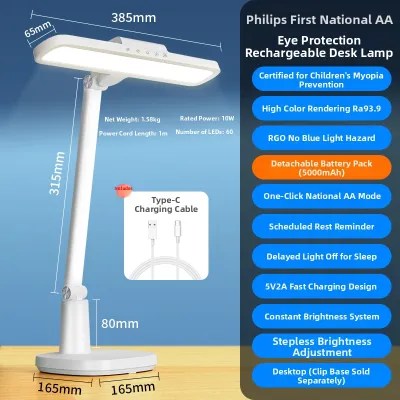
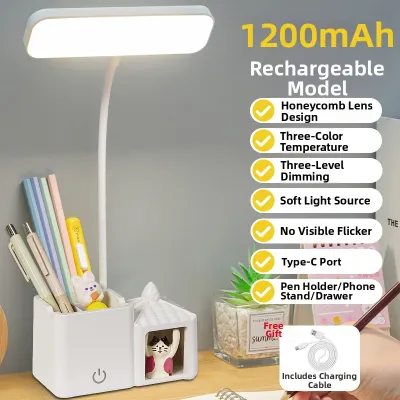
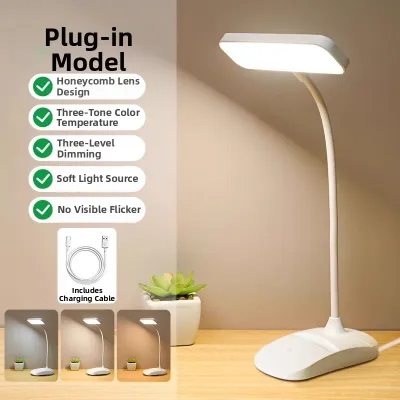

Prices are valid at publication and may change. Please refer to the product page for the latest price.
Brightness and Illuminance
There is a critical difference between lumens and lux. Lumens measure the total amount of light emitted by the bulb in all directions, whereas lux measures the intensity of light that actually hits a specific surface. For comfortable reading and writing, look for a lamp that can deliver between 300 and 500 lux on your desk surface.
To achieve this balance without causing glare, choose a lamp with adjustable brightness levels or step-less dimming. This control allows you to lower the light output when your room is dim, or boost it during the day to match incoming natural light. Fixed-brightness lamps often force your eyes to struggle against excessive contrast or insufficient illumination.
Color Temperature (Kelvin)
Color temperature is measured in Kelvin (K) and describes the warmth or coolness of the light. Cooler light, ranging from 4000K to 5000K, mimics natural daytime light and contains higher levels of blue wavelengths. This spectrum helps suppress melatonin production, keeping you alert, focused, and mentally sharp during daytime study.
Conversely, warmer light between 2700K and 3000K is much gentler on the eyes during late-night study sessions. It signals to your brain that it is time to wind down, preventing sleep disruption. Because your lighting needs shift throughout the day, a lamp with adjustable color temperature settings is highly recommended for versatile, all-day use.
Color Rendering Index (CRI)
Color Rendering Index (CRI) measures how accurately a light source reveals the true colors of objects compared to natural sunlight, scored on a scale up to 100. For studying, always aim for a CRI of 90 or higher (often indicated as Ra ≥ 90).
When you use a lamp with a low CRI, colors appear dull, washed out, or muddy. Your brain and eyes must exert extra cognitive effort to distinguish text, charts, and fine lines on the page. A high-CRI light source minimizes this subconscious strain, making reading feel noticeably more effortless.
Hidden Fatigue Factors: Flicker, Glare, and Light Distribution
Even if a lamp boasts excellent brightness and color temperature, hidden design flaws can still cause severe eye strain and headaches over time. These issues are usually tied to the lamp’s internal electronics and physical construction.

Flicker-Free Performance
Many low-cost LED lamps suffer from high-frequency flicker. Although this flicker is usually invisible to the naked eye, your pupils still dilate and contract rapidly in response to the fluctuating light. This constant, subconscious adjustment is a leading cause of dry eyes, blurred vision, and tension headaches.
To protect your eyes, look for lamps that explicitly feature “flicker-free” technology or utilize high-quality direct current (DC) dimming drivers. You can test a lamp yourself by opening your smartphone camera and pointing it at the light source; if dark, moving bands appear on your screen, the lamp has a high flicker rate and should be avoided.
Glare and Diffusion
Direct glare occurs when exposed LED chips shine directly into your eyes, while reflective glare happens when light bounces off glossy textbook pages or computer screens. Both types of glare force you to squint and strain your facial muscles.
To prevent this, choose a lamp equipped with a frosted diffuser or a micro-prismatic lens that scatters the light evenly. Premium task lamps often use asymmetric optical designs, which project light at an angle across your desk surface rather than straight down. This keeps the light source completely out of your direct line of sight while still illuminating your work area.
Beam Angle and Uniformity
An ideal study light should distribute illumination evenly across your entire workspace. Lamps with narrow beam angles act like spotlights, creating a bright circle of light surrounded by deep, harsh shadows.
This extreme contrast forces your eyes to constantly re-adapt every time you look away from your book to grab a pen or check a reference. A wide, uniform beam angle ensures a smooth transition of light across your desk, allowing your eyes to remain relaxed as you move your gaze.
Specs You Can Safely Ignore to Simplify Your Choice
When shopping on online marketplaces or at local home centers, you will encounter numerous marketing buzzwords. Knowing which specifications do not contribute to eye health will help you avoid overpaying for unnecessary features.
Excessive Wattage
In the past, wattage was a reliable indicator of how bright a bulb would be. With modern LED technology, however, wattage only measures energy consumption. An efficient, high-quality LED lamp can produce excellent, eye-safe illumination using as little as 5 to 10 watts. Paying extra for a high-wattage lamp is unnecessary and does not translate to better visual comfort.
RGB or Novelty Color Modes
Many modern lamps feature multi-color RGB ambient lighting modes designed for gaming or bedroom aesthetics. While these colorful options are fun for leisure, they do not provide the balanced, stable white light spectrum required for reading and writing. Do not let novelty color-changing features distract you from verifying the core white-light specifications.
Overly Complex Smart Features
App connectivity, Wi-Fi integration, and voice-assistant compatibility add convenience, but they do not improve the optical quality of the light. A simple lamp with high-quality LEDs and manual touch controls will protect your eyes just as effectively as an expensive smart model, often at a fraction of the price.
Matching Lamp Specs to Your Desk and Room Environment
To get the most out of your chosen lamp, you must integrate it properly into your physical workspace while considering safety and environmental factors.
Ambient Light Balancing
Never study with a desk lamp as your sole light source in a pitch-black room. The intense contrast between a brightly lit page and a dark room causes rapid eye fatigue. Always pair your task lamp with soft, indirect ambient room lighting. Additionally, if you study in air-conditioned rooms or during hot, humid afternoons, keep your eyes hydrated, as dry air combined with poor lighting accelerates eye strain.
Electrical and Physical Compatibility
Before purchasing, verify that the lamp’s electrical specifications match your local power grid. In the Philippines, the standard household electrical supply is 220V at 60Hz. Ensure the lamp or its power adapter is certified for this voltage to prevent flickering, overheating, or electrical hazards.
Furthermore, check the physical dimensions, mounting style, and installation environment. If you choose a clamp-on model, verify your desk’s edge thickness and weight capacity to ensure a secure fit. For fixed-wiring or heavy suspended models, always follow the manufacturer’s installation instructions and isolate the power supply before mounting.
Positioning for Screen Work
If your study sessions involve a laptop or desktop monitor, position the lamp to the side of your screen and slightly behind your line of sight. This placement prevents the light from reflecting off the monitor glass, which causes screen washout. Adjust the height of the lamp head so it sits below your eye level, keeping the direct light source shielded from your eyes while fully illuminating your keyboard and physical notebooks.
Frequently Asked Questions (FAQ)
Is a higher CRI always necessary for studying?
For standard black-and-white text, a moderate CRI of 80 is generally sufficient. However, if your studies involve colorful diagrams, medical illustrations, architectural blueprints, or design work, a CRI of 90 or higher is highly beneficial. It prevents color distortion and reduces the visual effort required to differentiate subtle shades.
Should I use warm or cool light for late-night reading?
You should transition to warm light (2700K to 3000K) for late-night reading. Cool light contains high levels of blue light, which suppresses melatonin and disrupts your natural sleep cycle, making it difficult to fall asleep after your study session. Save the cool, daylight settings (4000K to 5000K) for daytime or early evening focus.
Does the physical size of the lamp head affect eye strain?
Yes, the physical size and shape of the lamp head directly impact light distribution. A small, round spotlight head creates concentrated pools of light and harsh shadows. A wider, rectangular, or bar-shaped lamp head projects light across a broader area, providing more uniform illumination and reducing the contrast shadows that cause visual fatigue.
Community discussion
Share your experience or ask a question. Comments are reviewed before publication.