
Selecting the right wall mounted rechargeable light for a hallway requires balancing sufficient illumination for safe nighttime navigation with features that prevent sleep disruption. The ideal brightness and feature set depend heavily on your specific hallway layout, existing ambient light, and the reliability of motion sensors. In tropical climates like the Philippines, where high indoor humidity can affect adhesive mounts and electronic components, selecting a fixture with robust housing and moisture-resistant seals is crucial. Balancing these elements ensures safe nighttime navigation through corridors without the need for invasive electrical rewiring or disruptive, blinding glare.
Assessing Your Hallway Layout and Ambient Light
Before purchasing a wall mounted rechargeable light, it is essential to evaluate the physical dimensions and unique layout of your corridor. Measure the total length and width of the hallway, paying close attention to any architectural features that could present safety hazards in the dark. Sharp turns, alcoves, recessed doorways, and especially steps or stairs require focused illumination to prevent trips and falls. A long, straight hallway might only need a series of low-intensity guide lights spaced evenly apart, whereas a complex layout with multiple doorways and elevation changes demands strategically placed fixtures that highlight potential obstacles.
Environmental light levels also play a significant role in determining your baseline lighting requirements. Observe your hallway at various times of the night to assess how much ambient light naturally enters the space. In urban areas, streetlamps, outdoor security lights, or moonlight filtering through windows might provide enough baseline visibility that you only require very dim accent lighting. Conversely, if your hallway is completely interior and remains pitch-black, you will need a more reliable light source. Understanding this baseline helps you choose a light with a light sensor (photocell) that prevents the fixture from activating during the day, thereby conserving battery power.
Products mentioned in this guide
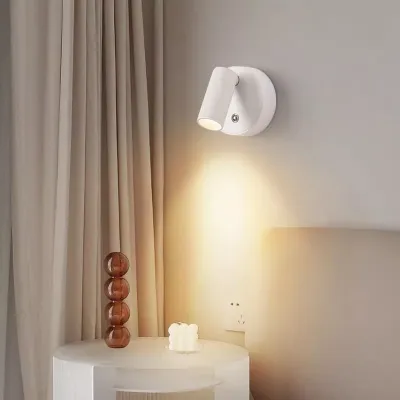
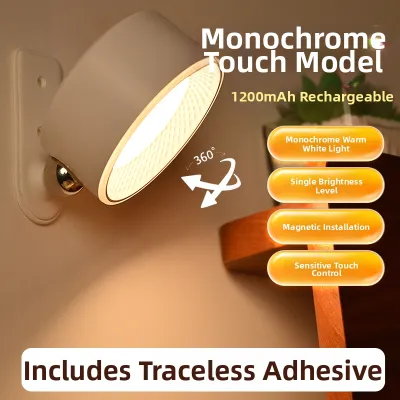
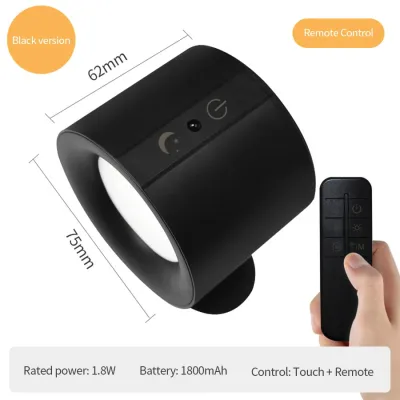
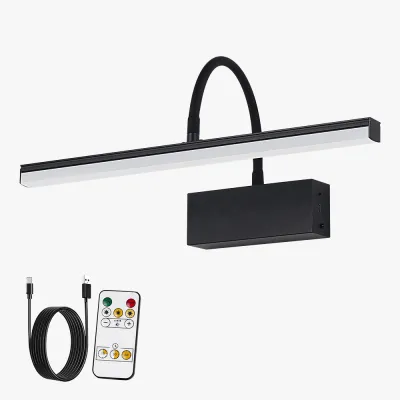
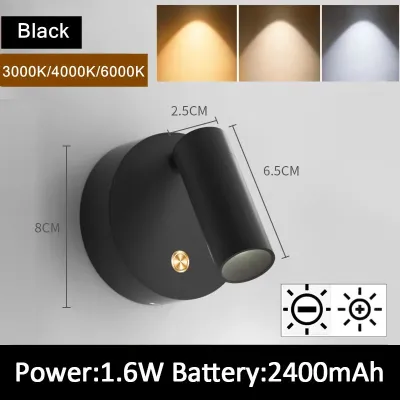
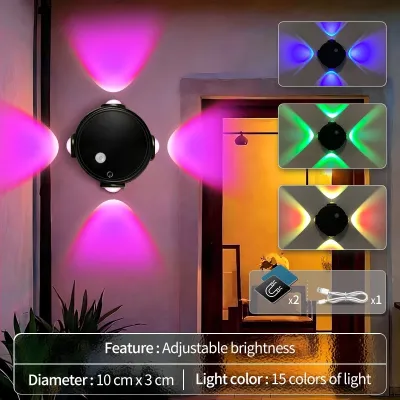

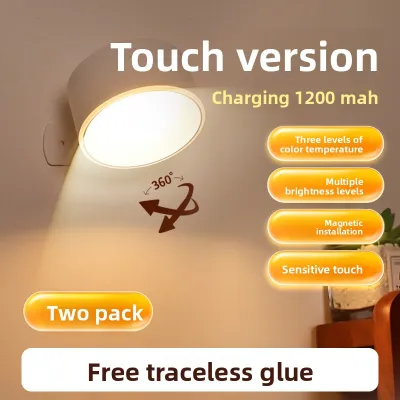
Prices are valid at publication and may change. Please refer to the product page for the latest price.
Finally, map out the high-traffic zones versus the transitional spaces within your corridor. The areas immediately outside bedroom doors, bathrooms, and the top of staircases experience the most frequent foot traffic during the night. Placing your primary motion-activated lights at these critical thresholds ensures immediate illumination the moment someone steps into the hallway. Transitional spaces that are rarely accessed after hours can be equipped with lower-output lights or fixtures with shorter sensor timers, allowing you to optimize battery life across all installed units.
Matching Brightness and Color Temperature to Your Hallway
Selecting the appropriate brightness level, measured in lumens, is critical to ensuring visibility without causing uncomfortable glare. For a standard residential hallway, a brightness range of 20 to 50 lumens is generally sufficient to guide your steps safely without shocking dark-adjusted eyes. If your hallway features stairs or complex obstacles, you may want to look for a model capable of producing up to 100 lumens. To maintain flexibility, prioritize fixtures that offer adjustable brightness settings or stepless dimming, allowing you to customize the light output to match the exact needs of your household.

Color temperature, measured in Kelvin (K), directly influences your body’s circadian rhythm and sleep quality. Cool white light (5000K or higher) contains high levels of blue light, which signals to your brain that it is daytime, potentially disrupting your ability to fall back asleep after a brief nighttime trip. For hallway navigation, warm color temperatures between 2700K and 3000K are highly recommended. This warm, amber-toned light provides a gentle glow that is easy on the eyes while still offering sufficient contrast to see the floor clearly.
To further prevent glare in narrow hallway spaces, pay close attention to the physical design of the light fixture. Avoid models with exposed LED chips, which can create harsh, blinding hotspots when viewed directly. Instead, look for wall mounted rechargeable lights that feature diffused lenses, frosted covers, or indirect lighting designs. Sconces that direct light exclusively downward (downlights) or upward against the wall (uplights) use the wall surface to scatter the light, creating a soft, even wash of illumination that guides your path without shining directly into your eyes.
Key Features for Reliable Nighttime Navigation
A reliable wall mounted rechargeable light must possess smart features that ensure it activates only when needed and operates efficiently over time. The most critical component is the motion sensor, typically a Passive Infrared (PIR) sensor that detects changes in heat signatures. When evaluating product specifications, check the sensor’s detection angle and range. A detection angle of 120 degrees and a range of 3 to 5 meters are standard benchmarks that ensure the light turns on well before you reach it. Some advanced models also allow you to adjust the sensor’s sensitivity to prevent false triggers from small pets or moving shadows.
Battery capacity and estimated runtime are equally vital, especially if you want to avoid the hassle of daily recharging. Battery capacity is measured in milliampere-hours (mAh), with larger capacities generally offering longer runtimes. However, actual battery life depends heavily on the frequency of nighttime triggers and the selected brightness level. For busy hallways, look for fixtures equipped with an energy-efficient “auto” mode, which combines motion and light sensors to ensure the light only activates in low-light conditions when motion is detected, extending the interval between charges to several weeks or even months.
The physical mechanism used for recharging determines how convenient the fixture will be to maintain. Since these lights are mounted to the wall, look for designs that feature a magnetic base or a quick-release bracket. This allows you to easily detach the light body from the wall mount without damaging your paint or drywall, carry it to a charging station, and snap it back into place once fully charged. Additionally, verify that the device utilizes a standard USB-C charging port, which offers faster charging times and compatibility with most modern household charging cables.
Placement and Installation for Optimal Sensor Performance
Proper placement is essential to maximize the efficiency of the motion sensor and ensure even light distribution along your hallway floor. Mounting the fixture at a height of approximately 1.2 to 1.5 meters from the floor is generally ideal. This height keeps the sensor within the direct line of sight of oncoming traffic while allowing the light to cast a wide, unobstructed pool of illumination downward. If mounted too high, the sensor may fail to detect shorter individuals or pets; if mounted too low, the light spread will be restricted, leaving parts of the floor in shadow.
When installing the light, consider the compatibility of your wall surface with the mounting hardware. Many rechargeable wall sconces come with double-sided adhesive pads for a drill-free installation. While convenient, adhesive mounts require a clean, smooth, and dry surface to bond effectively. In tropical climates like the Philippines, high indoor humidity can weaken adhesives over time, potentially causing the fixture to fall and sustain damage. For heavier units or textured walls, utilizing the included screw-in brackets is a much more secure and reliable installation method.
Environmental safety should also guide your installation choices. Ensure that the light’s installation location allows for adequate heat dissipation, particularly during the charging process. Avoid placing the fixture in tightly enclosed, unventilated spaces or directly adjacent to heat sources. If you are installing the light in a hallway near a bathroom where steam and moisture accumulate, verify that the product has a suitable moisture-resistance rating to protect the internal battery and circuitry from corrosion.
Pre-Purchase Checklist for Wall Mounted Rechargeable Lights
To ensure you select a high-quality, safe, and functional wall mounted rechargeable light, use this structured checklist to verify product specifications and manufacturer claims before making a purchase:
- Verify Lumens and Battery Specifications: Check the product packaging or official online specification sheet for verified lumen output (ideally 20 to 100 lumens) and battery capacity (measured in mAh). Avoid relying solely on promotional titles; look for certified technical details.
- Confirm Sensor Capabilities: Ensure the motion sensor has a detection angle of at least 120 degrees and a range suitable for your hallway's length. Verify if it includes a light sensor (photocell) so it remains off during daylight hours.
- Evaluate Adjustability: Look for fixtures that offer multiple brightness levels or a stepless dimming feature, as well as color temperature toggles (allowing you to switch between warm white and cool white depending on your preference).
- Check Charging and Mounting Interfaces: Confirm that the package includes the necessary mounting hardware (magnetic mounts, adhesive pads, or screws) and a compatible charging cable (such as USB-C). When comparing options on an online marketplace, look past the initial price tag in ₱ and focus on the cost-to-feature ratio.
- Review Safety Certifications and Guidelines: Look for recognized electrical safety certifications on the product label. Review the manufacturer's instructions regarding battery care, charging cycles, and warranty conditions to ensure long-term reliability and safe operation.
Frequently Asked Questions (FAQ)
Can I leave a rechargeable wall light plugged in continuously?
You should always consult the manufacturer’s manual to verify if your specific wall mounted rechargeable light features built-in overcharge protection circuits. While many modern lithium-ion battery devices are designed to stop drawing power once fully charged, leaving them continuously plugged into a charger can generate excess heat. Over time, this constant thermal stress can degrade the battery’s overall lifespan and capacity. For optimal performance, it is generally recommended to charge the device fully, use it wirelessly until the battery runs low, and then recharge it.
Why does the motion sensor trigger when no one is in the hallway?
False triggers are usually caused by environmental factors that mimic human movement or heat signatures. Passive Infrared (PIR) sensors detect changes in infrared radiation, which means sudden drafts from air conditioning units, heat rising from floor vents, or shifting shadows from outdoor trees can activate the light. Additionally, household pets moving through the corridor will trigger the sensor. To resolve this, try adjusting the sensor’s sensitivity settings if available, slightly altering the angle of the fixture, or repositioning the light away from direct drafts and windows.

Community discussion
Share your experience or ask a question. Comments are reviewed before publication.