
Choosing a wireless wall light depends entirely on its environment. For corridors, you need motion-activated, low-profile, and wide-angle illumination to guide footsteps safely. For bedsides, you require manual or touch controls, warm color temperatures, and adjustable or glare-free directional beams to read comfortably and wind down. Identifying these distinct spatial demands ensures you select a fixture that enhances both safety and relaxation.
Wireless lighting fixtures offer incredible flexibility, removing the need to channel concrete walls or run visible conduits. However, a light that excels in a high-traffic hallway will likely fail to deliver a relaxing experience in the bedroom. To make an informed purchase, you must evaluate how brightness, control mechanisms, and physical designs differ between these two key areas.
Understanding Your Core Lighting Goals
Corridor lighting serves a transient but vital safety function. In many homes, hallways connect bedrooms to bathrooms, kitchens, or exit points. During the night, navigating these pathways requires immediate, hands-free illumination to prevent trips over stray items or floor transitions. This lighting does not need to be highly focused, but it must cover enough ground to establish spatial awareness quickly.
Products mentioned in this guide
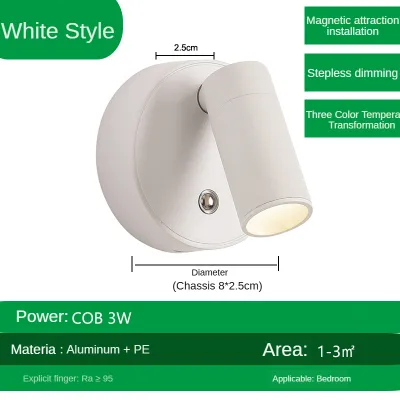
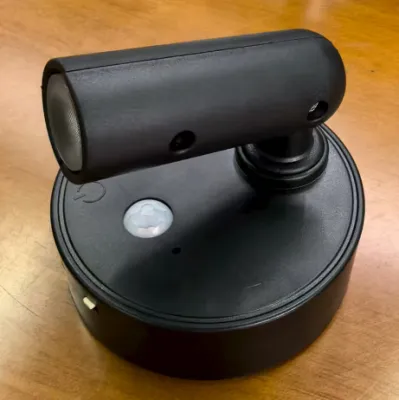
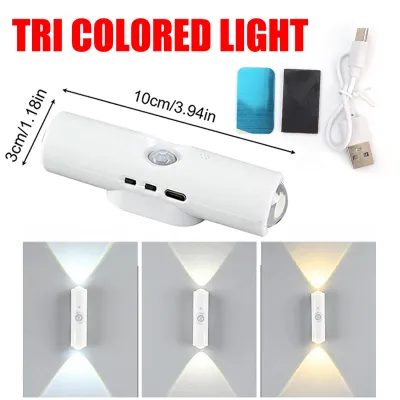
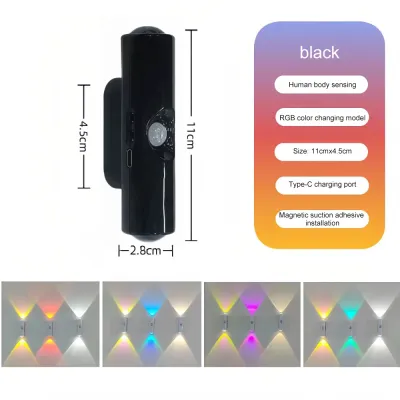
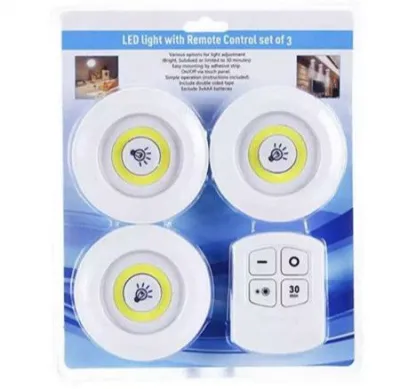
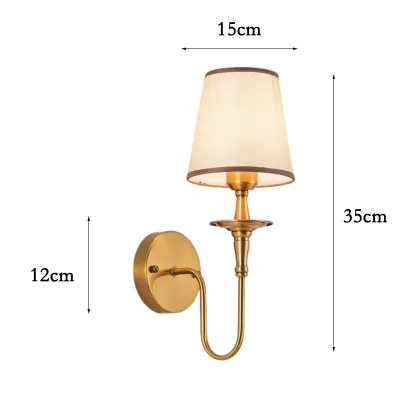
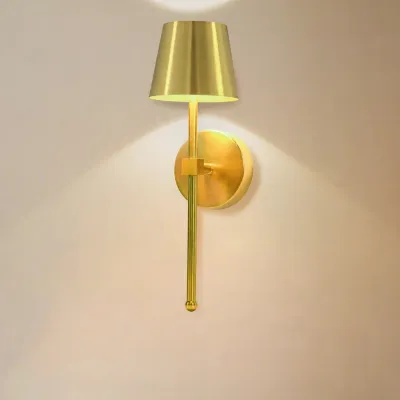
Prices are valid at publication and may change. Please refer to the product page for the latest price.
Bedside lighting serves an entirely different, highly personal purpose. The bedroom is a sanctuary for recovery and rest. Bedside illumination must support visual tasks like reading or journaling while preparing your body for sleep. It must provide targeted light that does not disturb a sleeping partner or flood the entire room with harsh glare.
These contrasting goals dictate the technical specifications of the wireless wall light you should choose. While a corridor light prioritizes automated activation and broad, ambient coverage, a bedside light demands manual precision, adjustable brightness, and visual warmth.
Key Feature Differences by Scenario
To find the right fixture, you must compare specific technical attributes against the physical realities of your hallway and bedroom.

Brightness, Beam Angle, and Color Temperature
For corridors, look for moderate, even brightness. A light output of 50 to 100 lumens is generally sufficient to illuminate a walking path without blinding you in the middle of the night. A wide beam angle of 120 degrees or more ensures the light spreads across the floor rather than pooling in a single spot. Opt for neutral white color temperatures (around 4000K) for hallways, as cooler tones aid alertness and improve contrast, helping you spot obstacles quickly.
For bedsides, warmth and adjustability are paramount. Look for warm white color temperatures between 2700K and 3000K, which mimic traditional incandescent bulbs and do not disrupt your circadian rhythm. Select a model with dimming capabilities, allowing you to adjust the output from a soft 5-lumen nightlight up to a clear 150-lumen reading light. Dual-mode fixtures that offer a focused spotlight for reading alongside a diffused back-light for ambient warmth are highly practical.
Always check manufacturer descriptions for adjustable color temperature features (often labeled as CCT switching). Choosing a fixture with a built-in frosted diffuser will also soften the LED glare, protecting your eyes when looking directly at the wall.
Motion Sensors vs. Manual Controls
Corridor lights should feature Passive Infrared (PIR) motion sensors. These sensors detect body heat and movement, automatically illuminating the path as you approach and turning off after 15 to 30 seconds of inactivity. This hands-free operation is incredibly convenient when carrying laundry or guiding guests, and it significantly extends battery life by preventing the light from running unnecessarily.
Bedside lights require manual controls, such as physical toggle switches, touch-sensitive plates, or remote controls. Placing a highly sensitive motion-sensor light next to your bed is a recipe for sleep disruption. Simple movements like turning over under the covers or reaching for a glass of water can trigger a sudden, unwanted flood of light.
If you want maximum versatility, search for wireless wall lights that feature a three-way physical switch: ON, OFF, and AUTO. This design allows you to use the motion-sensor mode in the hallway or temporarily switch the light to continuous manual mode if you need to perform maintenance or cleaning in that area.
Form Factor and Glare Control
Corridors are high-traffic, narrow spaces where space is at a premium. Bulky, protruding fixtures are easily bumped by passing shoulders, bags, or children. For safety, select slim, low-profile, or flush-mount designs that protrude no more than 5 to 7 centimeters from the wall. This keeps the walkway clear and maintains a clean, modern sightline.
Bedside fixtures can be more expressive and decorative, incorporating materials like wood, matte metal, or fabric to match your bedroom decor. However, they must feature excellent glare control. Because you will view the bedside light from a low, seated, or lying position, the light source must be shielded. Look for fixtures with opaque shades, deep-set louvers, or indirect back-lit designs that bounce light off the wall rather than shining it directly into your eyes.
Battery Life and Charging Realities
Because wireless wall lights operate on battery power, managing their energy consumption is key to avoiding constant maintenance frustration.
- Corridor Traffic: High-traffic hallways cause motion sensors to trigger frequently. If a family of several people uses the corridor, a small battery will drain within days. Look for corridor lights with high-capacity rechargeable lithium-ion batteries (at least 2000mAh to 4000mAh). Magnetic mounting brackets are highly recommended here; they allow you to easily snap the light body off the wall mount, charge it via a cable, and snap it back on without tools.
- Bedside Usage: Reading sessions consume continuous power, unlike the brief bursts of light needed in a hallway. If you read for an hour every night, a purely battery-operated light will require frequent recharging. Consider choosing a bedside light that supports USB-C pass-through charging. This allows you to plug the light into a nearby outlet or power bank for continuous power during long reading sessions, while still keeping it wireless for occasional ambient use.
- Battery Verification: Before purchasing, verify whether the battery is built-in or uses replaceable AA/AAA cells. While replaceable batteries offer instant power without waiting for a charge, high-quality built-in lithium-ion batteries charged via USB-C are more cost-effective and environmentally friendly over time.
Additionally, always verify the charging requirements. Most rechargeable wireless lights require a standard 5V DC input. Avoid using high-voltage fast chargers unless the manufacturer explicitly states compatibility, as excessive heat can degrade the battery cells, especially in warm, humid climates.
Placement and Installation Guidelines
Proper placement ensures your wireless wall lights perform optimally without causing physical inconvenience.
- Corridor Placement: Mount hallway lights at a height of approximately 1.2 to 1.5 meters from the floor if you want general ambient illumination. If you prefer low-level path lighting, mount them 30 centimeters above the floor. Space multiple units roughly 1.5 to 2 meters apart to ensure continuous light coverage without leaving dark zones.
- Bedside Placement: Mount the light approximately 60 to 75 centimeters above the mattress level. This height allows you to easily reach the physical switch or touch sensor from a lying position. It also ensures the beam is angled downward onto your reading material, rather than spreading across the headboard and disturbing your partner.
- Mounting Methods: Most wireless lights offer two installation options: double-sided adhesive pads or screw mounts. Screw mounting is highly secure and is the best choice for rough, textured surfaces like concrete, masonry, or brick walls common in many homes. Adhesive pads are ideal for smooth, non-porous surfaces like polished wood, metal, glass, or ceramic tiles.
When using adhesive mounts, clean the wall surface thoroughly with isopropyl alcohol to remove dust, moisture, and oils. Apply the adhesive pad to the bracket, press it firmly against the wall for 30 seconds, and let the adhesive cure for at least 24 hours before attaching the heavy light fixture. Always respect the manufacturer’s specified weight limits to prevent the light from falling.
If you ever decide to transition to a hybrid wired model or install a permanent fixture in a damp area (like an outdoor corridor exposed to rain), prioritize safety. Always isolate the mains power at the circuit breaker, follow the detailed installation instructions, and consult a qualified, licensed electrician to handle any fixed electrical wiring.
Frequently Asked Questions (FAQ)
Do adhesive wireless lights damage painted walls when removed?
Yes, strong adhesives can peel paint or damage drywall if removed carelessly, especially in humid environments where paint bonds can weaken over time. To prevent damage, do not rip the mount off the wall. Instead, apply gentle heat to the adhesive bracket using a hair dryer to soften the glue. Once warm, slide a piece of dental floss or fishing line behind the bracket and use a gentle sawing motion to slice through the foam tape. Clean any remaining sticky residue with a mild adhesive remover, and always test a small, hidden area of your wall first.
Can I use a motion-sensor corridor light above my bed?
Using a standard motion-sensor corridor light directly above your bed is not recommended because minor movements during sleep will trigger the light, severely disrupting your rest. You should only attempt this if the specific light model features a physical toggle switch or an app setting that allows you to completely disable the motion sensor, converting the fixture into a manual-only light.

Community discussion
Share your experience or ask a question. Comments are reviewed before publication.