
Finding the right meteor galaxy projector for a compact condominium bedroom requires balancing visual impact with physical space constraints. In a typical urban condo where floor space is at a premium, a massive, high-powered projector can easily overwhelm the room with excessive glare, pixelated graphics, or intrusive fan noise. The ideal device should offer a compact physical footprint, adjustable brightness settings, and a flexible throw ratio that allows you to cast a clear, soothing night sky onto your ceiling from a bedside table or a narrow shelf. By focusing on customizable projection angles and quiet operation, you can transform your sleeping area into a relaxing sanctuary without cluttering your limited living space.
Assessing Your Condo Bedroom's Space and Projection Needs
Before purchasing any ambient lighting device, you must evaluate the physical dimensions of your condo bedroom to ensure the projection fits your space. Start by measuring your available floor space, ceiling height, and clear wall areas. In many modern condominiums, ceilings sit between 2.4 and 2.7 meters high, which significantly limits the distance the light can travel before hitting the surface. Knowing these measurements helps you determine if a projector can cast a fully formed image without requiring you to place it in the middle of your main walkway.
Understanding the relationship between throw distance and image size is crucial for avoiding a distorted or overwhelming display. The throw distance is the physical space between the projector lens and the surface where the image appears. In a small room, a projector with a long throw ratio will produce a tiny, overly concentrated patch of light, while one with a short throw ratio might expand the image so much that the stars and meteors spill awkwardly onto your wardrobes, curtains, and air conditioning units. You want a device that can spread its cosmic patterns evenly across the ceiling from a realistic bedside or corner position.
Products mentioned in this guide
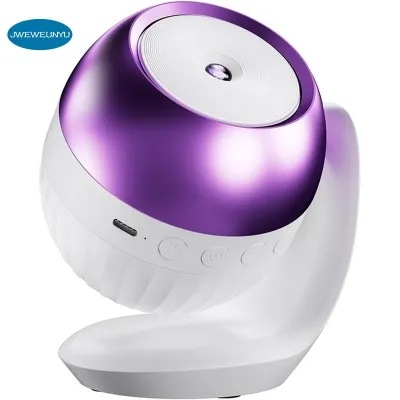
![[Pugss]Night Light Galaxy Projector Meteor Galaxy 180° Rotate Planetarium Lamp for Kids Bedroom Valentines Wedding Deco](https://img.lazcdn.com/g/p/0db70011e82e73436edc6daabe863369.jpg_400x400q80.jpg_.webp)
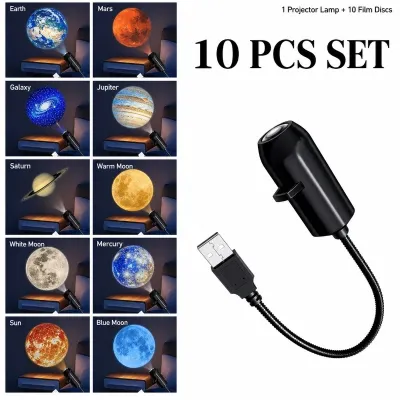
![[COD] LED Star Projector Night Light Galaxy Starry Night Lamp Remote Control Projector](https://img.lazcdn.com/g/p/a2de8f8f6eb690a027fc964f366272b6.jpg_400x400q80.jpg_.webp)
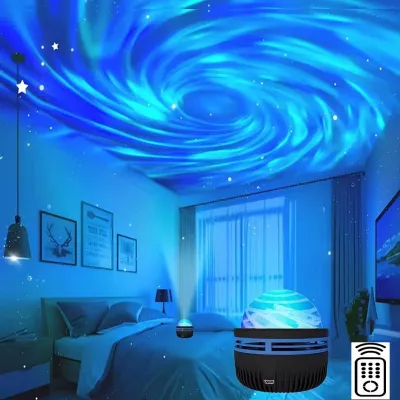
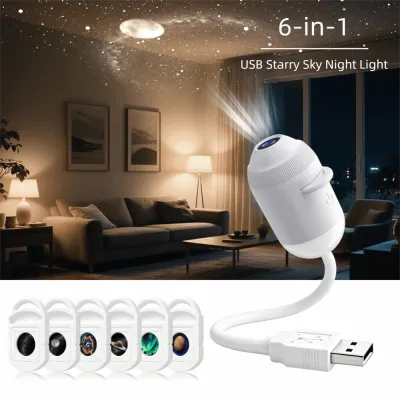
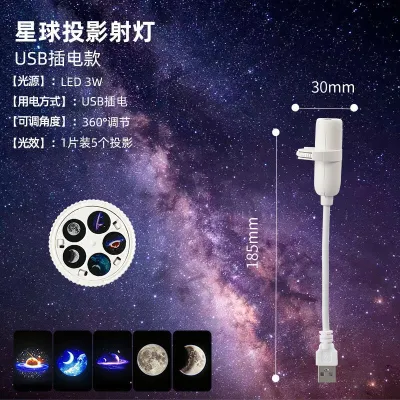
Prices are valid at publication and may change. Please refer to the product page for the latest price.
Additionally, you must identify physical obstacles that could block the light path or cast unwanted shadows. Take note of the placement of ceiling fans, wall-mounted air conditioners, pendant lights, or tall wardrobes. A projector placed directly beneath a spinning ceiling fan will create a strobing, highly distracting shadow effect that ruins the relaxing atmosphere. Mapping out these obstacles beforehand allows you to select a placement angle that bypasses structural barriers and ensures a clean, uninterrupted projection.
Key Features to Look for in Compact Galaxy Projectors
When shopping on an online marketplace or at a local lighting store, look for specific technical features that cater to small, dark environments. First, prioritize adjustable brightness and color temperature controls. A fixed, high-intensity laser or LED can cause severe eye strain and glare in a confined bedroom, especially when you are trying to wind down for sleep. Opt for models that allow you to dim the output to lower levels, and look for adjustable color temperatures so you can shift from a cool, stimulating blue to a warm, sleep-friendly amber or deep red.

The physical footprint, base design, and weight of the device are equally important for narrow condo surfaces. Bedside tables in compact apartments are often small, sharing space with phones, water glasses, and books. Choose a projector with a stable, weighted base that occupies minimal surface area, or one with a magnetic, multi-angle stand that lets you tilt the lens without moving the entire unit. Lightweight, compact designs are also easier to reposition or store away when not in use.
Convenience is key when you are already tucked into bed, so verify the control options and smart features of the device. Look for built-in sleep timers, auto-shutoff functions, and remote or mobile app controls. An auto-shutoff timer is particularly valuable, as it ensures the device does not run continuously throughout the night, saving energy and extending the lifespan of the internal light source. Being able to adjust the meteor speed or turn off the device via a remote control prevents you from having to get up and disrupt your sleep cycle.
Finally, pay close attention to the operational noise level of the projector’s internal cooling fan. Because these devices use LEDs and lasers that generate heat, they often rely on small internal fans to keep the components cool. In a quiet, enclosed condo bedroom, a loud, buzzing fan can be highly disruptive. Check the manufacturer’s specifications for noise levels, aiming for devices that operate quietly, so the ambient sound of the fan does not interfere with your rest.
Always verify the electrical specifications before making a purchase. Ensure the device is compatible with the local 220V power supply if it uses a direct wall adapter, or verify that it uses a standard 5V USB interface that can run safely off a certified mobile charger. Look for recognized electrical safety certifications, such as the Philippine Standard (PS) mark or Import Commodity Clearance (ICC) sticker, to guarantee the device has undergone proper safety testing.
Space-Saving Placement and Mounting Strategies
Maximizing the visual effect of your meteor projection while preserving valuable floor and surface space requires strategic placement. Tabletop placement on a nightstand or a chest of drawers is the most common approach, but you must position the unit at an angle that projects upward and slightly outward to cover the ceiling without shining directly into your eyes when you are lying down. If tabletop space is unavailable, consider placing the projector on an elevated floating shelf or a high bookcase, which keeps the device completely out of your daily path while providing an excellent, unobstructed angle for ceiling projection.
If you are considering wall-mounting or ceiling-mounting options to save even more space, proceed with caution. In a rental condo, drilling holes into concrete walls or drywall may violate your lease agreement or damage hidden electrical conduits. Always check your rental guidelines and structural limits before installing any permanent brackets. If mounting is permitted, ensure you use the correct anchors for your wall type and follow the manufacturer’s installation instructions carefully. For any complex or high-altitude installations, consulting a qualified professional is the safest way to prevent falling hazards.
Safe cable routing and power cord management are critical in tight condo spaces where loose wires can easily become tripping hazards. Avoid running power cords across open walkways or underneath rugs, as stepping on cables can damage the internal wiring and create a fire hazard. Use adhesive cable clips or slim cord covers to secure the power cable along the baseboard or behind furniture. Keeping the cords neat not only maintains a clean, minimalist aesthetic but also protects the device from being accidentally pulled off its shelf.
Common Sizing and Lighting Mistakes to Avoid
One of the most common mistakes condo owners make is selecting a projector with a fixed, high-intensity output that lacks dimming capabilities. In a spacious house, a bright projector might work well, but in a small bedroom, an unadjustable light source can turn your sleeping space into an overly bright, uncomfortable environment that hinders melatonin production. Always verify that the device has multiple dimming steps so you can customize the intensity to suit a dark room.
Another frequent oversight is ignoring the device’s heat output and ventilation requirements. In tropical climates like the Philippines, where indoor humidity can be high and bedrooms are often sealed for air conditioning, electronic devices can warm up quickly. Placing a projector in a tight, unventilated corner, or crowding it with books and decorative items, can block its ventilation grilles. This lack of airflow can cause the device to overheat, shortening its operational lifespan or creating a safety hazard. Always leave a few centimeters of open space around the projector’s vents to allow heat to dissipate naturally.
Lastly, avoid placing the projector too close to the target wall or ceiling. When a device is positioned right next to a surface, the light does not have enough distance to spread, resulting in a distorted, pixelated, or overly concentrated hot spot of light. This ruins the realistic, flowing effect of the meteors and stars. If your room is exceptionally small, look for a projector specifically designed with a wide-angle lens or a short-throw ratio to ensure you get a wide, even cosmic canopy without needing to push your furniture around.
Frequently Asked Questions (FAQ)
Can a galaxy projector replace my main bedroom ceiling light?
No, a meteor galaxy projector is designed strictly for atmospheric, low-intensity mood lighting and cannot replace your primary bedroom light source. These devices do not provide the bright, even, and functional illumination required for daily tasks like reading, dressing, or cleaning. Relying on a projector as your main light source can lead to severe eye strain. You should always maintain a primary, adjustable light source—such as a ceiling fixture or a dedicated task lamp—for your daily activities, using the projector solely to create a relaxing environment before sleep.
How far should I place the projector from the wall or ceiling?
The ideal placement distance depends on your specific device’s throw ratio and minimum focus distance, which you should always verify in the manufacturer’s manual. Generally, placing the projector between 1.5 to 2.5 meters away from the projection surface yields the best balance of image clarity, brightness, and coverage. Moving the device closer will make the stars and meteors look sharper and brighter but will reduce the overall size of the projection. Moving it further away expands the cosmic canopy but may cause the image to dim or lose focus if it exceeds the device’s optimal range.
Are meteor galaxy projectors safe to leave on all night?
While many modern galaxy projectors are designed with safety features, leaving any electronic light source running all night in a confined space is not recommended unless it is specifically rated for continuous operation. To ensure safety, always utilize the built-in auto-shutoff timer so the device powers down after you fall asleep, which prevents unnecessary power consumption and reduces heat buildup. Additionally, ensure the projector is placed on a stable, flat, and heat-resistant surface, well away from flammable materials like bedding, curtains, or plush toys, and never cover the ventilation grilles.

Community discussion
Share your experience or ask a question. Comments are reviewed before publication.