
Creating a personalized sanctuary in your home often comes down to how you manage your lighting. Utilizing smart fairy lights is an excellent, highly customizable way to define separate zones and set distinct moods in your bedroom and living room. By leveraging companion mobile applications, adjustable color spectrums, and automated scheduling, you can easily transition your space from a focused work environment to a relaxing oasis.
To achieve the best results, you must understand how to balance color temperatures, position your light strings safely, and configure smart settings to match your daily routines. Whether you live in a compact urban condo or a spacious home, these flexible accents allow you to paint your walls with light. This guide outlines the practical steps required to safely set up, design, and automate your smart lighting layout.
Getting Started: Setup and Safety Checks for Smart Fairy Lights
Before hanging your new lights, a thorough physical inspection and safety check will prevent electrical hazards and ensure long-term performance. Begin by unboxing your smart fairy lights and laying them out flat on a clean, dry surface. Inspect the entire length of the wire—whether it is copper, silver, or plastic-coated—and examine the individual LED beads for any cracks, exposed wiring, or transit damage. It is far easier to identify and address a defect before the lights are woven into furniture or mounted along your walls.
Products mentioned in this guide
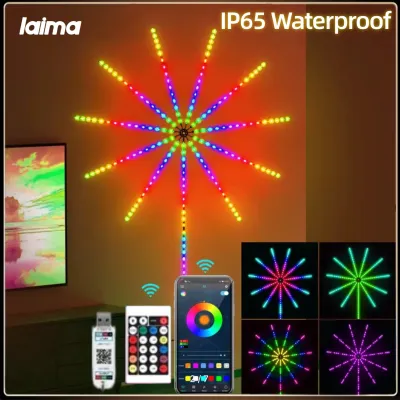
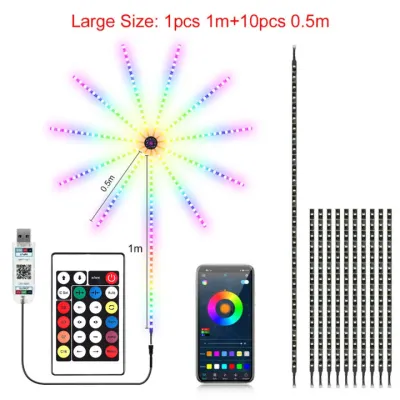
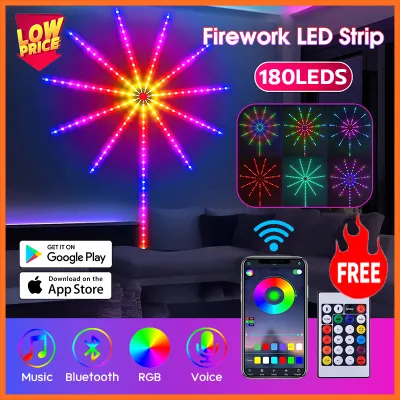
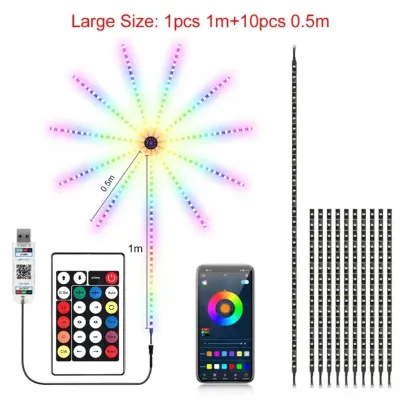
Prices are valid at publication and may change. Please refer to the product page for the latest price.
Next, verify the electrical specifications of your light set and power adapter. In the Philippines, standard household outlets supply 220V at 60Hz. Because most smart fairy lights run on low-voltage direct current (typically 5V USB or 12V), they rely on a power adapter or “brick” to convert the current. Check the manufacturer’s label on both the adapter and the lights to ensure compatibility. Only use power bricks that feature recognized electrical safety certifications and match the exact voltage and wattage requirements of your light string.
Safe placement is crucial, especially in tropical environments where humidity levels fluctuate. Keep the power adapter, controller box, and plug connections away from damp areas, such as open windows where rain might splash, or spots prone to condensation from air conditioning units. Avoid draping the wire over direct heat sources, such as electronic appliances or heater vents, and ensure the thin wires are not pinched behind heavy wardrobes, bed frames, or sharp metal brackets. If you plan to mount lights at height or suspend heavy loads, ensure secure anchors are used and isolate the power source before starting the installation.
Once the physical inspection is complete, plug the lights in near your Wi-Fi router for the initial setup. Download the official companion app specified in the manufacturer’s user manual. Enable Bluetooth on your smartphone to assist with discovery, select your local 2.4GHz Wi-Fi network (as most smart home devices do not support 5GHz bands), and follow the step-by-step pairing prompts in the app. Confirm the firmware is updated to the latest version to ensure stable connectivity before finalizing your installation.
Designing Bedroom Moods: From Winding Down to Deep Sleep
The bedroom serves as your personal retreat, requiring lighting that supports both active evening preparation and restorative rest. Smart fairy lights excel here by offering precise dimming and color control that traditional bulbs cannot match.

Relaxation and Reading Ambiance
To prepare your mind and body for sleep, transition your lights to warm white tones, typically between 2200K and 2700K. These amber and golden hues mimic the natural progression of sunset, helping to signal to your brain that it is time to wind down. In your companion app, reduce the brightness level to a soft, glare-free glow—usually between 10% and 20% is ideal for reading or resting without straining your eyes.
Treat decorative styles, perceived color temperatures, and spatial effects as conditional personal preferences rather than universal performance facts. A warm amber glow may feel cozy in a small bedroom but might seem insufficient for tasks in a larger, darker living room. To optimize your bedroom layout, use indirect lighting techniques to diffuse the glow. Try threading the copper wire behind a wooden headboard to wash the wall in soft light, or drape them along the ceiling perimeter behind a valance. Another popular option is placing a coiled string of fairy lights inside a frosted glass jar or clean bottle on your nightstand, turning the string into a soft, localized accent lamp.
Sleep-Ready and Wake-Up Routines
Using the automated features of your smart fairy lights can significantly improve your sleep hygiene. Rather than leaving the lights on all night or fumbling for a switch in the dark, open your app’s scheduling menu and set a sleep timer. You can configure a countdown timer that gradually fades the lights to zero over 30 or 45 minutes, allowing you to fall asleep naturally in a dim room while ensuring the space eventually transitions to complete darkness.
For mornings, you can set a reverse schedule to assist with waking up, provided your specific app supports gradual transitions. Program the lights to turn on 15 minutes before your alarm, starting at 1% brightness with deep warm tones, and slowly scaling up to 80% brightness while shifting toward cooler, daylight tones (around 5000K). This simulated sunrise helps suppress melatonin production naturally, making you feel more alert. When configuring these routines, verify that your app completely cuts power to the LEDs at the end of the sleep cycle, as some lower-quality controllers merely dim the lights to a very low level, leaving a faint, disruptive micro-glow in a dark room.
Transforming the Living Room: Entertainment and Everyday Ambiance
The living room is a multi-functional space that hosts social gatherings, movie nights, and quiet family evenings. Your smart fairy lights should be versatile enough to adapt to these shifting activities instantly.
Movie Nights and Cozy Evenings
When watching television or movies, a completely dark room can cause eye strain due to the high contrast between the bright screen and the dark surroundings. You can mitigate this by using your smart fairy lights as bias lighting. Mount the light string along the back of your television frame, media console, or nearby floating shelves. This projects a soft halo of light onto the wall behind the screen, reducing visual fatigue.
For the best cinematic experience, select deep, low-saturation colors such as soft blues, warm ambers, or muted purples that complement your living room decor without drawing attention away from the screen. Keep the brightness level low—around 5% to 15%—and ensure the main overhead lights are dimmed or turned off. This balance preserves the contrast of your television display while maintaining a cozy, comfortable atmosphere in the rest of the room.
Social Gatherings and Festive Vibes
When hosting friends or celebrating holidays, your living room lighting can shift from subtle accents to dynamic focal points. Open your smart light app and explore the pre-configured dynamic scene modes. These modes cycle through various color palettes, such as festive reds and greens for Christmas, or vibrant, multi-color patterns for weekend parties.
If your smart fairy lights include a built-in microphone or sync with your phone’s microphone, activate the music sync feature. This allows the LEDs to pulse, flash, and shift colors in time with the beat of your background music, creating an interactive party environment. To maximize the visual impact in a larger living area, increase the brightness to 80% or higher and drape the lights across prominent surfaces. Hanging them vertically behind sheer curtains, weaving them through bookshelves, or wrapping them gently around indoor plants like snake plants or palms will distribute the colorful glow throughout the entire room.
Mastering App Controls: Scheduling, Scenes, and Automation
To get the most value out of your smart fairy lights, move beyond manual adjustments and explore the advanced automation features available in modern smart home ecosystems.
Creating Custom Scenes Instead of manually adjusting colors and brightness levels every day, use the app to create custom “Scenes.” A scene is a saved preset of specific colors, brightness levels, and effects. For example, you can build a “Work from Home” scene with bright, cool white light to keep you focused, and a “Cozy Lounge” scene with dim, warm amber tones. With these presets saved, you can instantly transition your entire room’s mood with a single tap on your smartphone screen.
Setting Up Automated Schedules Automated schedules allow your lights to run in the background without any daily input. You can program your living room fairy lights to turn on automatically at sunset, creating a warm, welcoming environment when you finish your workday or return home. In the Philippines, where daylight hours remain relatively consistent throughout the year but seasonal rain can darken afternoons early, setting schedules based on local time or astronomical sunset triggers ensures your home is always perfectly lit.
Integrating with Smart Home Systems Depending on the manufacturer’s ecosystem, you can link your smart fairy lights to compatible voice assistants like Google Assistant, Amazon Alexa, or Apple Home. This integration allows you to control your lights using simple voice commands, which is incredibly convenient when your hands are full or your phone is in another room. Furthermore, you can incorporate your fairy lights into broader smart home routines. For instance, you can create a “Goodbye” routine that turns off your smart plug adapters, air conditioning, and fairy lights simultaneously when you leave your condo.
Maintenance and Troubleshooting Smart Fairy Lights
Like all smart home devices, smart fairy lights require occasional maintenance and troubleshooting to keep them operating safely and reliably.
Re-pairing and Connectivity Issues If your lights suddenly disconnect from your Wi-Fi network or stop responding to app commands, the first step is to perform a power cycle. Unplug the power adapter from the wall outlet, wait approximately ten seconds, and plug it back in. This often resolves minor software glitches. If the lights remain offline, you may need to reset them to factory settings—usually achieved by holding down the physical button on the controller box for several seconds until the lights flash—and repeat the pairing process in the companion app.
Safe Cleaning Practices Dust and airborne oils can accumulate on the thin wires and LED beads over time, dimming their brightness. To clean your lights, always unplug the power adapter first to isolate the electrical current. Use a dry, soft microfiber cloth to gently wipe down the wire and individual LEDs. Strictly avoid using liquid cleaners, chemical sprays, or wet cloths, and never submerge any part of the light string, controller, or adapter in water, as moisture can penetrate the delicate circuitry and cause a short circuit.
Checking Connections and Stop Conditions If your lights begin to flicker or fail to power on, inspect the physical connections. Ensure the USB plug is firmly seated in the power adapter and that the adapter is securely plugged into the wall outlet. If you notice any physical damage to the adapter, or if the wire feels excessively hot to the touch or emits a burning smell, immediately discontinue use. Unplug the device from the wall and consult the manufacturer or a qualified professional to avoid electrical fires or short circuits.
Frequently Asked Questions (FAQ)
Can I leave smart fairy lights on all night?
While modern LED smart fairy lights are highly energy-efficient and generate very little heat compared to traditional incandescent bulbs, it is not recommended to leave them running continuously all night. For optimal safety, energy conservation, and sleep hygiene, it is best to use the companion app’s timer or scheduling feature to turn the lights off automatically once you fall asleep. Always refer to the manufacturer’s user manual for specific guidelines regarding maximum continuous run times.
Do smart fairy lights work without Wi-Fi?
Yes, most smart fairy lights retain basic functionality even when disconnected from a Wi-Fi network. You can typically turn the lights on or off and cycle through a few pre-set colors or patterns using the physical button located on the inline controller box or via a direct Bluetooth connection if your model supports it. However, advanced features—such as remote control when away from home, voice assistant integration, custom scene creation, and automated schedules—require an active Wi-Fi connection to function.

Community discussion
Share your experience or ask a question. Comments are reviewed before publication.