
Finding the right desk lamp for study table setups is essential for maintaining focus and comfort during long hours of reading, writing, or typing. To protect your eyes from fatigue, the ideal lamp must offer adjustable brightness, customizable color temperatures, and a highly flexible physical design. By selecting a model that allows you to tailor the light to your specific environment, you can create a comfortable workspace that supports productivity throughout the day and night.
Evaluating Brightness and Light Intensity
When shopping for a desk lamp for study table use, it is important to understand how light is measured and distributed across your workspace. Many buyers focus solely on the total light output, often measured in lumens, which indicates how much light the bulb emits in all directions. However, for a study desk, the more critical metric is the actual illuminance, measured in lux, which represents the amount of light that actually lands on your working surface.
To ensure you have sufficient light for reading fine print without squinting, check the manufacturer’s packaging, labels, or user manuals for recommended brightness levels and coverage areas. High-quality task lamps often provide detailed specifications or diagrams showing the light spread at various heights. Verifying these details helps you avoid purchasing a lamp that is either too dim for detailed work or too intense for your desk size.
Products mentioned in this guide
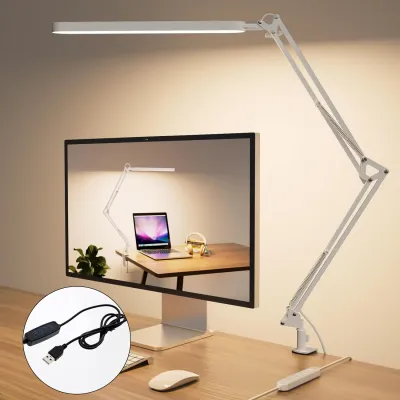
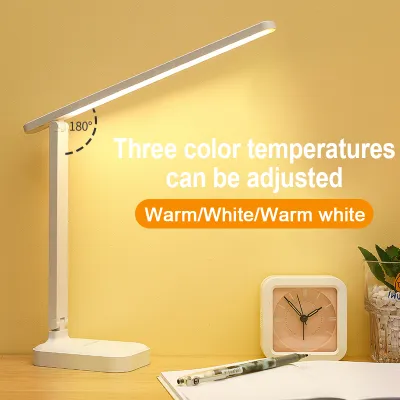
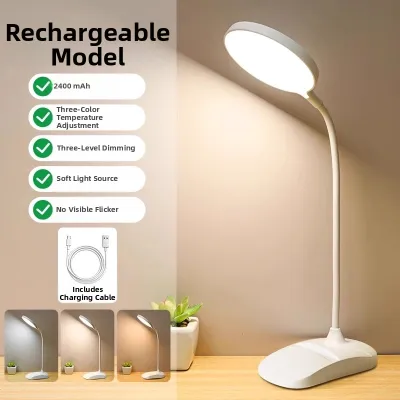
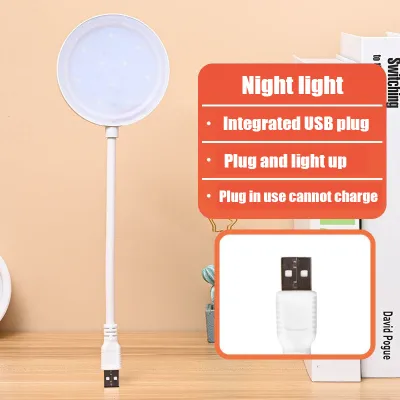
Prices are valid at publication and may change. Please refer to the product page for the latest price.
Another key factor is the balance between your desk lamp and the ambient lighting in the room. Operating a high-intensity lamp in a completely dark room creates a harsh contrast that forces your eyes to constantly adjust, leading to rapid eye fatigue. For the most comfortable setup, use your desk lamp to supplement moderate ambient room light, ensuring a smooth transition of brightness across your entire field of view.
Selecting the Right Color Temperature for Focus
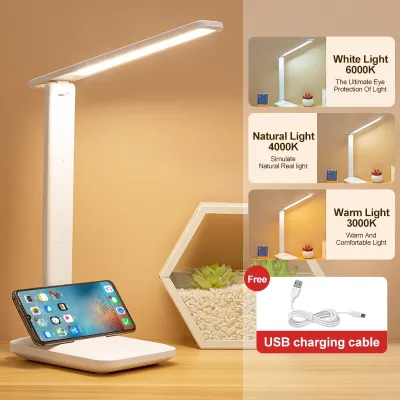
Color temperature, measured on the Kelvin (K) scale, plays a significant role in how alert or relaxed you feel during a study session. Light sources generally fall into three categories: warm white (typically below 3,000K), neutral white (around 4,000K), and cool white (5,000K and above). Each of these ranges serves a different purpose depending on your task and the time of day, making color temperature a matter of conditional preference rather than a one-size-fits-all performance metric.

Cool white light mimics natural daylight and is highly effective for intense cognitive tasks, as it helps promote alertness and concentration. However, using cool, blue-toned light late in the evening can interfere with your body’s natural sleep preparation. For late-night study sessions, transitioning to a softer, neutral, or warm white light helps you wind down while still providing enough illumination to read comfortably.
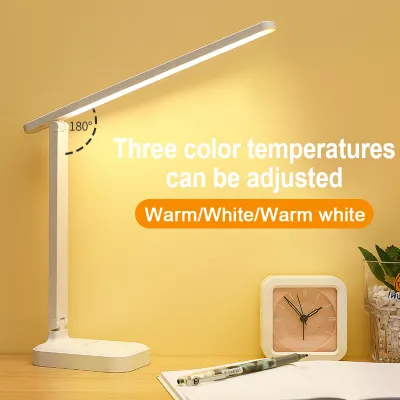
Because your study needs change throughout the day, choosing a desk lamp with adjustable color temperature settings offers the greatest flexibility. This feature allows you to use bright, cool light during afternoon sessions to stay focused, and then easily switch to a warmer tone as evening approaches. Check the product specifications to ensure the lamp offers distinct, easy-to-select temperature modes that match your daily routine.
Adjustability and Ergonomic Positioning
A high-quality desk lamp for study table setups must be physically adjustable to accommodate different tasks and seating positions. Look for lamps with multi-jointed arms, rotating heads, and flexible necks that allow you to direct the light precisely where it is needed. A sturdy, weighted base is also essential to prevent the lamp from tipping over when you extend the arm to its maximum reach.
Proper positioning is crucial for preventing direct glare, which occurs when the light source shines directly into your eyes. As a general rule, position the lamp head below your eye level and angle it so the light pools onto your workspace rather than radiating outward toward your face. This simple adjustment keeps the bulb hidden from your direct line of sight, significantly reducing immediate eye strain.
Your physical setup should also change depending on whether you are reading physical textbooks or working on a digital monitor. When reading paper materials, position the light to shine from the side opposite your writing hand to eliminate shadows. For computer work, angle the lamp to illuminate your desk surface and keyboard without reflecting off the glossy screen, which can cause distracting reflections and discomfort.
Identifying Eye-Care Technologies and Glare Control
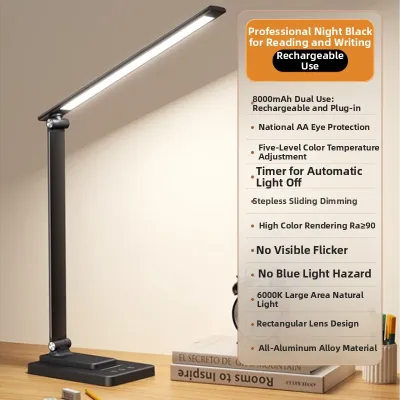
Many modern LED desk lamps claim to feature eye-care technology, but it is important to know how to verify these claims before buying. One of the primary causes of subtle eye strain is light flicker, which may not be visible to the naked eye but can still cause headaches and fatigue over time. Review the product specifications and packaging carefully for explicit “flicker-free” or “low-flicker” design certifications and statements.
In addition to flicker control, look for physical design elements that soften and diffuse the light. Quality lamps often incorporate frosted covers, honeycomb lenses, or specialized physical diffusers over the LED panel to scatter the light evenly. These features prevent harsh, concentrated hot spots on your desk and reduce the sharp glare that reflects off white paper or polished desk surfaces.
While choosing the right lamp can greatly improve your study environment, it is not a cure-all for underlying vision issues. If you continue to experience persistent visual discomfort, headaches, or dry eyes despite adjusting your lighting and taking regular breaks, stop using your current setup and consult an eye care professional. A qualified specialist can help determine if you require corrective lenses or other specialized interventions.
Building Your Study Lamp Selection Checklist
When comparing different models on an online marketplace or at a local retailer, start by separating essential ergonomic and optical features from optional smart integrations. Prioritize adjustable brightness, color temperature control, and a flexible arm over features like built-in speakers or app connectivity. Focusing on the core lighting quality ensures you get the best performance for your budget.
Next, evaluate the physical build quality, materials, and warranty coverage. In the humid tropical climate of the Philippines, choosing a lamp with a well-ventilated housing or a heat-dissipating aluminum body can help extend the lifespan of the LEDs. Check the manufacturer’s warranty terms and after-sales support options to protect your investment, especially when planning your budget in ₱.
Finally, always verify the electrical compatibility of the lamp before finalizing your purchase. In the Philippines, the standard household voltage is 220V at 60Hz, and plug types are typically Type A or Type B. Ensure the lamp’s power adapter matches these local standards to avoid safety hazards or the need for bulky, unreliable voltage converters.
Frequently Asked Questions (FAQ)
Is a smart desk lamp worth the investment for studying?
Smart desk lamps offer features like automated scheduling, app controls, and integration with home assistants, which can make adjusting your environment highly convenient. For example, some smart models can automatically shift from cool to warm light as the sun sets, helping you maintain a natural circadian rhythm without manual intervention.
However, these advanced features often come with a higher price tag and may not be necessary if you prefer a simple, distraction-free study space. If your primary goal is simply to reduce eye strain, a standard adjustable LED lamp with manual touch controls will deliver the same optical benefits without the added complexity or potential for digital clutter.
How far should the lamp be placed from my books or screen?
The ideal distance between your desk lamp and your study materials depends on the lamp’s design, but a general guideline is to keep the light source about 15 to 20 inches above your desk surface. Placing the lamp too close concentrates the light into a harsh, narrow beam that creates intense glare and deep shadows. Conversely, positioning it too far away spreads the light too thin, reducing the overall illuminance on your page.
Because every lamp has unique optical characteristics, always consult the specific placement and safety instructions provided in your product’s user manual. Experiment with the height and angle while sitting in your normal study posture to find a position that provides even, shadow-free coverage across your entire workspace.

Community discussion
Share your experience or ask a question. Comments are reviewed before publication.