
Choosing between a laser and an LED star projector comes down to the visual atmosphere you want to create in your living space. Laser-based projectors excel at producing sharp, pinpoint stars with high contrast and deep depth, mimicking a clear night sky. In contrast, LED-based projectors are designed to cast soft, diffused, and beautifully blended nebula clouds that wash your walls in soothing colors. For many homes, a hybrid device combining both technologies offers the most versatile experience, but understanding how each light source operates will help you select the exact device for your needs.
In the Philippines, where urban condo living often means managing compact spaces and warm, humid evenings, creating a relaxing indoor sanctuary is a priority. A galaxy lamp serves as an excellent tool for winding down after a long day, transforming a standard concrete ceiling into an expansive cosmic escape. However, because room dimensions, ambient light levels, and safety requirements vary, you must evaluate the technical specifications of these devices before making a purchase.
Core Visual Differences: Lasers vs LEDs
Beam Sharpness and Star Definition
Laser beams remain highly collimated over long distances, meaning the light waves travel parallel to each other with minimal spreading. This physical property allows them to project tiny, incredibly sharp dots of light across several meters without losing focus. When you look at a laser projection, the stars appear as distinct, bright pinpoints that mimic the night sky.
Products mentioned in this guide
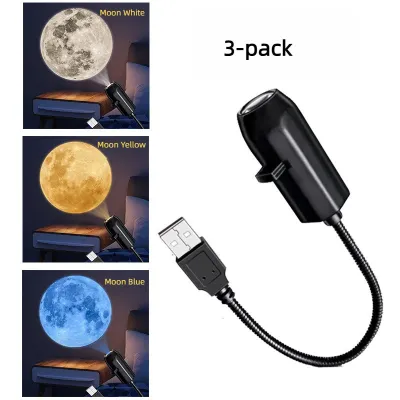
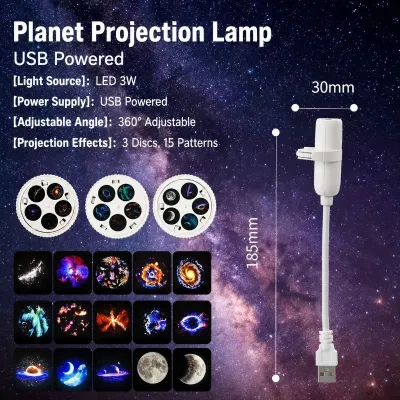
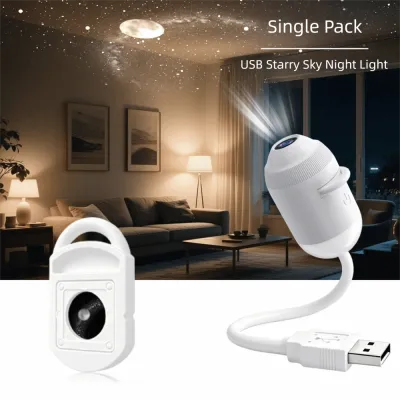
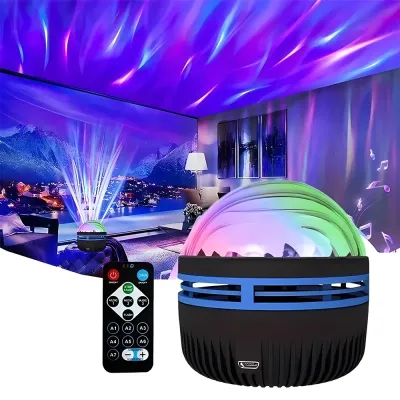
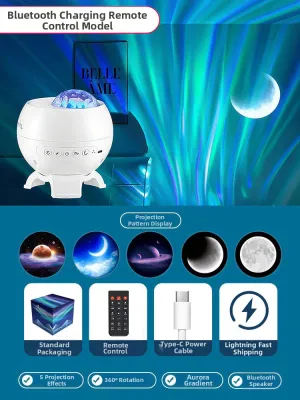
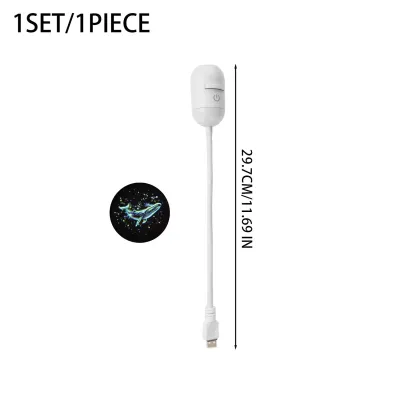
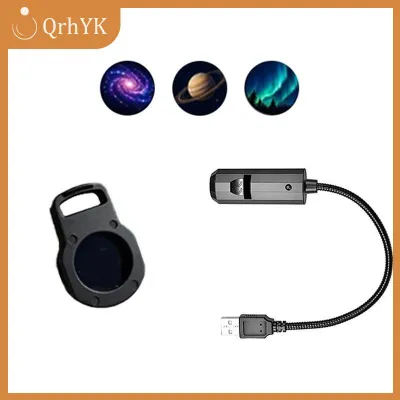

Prices are valid at publication and may change. Please refer to the product page for the latest price.
LED light, on the other hand, is naturally incoherent and divergent, meaning it spreads out quickly from the source. This makes LEDs unsuitable for sharp star points but absolutely perfect for creating the sweeping, cloud-like formations known as nebulas. The soft edges of LED light allow the colors to blend smoothly across your ceiling, mimicking the gas clouds of deep space.
Color Mixing and Gamut Verification
To ensure a projector delivers rich purples, deep blues, and vibrant greens, look closely at the product packaging or technical specifications for the light source configuration. LED projectors typically use RGB (Red, Green, Blue) or RGBW (adding White) light-emitting diodes. Check if the device allows you to control these color channels independently through a remote or an app.
For lasers, most consumer star projectors use green or blue lasers, as red lasers require different calibration to remain highly visible. Verify whether the laser and LED elements can be operated separately. This allows you to turn off the stars entirely when you only want a soft color wash, or turn off the nebula when you want a minimalist starry sky.
Projection Distance and Coverage Area
The physical size of your room dictates which technology will perform best. Lasers have a much longer throw distance, meaning they can project sharp images from a bedside table to a high ceiling without significant degradation. If you live in a loft or a home with high ceilings, a laser projector will maintain its clarity.
LED projectors have a wider, more immediate spread, making them ideal for smaller rooms where you want to cover a large portion of the walls and ceiling from a short distance. Always check the manufacturer’s specified throw distance and coverage angle on the spec sheet to ensure the projector aligns with your room’s layout.
Feature and Usability Checks
Dimming and Brightness Control
A star projector used for evening relaxation requires different brightness levels than one used as a gentle nightlight for sleep. When reviewing product specifications, check whether the device offers stepless dimming (allowing you to adjust brightness smoothly from 1% to 100%) or if it relies on fixed presets (such as 25%, 50%, and 100%).

Stepless dimming provides much greater control over the room’s ambiance, especially in dark environments where even a small jump in brightness can disrupt your eyes’ adjustment to the dark. This feature is highly recommended if you plan to use the projector in a bedroom or nursery.
Smart Connectivity and Timers
Modern galaxy lamps often include smart features to integrate with your daily routines. Look for built-in auto-shutoff timers, which are essential if you plan to fall asleep with the projector running. Common timer intervals include 1-hour, 2-hour, or 4-hour automatic shutoffs.
If you prefer smart home integration, verify the supported wireless protocols (such as 2.4 GHz Wi-Fi or Bluetooth) and compatible app ecosystems directly on the product packaging. This ensures you can schedule the projector to turn on at sunset or control it via voice commands without relying on a physical remote.
Operational Noise and Motor Speeds
Because many star projectors feature rotating effects to simulate moving clouds or drifting stars, they rely on internal motors. Additionally, some high-output models use small cooling fans to manage heat. In a quiet bedroom, the hum of a motor or fan can be highly distracting.
To ensure a peaceful environment, check the product specifications or user manuals for decibel (dB) ratings. Look for devices that specify quiet operation, ideally under 30 decibels, which is equivalent to a soft whisper.
Safety, Installation, and Care Boundaries
Laser Safety Classifications
Safety is paramount when dealing with concentrated light beams. Always check the product label or user manual for the laser’s safety classification. Consumer star projectors should ideally use Class 1 or Class 2 lasers.
Class 1 lasers are safe under all conditions of normal use, while Class 2 lasers emit visible light but rely on the human blink reflex to prevent eye damage. Never look directly into the laser aperture, and position the projector on a stable surface where the beams cannot shine directly into the eyes of people or pets.
Electrical Safety and Voltage Compatibility
In the Philippines, the standard household electrical supply is 220V at 60Hz. Before plugging in your star projector, verify that the power adapter is compatible with this voltage range. Many modern projectors use a USB power interface (such as USB-C or Micro-USB) connected to a wall adapter.
Ensure the adapter you use carries recognized safety certification marks, such as the Philippine Standard (PS) mark or the Import Commodity Clearance (ICC) sticker, or international safety certifications like CE, FCC, or UL. Using an uncertified or incorrect power adapter can lead to overheating, short circuits, or damage to the projector’s internal electronics.
Cleaning and Maintenance
To keep the projection clear and bright, the optical lenses must be kept clean. Over time, dust and airborne particles can settle on the lens, causing the stars to look blurry or the nebula clouds to appear dim.
When cleaning the device, always isolate the power by unplugging it from the wall. Use a dry, clean microfiber cloth to gently wipe the lens surface. Strictly avoid using liquid glass cleaners, alcohol, or harsh household chemicals, as these can strip away the delicate anti-reflective coatings on the lenses or damage the plastic housing.
Decision Framework: Which Galaxy Lamp Fits Your Space?
Choose Laser If
You want a highly realistic, high-contrast night sky experience. If your priority is seeing thousands of sharp, distinct star points drifting across your ceiling, or if you have a spacious room with high ceilings that requires a long throw distance, a laser-based projector is the ideal choice.
Choose LED If
You prefer a soft, colorful, and relaxing wash of light. If you want to create a soothing, cloud-like atmosphere with smooth color transitions, or if you are looking for a gentle, low-heat light source for a smaller room, an LED projector is the most suitable option.
Verify First If
You are setting up the device in a child’s bedroom or a compact condo. For children’s rooms, prioritize models with strict Class 1 laser ratings, robust auto-shutoff timers, and secure power cords. For compact condo spaces, measure the distance from your bedside table or shelf to the ceiling to ensure it meets the projector’s minimum throw distance, preventing the image from becoming blurry or distorted.
Frequently Asked Questions (FAQ)
Can I use a star projector as a primary light source?
No, star projectors are designed strictly for ambient mood lighting and decorative purposes, not for general room illumination. They emit low-intensity, diffused light to create a relaxing atmosphere in dark rooms. If you attempt to use one for reading, studying, or detailed tasks, you may experience eye strain. Always check the lumen output or wattage on the spec sheet; these devices typically produce minimal functional light compared to standard ceiling fixtures or task lamps.
Do laser star projectors consume more electricity than LED ones?
Power consumption depends on the overall design of the specific model rather than the light source technology alone. To find the exact power draw, compare the wattage (W) printed on the power adapter or in the user manual. Generally, both LED and laser star projectors are highly energy-efficient, often drawing between 5W and 10W of power. However, models with multiple built-in motors for rotation, integrated Bluetooth speakers, and Wi-Fi connectivity will consume slightly more electricity than simpler, static models.
How do I prevent the projection from looking blurry on my ceiling?
To achieve the sharpest possible image, start by checking if your projector features a manual focus ring around the lens, which allows you to adjust the clarity based on your ceiling’s height. Next, ensure the projector is positioned within the manufacturer’s recommended throw distance; placing it too close or too far will cause the image to lose focus. Finally, project the light onto a flat, light-colored ceiling, as dark colors or heavily textured surfaces can absorb the light and distort the visual details.

Community discussion
Share your experience or ask a question. Comments are reviewed before publication.