
Choosing between a monitor light bar and a traditional table lamp comes down to your physical desk real estate, your tolerance for screen glare, and how you use your workspace. While a monitor light bar mounts directly on top of your screen to save space and cast light downward without washing out your display, a classic table lamp offers versatile, wide-angle illumination that can cover physical paperwork and add a warm, decorative ambiance to your room.
In the Philippines, where home offices often double as bedrooms or study areas, managing space and heat is essential. A well-chosen light source not only improves productivity during late-night tasks but also helps maintain a comfortable environment when balancing air conditioning or fan placement. Understanding how each option interacts with your physical setup will help you make the right investment for your daily workflow.
Desk Space and Illumination Area
Monitor light bars are designed specifically for minimalist setups and compact workspaces. They sit securely on top of your monitor’s bezel, requiring absolutely no desk surface space. This zero-footprint design is highly beneficial for small study corners, shared bedrooms, or compact desks where every square inch of the desk is valuable. The light path of a monitor light bar is typically asymmetric, meaning it projects light at a precise downward angle to illuminate your keyboard, mousepad, and the immediate working area directly in front of your screen.
Products mentioned in this guide
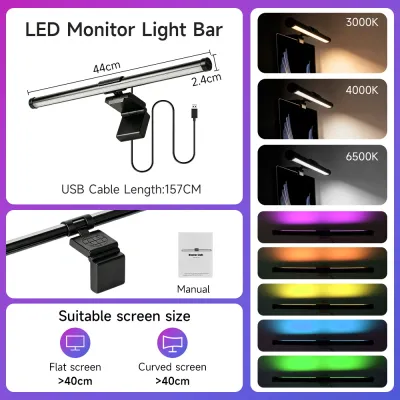
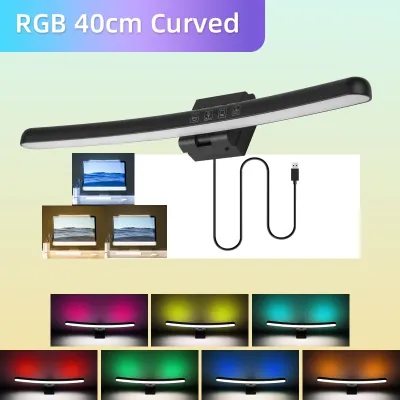
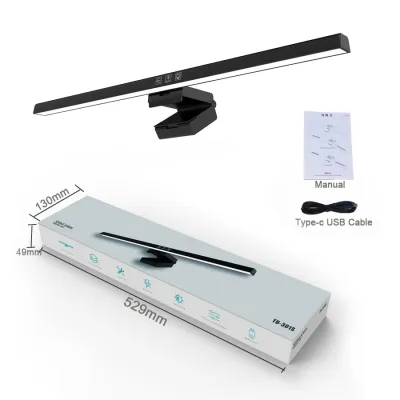
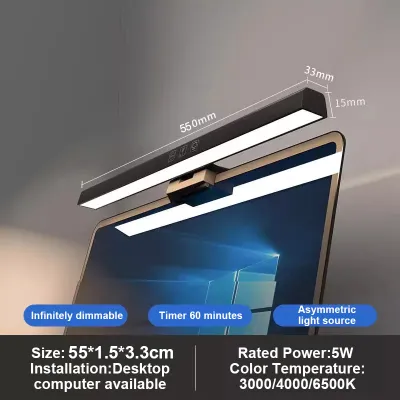
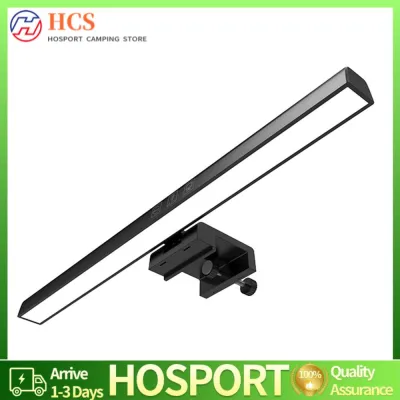
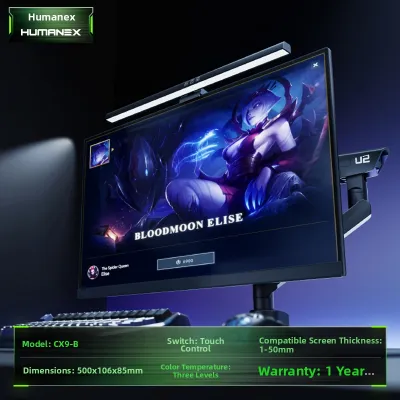
Prices are valid at publication and may change. Please refer to the product page for the latest price.
Table lamps, by contrast, require a dedicated physical footprint on your desk surface. Depending on the base design, a table lamp can take up a significant portion of your workspace, which might restrict where you place your keyboard, notebook, or morning coffee. However, they compensate for this footprint by offering a much broader or highly adjustable illumination area. Lamps with articulated arms or adjustable shades allow you to direct light exactly where you need it, making them highly versatile for tasks that extend beyond the computer screen.
To decide which option fits your space, perform a few quick physical checks. Measure your available desk depth and width to see if a lamp base will crowd your hands while typing. Additionally, identify if your desk is pushed directly against a wall or if it floats in the middle of the room. A wall-facing desk works exceptionally well with a monitor light bar because the light is contained within a tight, focused zone, whereas a floating desk might benefit from the ambient glow of a table lamp that helps define the workspace within a larger room.
Screen Glare and Visual Comfort
One of the most significant challenges in any desk setup is managing eye strain, especially during long working hours or late-night study sessions. Monitor light bars address this directly through asymmetric optical designs. Instead of casting light in a wide cone that strikes the screen and bounces into your eyes, a high-quality light bar directs light downward and slightly forward. This keeps the screen itself in shadow while brightly illuminating the desk surface below, preventing the washed-out contrast that often causes visual fatigue.

Table lamps present a higher risk of screen glare if they are not positioned carefully. If a lamp is placed directly beside or behind your monitor, the light can reflect off the screen surface, creating distracting hot spots. This is particularly problematic for glossy screens, which act like mirrors under direct light. If you prefer a table lamp, you will need to adjust the shade, use a lower-wattage bulb, or position the lamp slightly behind the plane of the screen to minimize direct reflections. Matte screens handle stray light slightly better but still suffer from reduced contrast when hit by direct illumination.
Before choosing, evaluate your typical viewing angles and monitor bezel depth. A very thin bezel might mean a light bar’s mounting clip rests slightly on the active screen area, which can be distracting. Also, consider your ambient room lighting conditions. In warm tropical climates, you might prefer to work with the main overhead lights off to keep the room feeling cooler, making a glare-free desk light even more critical for maintaining visual comfort without overheating your workspace.
Power, Cable Management, and Controls
The practicalities of daily operation and cable management can make or break your desk aesthetic. Monitor light bars are almost exclusively USB-powered, allowing you to plug them directly into your monitor’s built-in USB hub, your computer tower, or a nearby USB power strip. However, you must verify your power source’s output limits. Many light bars require a stable 5V/1A or 5V/2A power supply to operate at maximum brightness or to use color-temperature adjustment features. If your monitor’s USB port does not supply sufficient wattage, the light bar may flicker or fail to turn on.
Table lamps typically plug directly into standard wall outlets. In the Philippines, this means ensuring compatibility with the standard 220V electrical system and looking for local safety certifications, such as the ICC or PS mark, to guarantee the internal wiring is safe and reliable. While table lamps offer independent power that does not rely on your computer being turned on, they do add to the cable clutter behind your desk. You will need to plan your cable routing to keep the thick power cord hidden.
Control methods also differ significantly between the two options. Monitor light bars often feature sleek touch-sensitive buttons on the bar itself, or even wireless desktop dials that let you adjust brightness and color temperature without reaching up. Table lamps rely on more traditional switches, which can be inline cord switches, base buttons, or pull chains. Consider your daily workflow: if you prefer a clean, wireless look and quick adjustments, a light bar with a remote dial offers a modern solution, whereas a table lamp provides a tactile, classic interaction.
Final Decision: Which Light Fits Your Workspace?
To finalize your decision, evaluate your desk setup against a practical checklist of your daily habits and physical constraints.
Choose a monitor light bar if:
- Your desk space is highly limited, and you want to keep your workspace completely clear of clutter.
- You use a standard flat-top monitor and primarily engage in screen-based tasks like coding, writing, or gaming.
- Your primary goal is eliminating screen glare and reflections to reduce eye strain during long hours of computer use.
- You prefer a modern, minimalist aesthetic with integrated USB power and streamlined cable management.
Choose a table lamp if:
- You have ample desk space and enjoy using the lamp as a decorative design element that complements your room's interior style.
- Your daily tasks are highly varied and include physical activities like reading books, sketching, writing by hand, or crafting, which require flexible, multi-directional lighting.
- You use multiple monitors, an ultra-wide screen, or a monitor with an irregular shape that cannot easily accommodate a top-mounted clip.
- You want to create a warm, cozy ambient glow in your room rather than a highly focused, downward-facing task light.
Before making any purchase, verify the physical compatibility of your monitor. If your screen has a heavily curved back, a built-in webcam on the top bezel, or an exceptionally thick frame, a standard light bar’s mounting mechanism may not sit securely. In such cases, a table lamp or a specialized light bar with an adjustable counterweight clip is necessary to prevent damage to your screen.
Frequently Asked Questions (FAQ)
Can I use both a monitor light bar and a table lamp together? (FAQ)
Yes, combining both lighting sources can create a highly balanced and comfortable workspace. You can use the monitor light bar as your primary task light to illuminate your keyboard and desk surface without causing screen glare. Meanwhile, a table lamp placed further back or to the side can serve as an ambient fill light, softening the contrast between your bright screen and the dark corners of the room. When using both, ensure their light paths do not directly overlap in a way that creates harsh, competing shadows or excessive brightness, which can lead to visual fatigue.
Do monitor light bars fit curved or ultra-wide monitors? (FAQ)
Many standard monitor light bars are designed primarily for flat screens, but compatibility varies. If you have a curved or ultra-wide monitor, you must check the manufacturer’s specifications regarding mounting clip depth, weight limits, and curvature compatibility. Some light bars require specific adapters or specialized counterweight mounts to sit securely on a curved bezel. Verifying these physical dimensions beforehand ensures the light bar will not slip, put undue pressure on your screen, or block your view.

Community discussion
Share your experience or ask a question. Comments are reviewed before publication.