
Achieving an immersive galaxy effect in your bedroom relies on balancing light intensity, projection clarity, and motion dynamics to transform a plain ceiling into a deep-space canopy. A high-quality starlight projector should blend seamlessly into your evening routine, casting sharp, realistic stars and fluid nebula clouds that encourage relaxation. Rather than relying on static nightlights, modern ambient projectors use a combination of light-emitting diodes (LEDs) and laser diodes to simulate cosmic depth. Finding the right balance requires looking closely at how these light sources are engineered, how they move, and how they sound in a quiet room.
To understand how these devices create depth, it helps to look at the dual-source system common in modern ambient lamps. Laser diodes are typically used to project the stars themselves. Because coherent laser light does not disperse quickly over distance, it produces pin-sharp, bright points of light that mimic distant stars even on high ceilings. On the other hand, LEDs are ideal for projecting the broad, colorful, and shifting gas clouds known as nebulae. LEDs offer excellent color mixing and a softer, diffused glow that fills the room with ambient light. When evaluating a projector, check if the laser and LED components can be controlled independently, allowing you to run just the stars, just the nebula, or both together depending on your mood.
The visual texture of the nebula cloud depends heavily on the lens and optical filters used. Some projectors use a textured glass lens that rotates slowly in front of the LED to create a shifting, organic wave pattern. Others rely on holographic film or molded plastic lenses, which can sometimes produce repetitive, geometric patterns if the design is too simple. For the most realistic galaxy effect, look for multi-layered projection systems where the colors transition smoothly without harsh, visible lines or sudden jumps in brightness.
Products mentioned in this guide
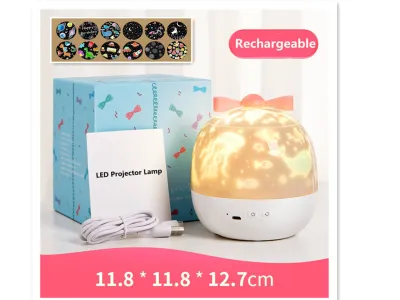
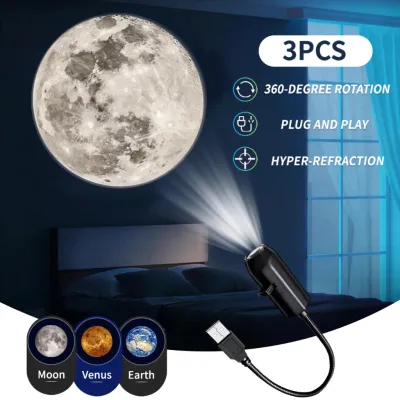
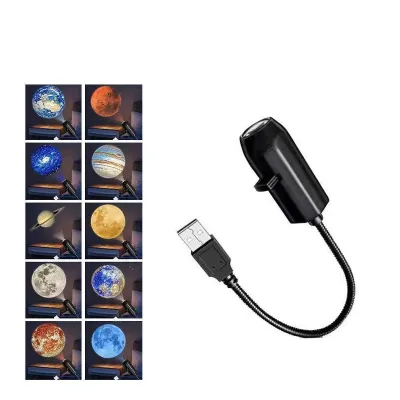
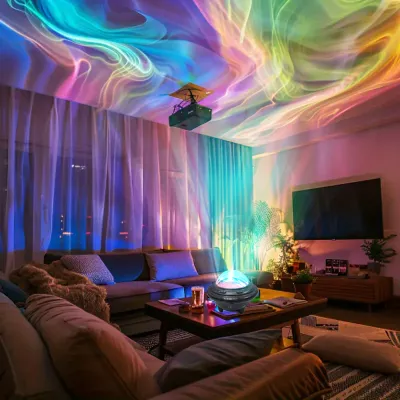
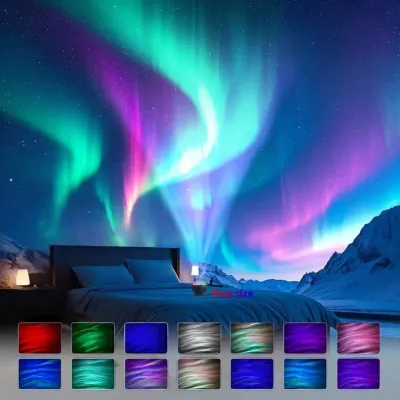
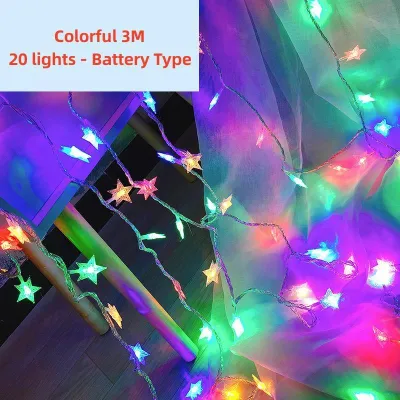
Prices are valid at publication and may change. Please refer to the product page for the latest price.
The color of the laser also plays a significant role in the overall ambiance and visual comfort. Most consumer starlight projectors feature either green or blue lasers. Green lasers are highly visible to the human eye and appear exceptionally sharp, making them excellent for creating a high-contrast starry sky. However, because our eyes are highly sensitive to green light, some users find them too bright for a sleeping environment. Blue or red lasers offer a more subtle, deeply relaxing alternative that blends more naturally into the dark background of a bedroom, though they may appear slightly less defined on darker paint colors.
A beautiful visual effect can easily be ruined if the projector sounds like a small appliance running on your bedside table. Most starlight projectors use tiny internal motors to rotate the lenses and create the illusion of drifting clouds. In a silent bedroom, especially during quiet nights in a high-rise condo, even a faint hum can disrupt your sleep. Look for models that specify silent motor operation or have decibel ratings below a whisper. Additionally, adjustable rotation speeds are crucial; a slow, barely perceptible drift is highly soothing, while a fast rotation can cause motion sickness or unwanted stimulation. Brightness controls are equally vital, as a projector that is too bright will interfere with your natural sleep cycle, while one that is too dim will wash out under the faint glow of streetlights or hallway gaps.
Matching Projector Types to Your Bedroom Layout
The physical dimensions of your bedroom dictate the type of projector that will work best. Throw distance—the space between the projector lens and the surface it shines on—determines both the size and the sharpness of the galaxy pattern. If you place a projector too close to the ceiling, the image will be small and overly concentrated; if you place it too far, the stars may lose focus and become blurry. Most standard bedroom layouts require a projector that can cover an area of at least 15 to 30 square meters from a distance of two to three meters. Checking the manufacturer’s throw-ratio specifications ensures the light will spread wide enough to cover your entire ceiling without spilling awkwardly onto your face while you lie in bed.
In tropical environments like the Philippines, where high humidity is common, indoor air quality can also affect projection clarity. Airborne dust particles and moisture can catch the light beams, making them visible in the air rather than just on the ceiling. This effect, while sometimes adding a misty, ethereal quality to the room, can reduce the overall sharpness of the projected stars. Placing the projector in a well-ventilated room with consistent airflow helps maintain a clear path for the light beams to travel from the lens to the ceiling.
Not every bedroom has a perfectly flat, unobstructed ceiling. In many modern homes and condominiums, structural beams, air conditioning units, or decorative light fixtures can break up the projection surface. To avoid severe visual distortion, where stars look stretched or warped, you need a projector with an adjustable base. A spherical or pivoting mount allows you to tilt the lens at various angles, letting you project the galaxy onto a blank wall, an angled corner, or a specific section of the ceiling. This flexibility ensures that the cosmic effect remains visually coherent regardless of where you have to place the device.
Power management is another practical consideration that affects where you can position your projector. Corded models that rely on a standard USB or wall outlet provide consistent, uninterrupted power, which is ideal for all-night use. However, they limit your placement options to areas near electrical outlets, unless you run unsightly extension cords across the floor. Battery-operated or rechargeable projectors offer complete freedom of placement, allowing you to set the device on a central coffee table, a shelf, or even the floor in the middle of the room. The trade-off is battery life; most rechargeable models only run for a few hours on a single charge, making them less suitable if you want the galaxy effect to last until morning.
Safety and Setup Checks for Nightly Use
Because starlight projectors are designed to be used in bedrooms, safety during sleep is paramount. Continuous operation can cause internal components to heat up, especially in tropical climates where ambient room temperatures are naturally higher. When shopping, look for devices that feature built-in auto-shutoff timers, typically ranging from one to four hours. This feature not only conserves energy but also prevents the light source and motor from overheating. Check the product label or manual for thermal protection certifications, which indicate that the device will automatically power down if it exceeds safe operating temperatures.

Laser safety is a critical but often overlooked aspect of starlight projectors. Most consumer galaxy projectors use Class 1 or Class 2 lasers, which are generally considered safe for accidental, brief exposure. However, looking directly into any laser beam can cause eye strain or damage. When setting up your projector, position it above eye level—such as on a high shelf or bookcase—and angle the lens away from your bed and seating areas. This ensures that the beams project upward onto the ceiling without any risk of shining directly into your eyes or those of your pets when walking across the room.
Proper physical setup goes beyond optical safety. If you choose a corded projector, secure the power cable along the wall or behind furniture to prevent tripping hazards in the dark. Additionally, ensure the projector has adequate ventilation space around its housing. Many models rely on passive cooling vents to dissipate heat from the LED and laser drivers. Placing a projector on a soft surface like a mattress, carpet, or plush pillow can block these vents, leading to heat buildup and premature component failure. Always place the device on a flat, hard, and stable surface like a wooden nightstand or a dedicated shelf.
In regions prone to sudden power fluctuations or lightning storms, such as during the rainy season in the Philippines, protecting your electronic devices is essential. Plugging your starlight projector into a basic surge protector rather than directly into the wall outlet can safeguard its delicate internal circuitry from sudden voltage spikes. This simple precaution can prevent the LED drivers or laser diodes from burning out prematurely during unexpected power interruptions.
Specification Checklist for Comparing Options
To make an informed decision, it is helpful to create a simple comparison matrix of the models you are considering. Focus on three primary technical metrics: brightness (measured in lumens or milliwatts for lasers), noise level (measured in decibels), and control options. A quiet bedroom projector should ideally operate below 30 decibels, which is equivalent to a soft whisper. Look for models that offer multiple control methods, such as physical buttons on the device, a dedicated remote control, or a mobile application, so you can easily adjust settings without getting out of bed.
Set a realistic budget for your purchase. In the local market, basic starlight projectors can range from ₱500 to ₱1,500, while advanced models with smart home integration, high-fidelity speakers, and premium optical lenses can cost ₱2,500 or more. When purchasing from online marketplaces or local lighting specialty shops, verify the warranty terms and return policies. A reputable seller should offer at least a seven-day replacement window for manufacturing defects and a limited warranty of six months to a year, ensuring you are protected if the motor or laser stops working prematurely.
Be vigilant against common red flags when browsing product listings. Avoid projectors that do not clearly state their electrical specifications, voltage requirements, or safety certifications. In the Philippines, electrical devices should ideally be compatible with 220V power systems if they use a direct wall adapter, or use standard 5V USB inputs. Unclear or overly sensationalized descriptions that promise “perfect” or “absolute safety” without listing actual technical specifications are often signs of low-quality, uncertified products that may pose electrical or fire hazards.
Frequently Asked Questions (FAQ)
Can starlight projectors be left on all night?
While some high-quality starlight projectors are designed for extended use, leaving them on all night is generally not recommended unless the manufacturer explicitly states it is safe. Continuous operation accelerates the wear on the internal motor and degrades the lifespan of both the LED and laser diodes over time. Furthermore, constant light exposure during the night can disrupt your body’s natural production of melatonin, leading to shallower sleep. To maintain both the longevity of your device and the quality of your rest, it is best to utilize the built-in auto-shutoff timer, setting it to turn off after one or two hours once you have safely fallen asleep.
How do I clean the projector lens without damaging it?
Dust and smudges on the projector lens can scatter the light beams, causing the stars to look blurry and the nebula clouds to appear faint. To clean the external optics safely, always unplug the device first and let it cool down completely. Use a dry, clean microfiber cloth—similar to the ones used for eyeglasses—to gently wipe the lens surface in a circular motion. Avoid using harsh liquid glass cleaners, alcohol, or abrasive paper towels, as these can strip away protective optical coatings or scratch the delicate plastic lenses. If you notice dust inside the housing, do not attempt to disassemble the projector yourself, as this can misalign the lasers and void your warranty; instead, consult the manufacturer’s customer support for guidance.

Community discussion
Share your experience or ask a question. Comments are reviewed before publication.