
Finding the best TEP lighting and decor products for your gaming room setup requires matching specific smart features to your physical layout, synchronization needs, and electrical capacity. Rather than searching for a single universal light fixture, building an immersive gaming environment involves combining different form factors—such as flexible light strips, ambient bulbs, and modular wall panels—to create a cohesive, layered lighting scheme. By evaluating how these components interact with your gaming hardware and room dimensions, you can establish a highly responsive setup that enhances visual comfort and gameplay immersion.
Key Features to Evaluate in TEP Gaming Lighting
Selecting the right smart lighting depends heavily on color performance and customization depth. High-quality RGB lighting should offer accurate color reproduction across a wide spectrum, allowing you to create smooth transitions and vibrant hues that match your gaming station’s aesthetic. Look for products that provide deep customization through a dedicated mobile application, enabling you to adjust individual color zones rather than being limited to a single solid color across the entire fixture.
Preset scene options are highly valuable for tailoring the room’s atmosphere to different game genres. For fast-paced competitive shooters, you might prefer high-contrast, dynamic presets featuring sharp blues and reds that keep you alert. Conversely, atmospheric role-playing games or simulation titles are often better served by slow-fading, warm amber or cool forest-green tones that establish a relaxed, cinematic mood in your space.
Products mentioned in this guide
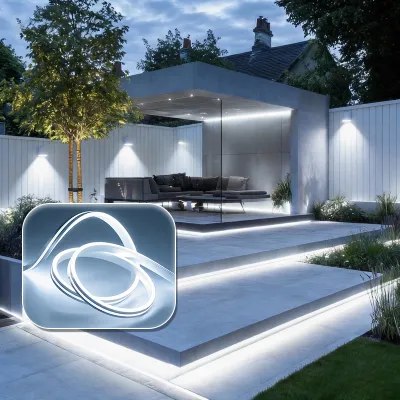
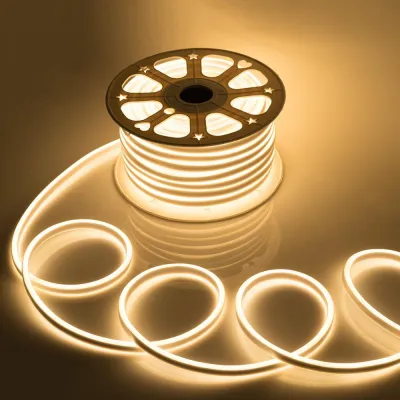
Prices are valid at publication and may change. Please refer to the product page for the latest price.
Smart synchronization capabilities elevate a standard gaming room into an interactive environment. Audio-reactive modes utilize built-in microphones or software feeds to pulse, flash, or change color in real-time response to game audio, explosions, or background music. This feature adds a physical dimension to your gameplay, making every sound effect feel more impactful as the room reacts to the action.
Screen-mirroring features offer an even deeper level of integration by analyzing the dominant colors on your monitor or television screen and projecting matching hues onto the wall behind your desk. This visual extension of your display reduces peripheral distractions and minimizes eye strain by softening the harsh contrast between a bright screen and a dark room. When evaluating TEP products, verify whether they support software-based screen mirroring or require external hardware to achieve this effect.
Brightness ranges and dimming functionality are essential for maintaining a multi-purpose space. Your gaming room likely serves other functions, such as daytime remote work, studying, or general relaxation. The lighting fixtures you choose must be capable of producing high lumen output for daytime visibility, while also offering smooth dimming down to very low percentages for late-night gaming sessions without causing distracting glare or screen reflections.
Color temperature adjustments, or tunable white light, help balance your daily biological rhythm. Cooler white light, ranging from 5000K to 6500K, mimics natural daylight and helps maintain focus and energy during daytime tasks. Warmer white light, ranging from 2700K to 3000K, is much gentler on the eyes in the evening, helping you wind down after a long gaming session. Ensure your selected ambient lights allow you to transition smoothly between these color temperatures.
Choosing the Right TEP Form Factors for Your Setup
Selecting the ideal lighting fixtures requires a careful assessment of your physical gaming space. You must balance direct task lighting with indirect ambient glow to prevent eye strain while ensuring your desk and walls do not become cluttered with messy cables and bulky power adapters.

LED Light Strips for Desks and Monitors
Before purchasing any light strip, measure the exact dimensions of your desk edges or the back of your monitor. This prevents buying strips that are too long, which leads to awkward overlapping, or too short, which leaves dark gaps in your ambient glow. Accurate measurements also help you determine if you need a single continuous strip or multiple shorter segments linked by extension cables.
Many LED strips feature designated cut points where you can safely trim the strip to fit your exact measurements. If you need to route the strip around sharp 90-degree corners behind a monitor or under a desk, look for compatible corner connectors or flexible extension cables. Forcing a standard LED strip to bend at a sharp angle can crease the flexible circuit board, damaging the internal wiring and causing sections of the strip to fail.
The longevity of your light strip installation depends heavily on the quality of the adhesive backing. High-humidity environments, common in tropical climates like the Philippines, can weaken standard adhesives over time, causing the strips to sag or peel away. Proper surface preparation, such as cleaning the mounting area thoroughly and ensuring it is completely dry, is essential for securing a long-lasting bond.
Ambient Bulbs and Decorative Wall Panels
Standard light sockets in your gaming room can be upgraded with smart ambient bulbs to provide broad, room-wide color washing. When selecting these bulbs, verify the base interface type, such as E27 or GU10, to ensure compatibility with your existing lamps or ceiling fixtures. Look for bulbs with wide beam angles to ensure the colored light distributes evenly across your walls and ceiling rather than creating a narrow, concentrated spotlight.
Modular LED wall panels allow you to design custom geometric shapes on your walls, serving as both functional lighting and high-tech decor. Before mounting these panels, sketch your desired layout on the wall using painter’s tape to verify the physical dimensions and ensure the design fits your space. This planning step also helps you position the layout close enough to a wall outlet so the power cable can reach without stretching.
Ensure your wall surface is smooth and non-porous, as textured plaster, brick, or matte paint can prevent adhesive mounting pads from securing heavy panels or decorative neon signs. If you are mounting larger, heavier decorative fixtures, look for options that include mechanical mounting brackets or screw anchors. This prevents the fixtures from falling and sustaining damage, especially in warm environments where adhesive strength naturally degrades over time.
Electrical Compatibility and Installation Safety
In the Philippines, the standard household voltage is 220V at a frequency of 60Hz. When purchasing TEP lighting products, always verify that the power adapters are rated for 220V input rather than 110V to prevent immediate electrical damage, short circuits, or fire hazards. Check the product specifications or the label on the power brick itself to confirm it supports the local voltage range.
Ensure the power adapters use compatible plug configurations, typically Type A or Type B flat-pin plugs, or that you use high-quality, certified adapters. Avoid daisy-chaining multiple cheap adapters or plugging too many high-draw devices into a single extension cord. In warm, humid climates, overloaded electrical connections can quickly overheat, posing a significant safety risk to your home and gaming equipment.
Smart lighting setups often involve multiple LED strips, wall panels, and decorative signs connected around a single desk area. Calculate the total wattage of all planned fixtures to ensure you do not overload your power strips, smart plugs, or USB power hubs. Each power source has a maximum wattage limit that must never be exceeded, especially when running multiple lights at maximum brightness simultaneously.
Most standard USB ports on PCs or monitors output limited power, often 5V at 0.5A or 0.9A, which may not be sufficient to power long LED strips at full brightness. Using an underpowered USB port can cause your lights to flicker, display incorrect colors, or shut down unexpectedly. Always use the manufacturer-provided power bricks or dedicated, high-output USB wall chargers to ensure stable performance.
While mounting adhesive light strips and plugging in smart bulbs are straightforward DIY tasks, any modification to your home’s fixed electrical wiring requires professional intervention. If you plan to install recessed ceiling spotlights, hardwire wall sconces, or add new dedicated outlets behind your gaming desk, always isolate the power at the main circuit breaker first. Hire a licensed electrician to perform these installations to ensure compliance with local electrical codes and safety standards.
Purchasing and Verifying Authentic TEP Products
To ensure you receive genuine TEP lighting products with full firmware support and safety certifications, purchase directly from official brand websites or authorized flagship stores on reputable online marketplaces. Avoid unverified third-party sellers offering unusually low prices, as these products may be counterfeit, lack essential safety features, or fail to connect to the official smart home application. While budget-friendly options might seem appealing, investing a reasonable budget—often starting around ₱1,500 for authentic starter kits—ensures long-term reliability.
Upon receiving your order, carefully inspect the packaging for official branding, clear printing, and intact security seals. Look for recognized electrical safety certification marks on the power adapters and product labels, which verify that the hardware has undergone rigorous safety testing. Counterfeit products often feature misspelled brand names, blurry label text, or missing certification logos.
Open the package and check that all listed accessories—such as power adapters, controllers, mounting brackets, and user manuals—are present and undamaged. Inspect the physical build quality of the LED strips and panels, ensuring there are no exposed wires, cracked casings, or loose connections. Testing the lights briefly before mounting them permanently allows you to identify any defective LEDs or connection issues early.
Genuine smart electronics should come with a clear manufacturer’s warranty that covers defects in materials and workmanship. Familiarize yourself with the return policy of the seller, keeping your receipt and original packaging intact in case you need to request a replacement or refund. Having a valid warranty ensures you are protected if a component experiences technical issues or fails prematurely.
Frequently Asked Questions (FAQ)
Can smart gaming lights sync directly with PC or console gameplay?
Real-time screen synchronization typically requires specialized software or hardware interfaces to capture the on-screen colors and translate them to your lights. For PC gaming, this is often achieved through proprietary desktop applications that run in the background and sync with compatible smart light strips or bulbs. These applications analyze the pixels on your screen and adjust the light colors dynamically to match the gameplay.
Console gaming setups usually require an external HDMI sync box placed between the console and the television. This hardware analyzes the video signal directly to coordinate the lighting effects, as consoles do not support background syncing software. Budget-friendly or basic lighting models may not support these advanced syncing methods, relying instead on built-in microphones for audio-reactive modes or manual color selection via a mobile app.
How do I prevent LED light strips from peeling off my desk?
Successful long-term adhesion starts with thorough surface preparation. Clean the mounting surface with isopropyl alcohol to remove all dust, oils, and fingerprints, and allow it to dry completely before applying the adhesive strip. Avoid using household glass cleaners or multi-purpose sprays, as they can leave behind a thin residue that prevents the adhesive from bonding securely to the surface.
In warm, humid environments, standard adhesive backings may require extra support over time. Use plastic mounting clips with small screws or heavy-duty, double-sided mounting tape at critical stress points, such as corners and power cable connections where the weight of the cable pulls on the strip. Alternatively, installing your LED strips inside aluminum channels not only provides a secure mechanical mount but also helps dissipate heat, extending the lifespan of the LEDs.

Community discussion
Share your experience or ask a question. Comments are reviewed before publication.